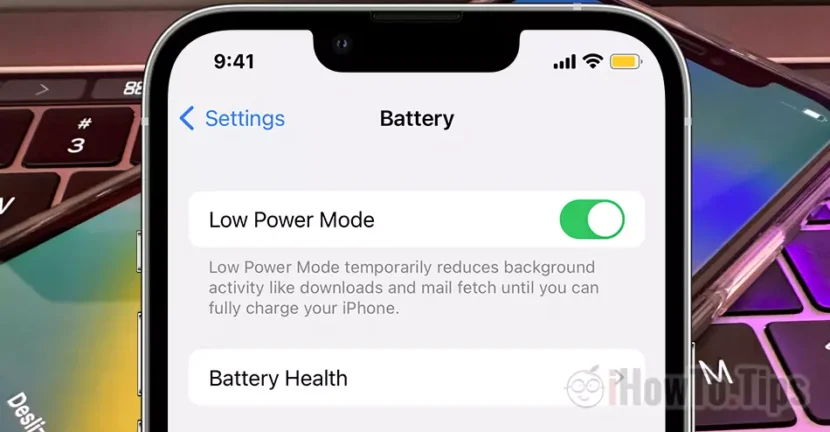

A very useful function to increase the autonomy of the iPhone battery when you do not use it. How do you set automatic activation of low power mode when iPhone is in Sleep Mode.
Apple has introduced Low Power Mode as the measure of saving battery energy on iPhone and iPad. Thought to be activated when the battery percentage drops below 20%, low power mode can be activated whatever we want to increase the iPhone battery life.
For example, when we go to areas where we do not have a load source, it is good for this mode to be activated. Or when we sleep and do not need the iPhone to run at maximum performance.
How do you set automatic activation of low power mode when iPhone is in Sleep Focus
First of all, before setting the automatic activation of low power mode on iPhone, make sure the most recent iOS version is installed and set time for Sleep Focus. The time when iPhone enters and exits automatically from Sleep.
1. Go on iPhone in Settings → Focus → Sleep.
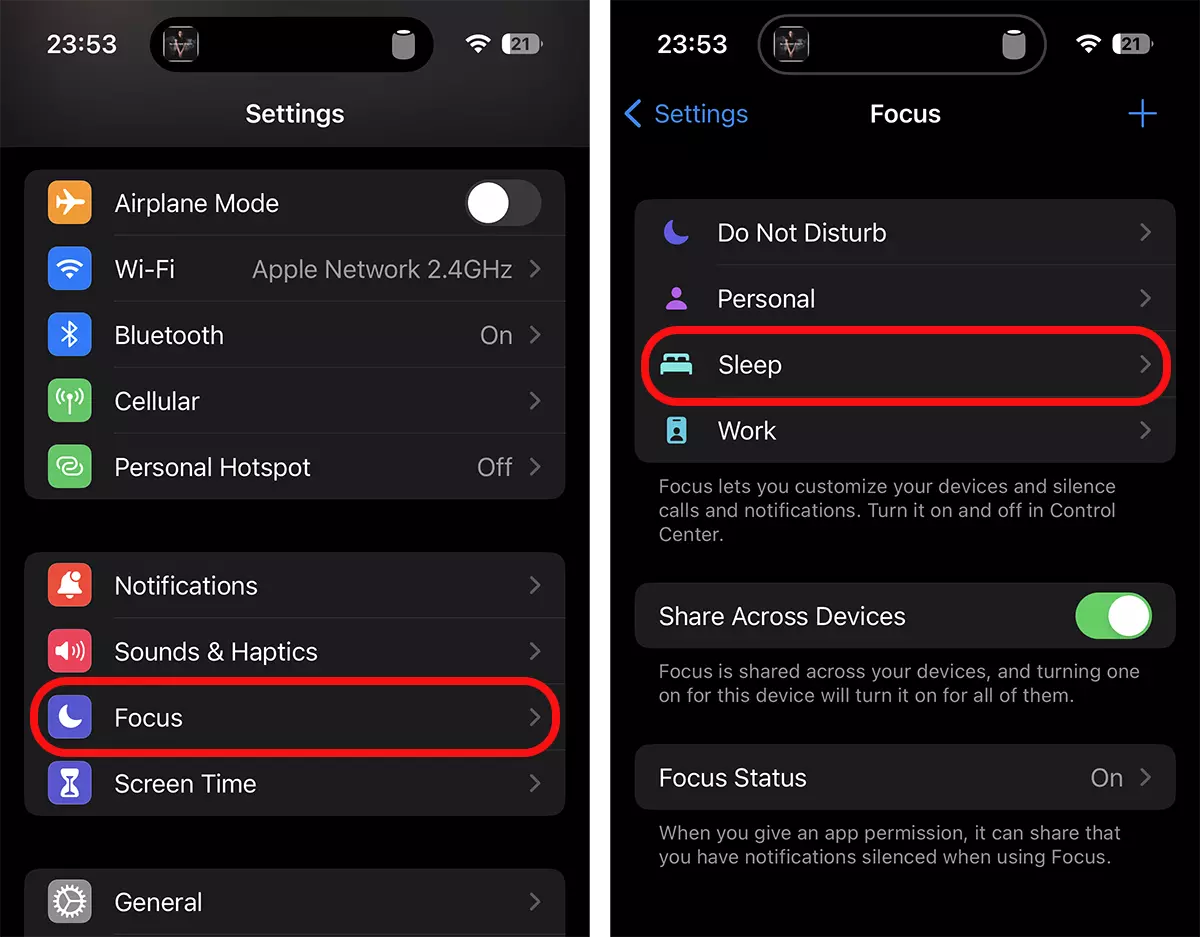
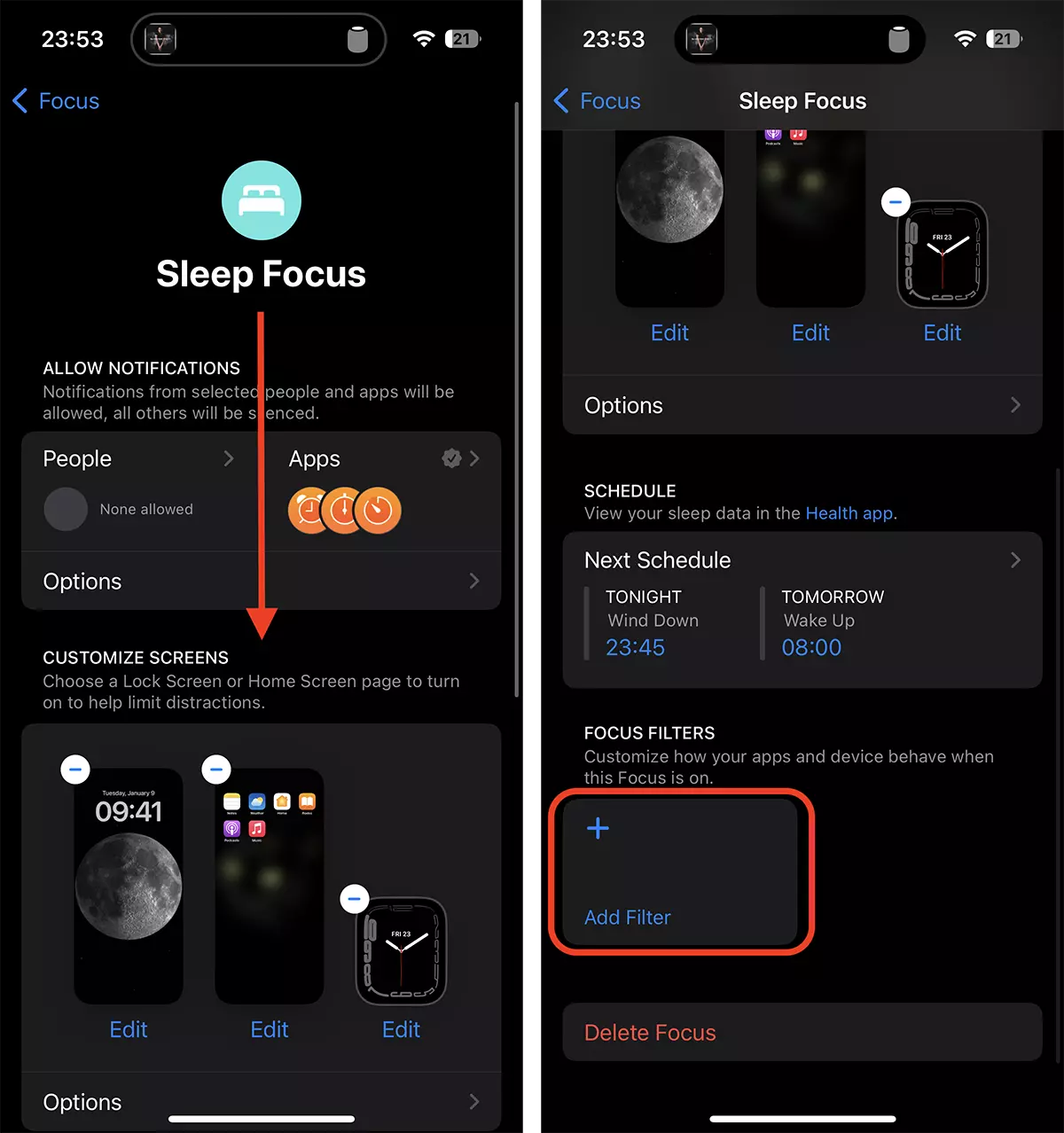
2. In the Sleep settings go down to "Add Filter“.
3. Go to System Filters → Low Power Mode and activate the function.
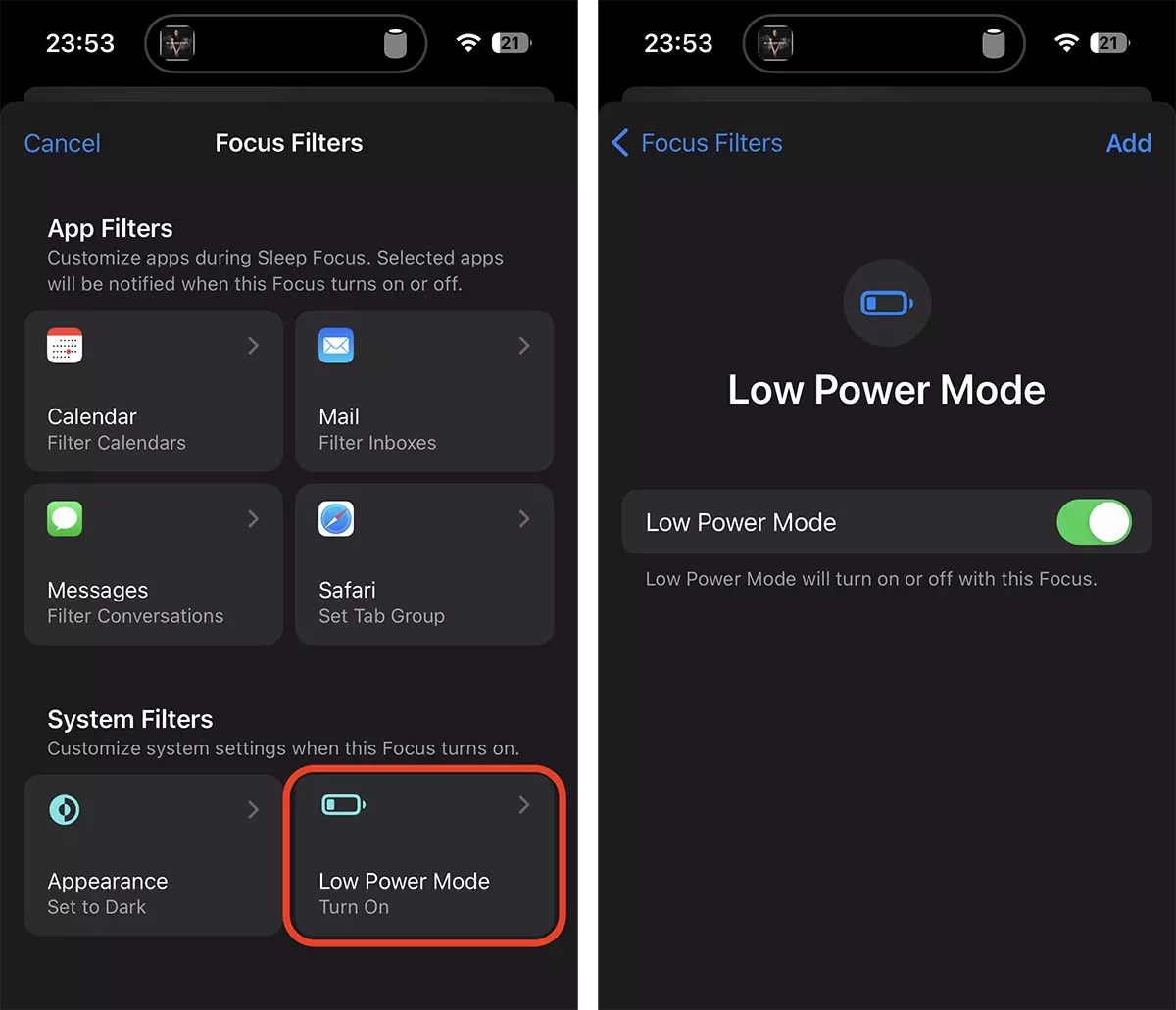
At this time is the option by which iPhone to get in the low power mode with the passage in Sleep Focus.
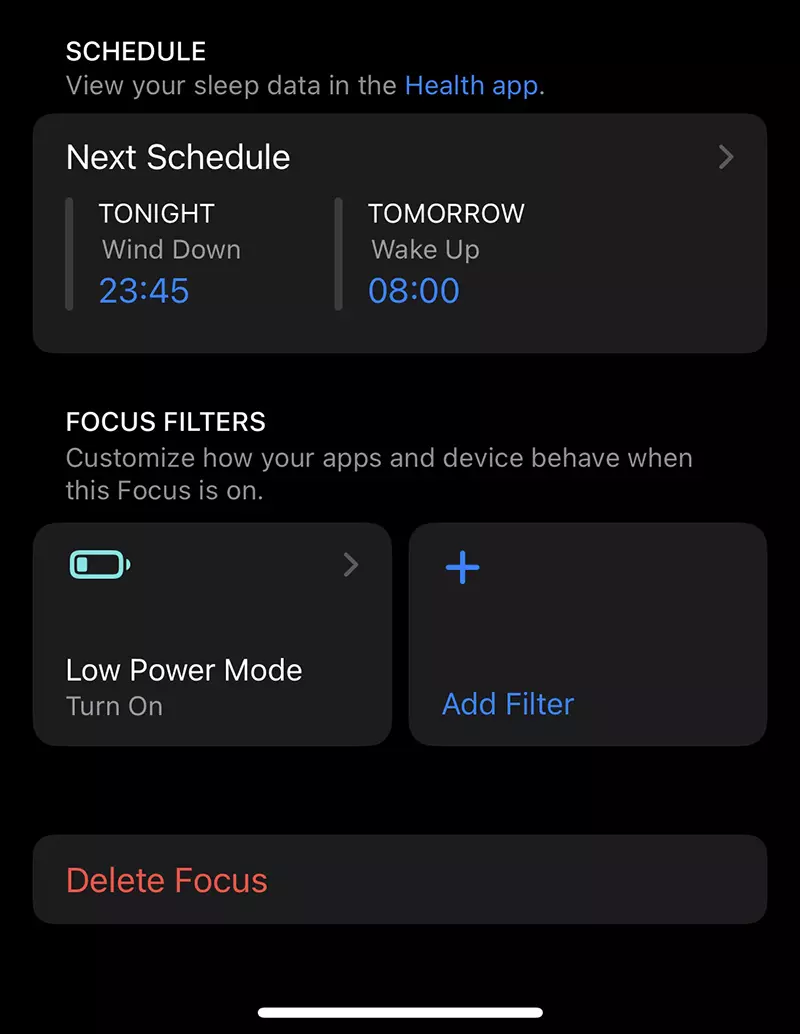
In my case (the image above), the iPhone will enter the low power mode at 00:00 (Wind down at 23:45) and will automatically leave low power mode at 08:00.
- How do you use Low Power Mode on Apple Watch - increases battery life
- Activation / Disabling Low Power Mode on MacBook (Macos Monterey) and iPad (iPados 15)
- How do we permanently activate low power mode on iPhone - the battery will keep you much longer
During this time some visual effects will be deactivated, the background activity of applications, automatic discharges, iCloud synchronization of photos from the Photos application (except if overnight is charged) and the reduced light of the screen.
The setting that allows the automatic activation of the low power mode when iPhone is in Sleep Mode It will contribute significantly to the life period of the battery. Battery Health.




































