
I do not know for what reasons, but Apple does not easily provide information about the exact CPU model on Mac. For example, for an imac with intel processor, in System Information No information is provided only about: processor name, frequency (Speed), number of physical processors and nuclei (core).
Apple gave up the processors (CPU) Intel For the new Mac models. Currently, on apple.com we have no more than Mac Pro which are equipped with Intel processors, but in stores and users will be present for a long time, until they are changed entirely with the new Apple M.
If you want to buy a poppy or you simply want to know exactly the model and generation of the processor, there are orders in the terminal where you can find very quickly.
How do you find the exact model of CPU on Mac, using the command line in the terminal
To find out which CPU model is on a Mac, the easiest to open the utility Terminal and execute one of the command lines:
sysctl -a | grep brandor command:
sysctl -n machdep.cpu.brand_stringThe returned result will include the exact model of the CPU and frequency.
stealth@Laurentius-iMac ~ % sysctl -a | grep brand
machdep.cpu.brand_string: Intel(R) Core(TM) i7-10700K CPU @ 3.80GHz
machdep.cpu.brand: 0
stealth@Laurentius-iMac ~ % sysctl -n machdep.cpu.brand_string
Intel(R) Core(TM) i7-10700K CPU @ 3.80GHz
stealth@Laurentius-iMac ~ % 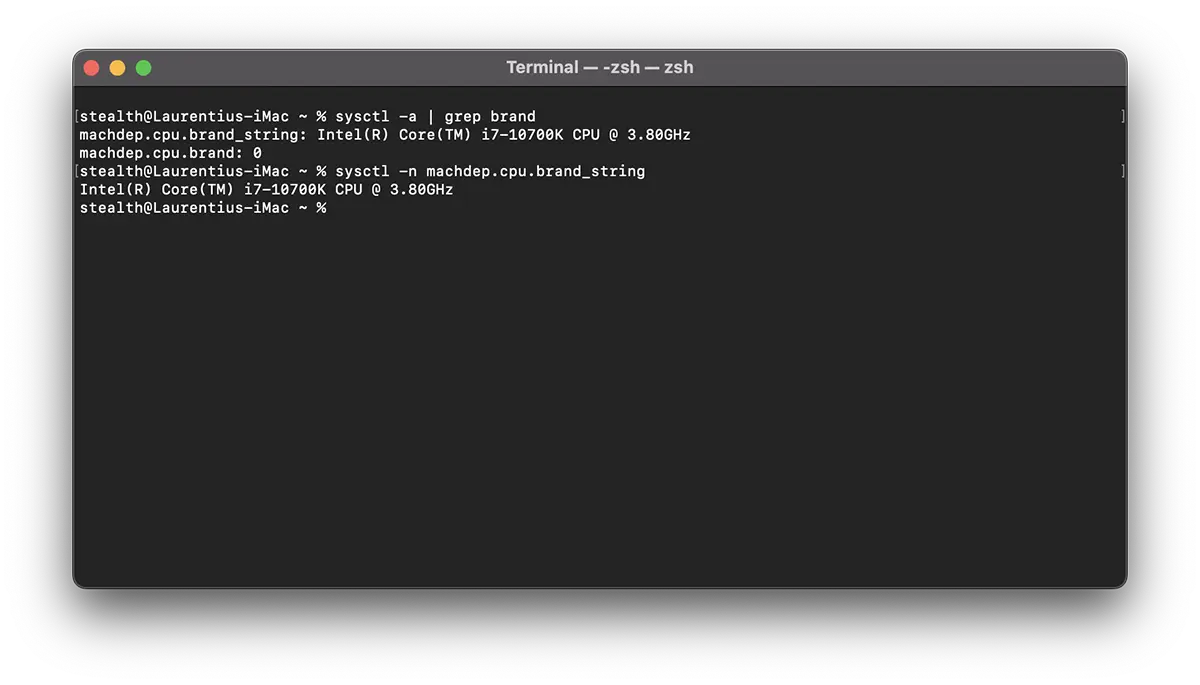
To the new models of Mac And MacBook things are simpler. Apple M1, Apple M2, Apple M2 Pro chip. For each model it can differ the number of nuclei.




































