

If you see the MDWRITE process in Activity Monitor, it is a normal thing, but you are certainly not delighted if the MDWRITE process uses 100% CPU on maccos. Fortunately, this process is not a virus or service placed by a third -party Mac -installed application.
However, there is no concern if you notice in Activity Monitor that MDWRITE has moments when using a significant percentage of CPU resources. It is a normal thing under certain conditions, even if for a while the operations performed on Mac can be made difficult because of this process.
What is and why does the MDWRITE process use 100% CPU?
On maccos operating systems, the process mdwrite is associated with the service ”Metadata Write". It is part of the maccos operating system and is responsible for writing disc metadata, including SSD discs, HDD discs and USB discs.
Metadates are information about files, applications, directors, such as attributes, tags, creation date and other details associated with disc files. The MDWRite process can also be used to write data on virtual discs. This process can also be used by applications such as VirtualBox and VMware to create and manage virtual cars.
In conclusion, "MDWRITE" is a process that collects and retains information about all the files present on the system, including those on the external storage units that are connected to Mac.
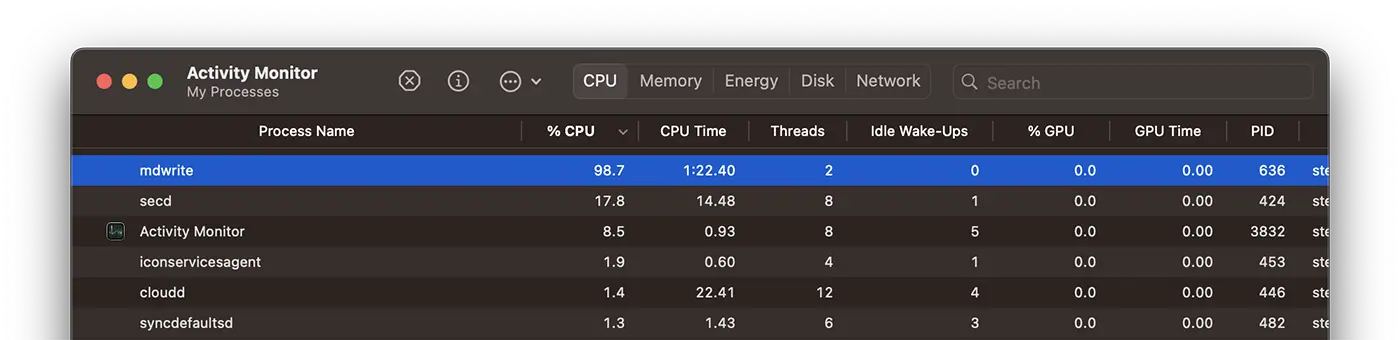
Most of the time, the process mdwrite It can consume significant CPU resources when the system has a very large volume of files. For example, if you have transferred many files to the hard disk or access an external stock environment where there are many files for which you want to display information about them in "Finder".
This process of the maccos system is often associated with the indexing service Spotlight from Macos (which I talked about here). When Spotlight indexes or reindeers the file information on the disk, mdwrite can use significant resources to update and write metadata. The process can be intense on resources, especially during the first indexation of a volume or after significant changes.
If there is intense activity with files such as creating, modifying or deleting files, mdwrite It can be required to update metadata constantly, which can lead to the use of CPU resources.
Related: Why does Fileproviderd use many CPU resources?
When you see in Activity Monitor that this process requires a lot of CPU resources, it is best to stop other activities for a while and leave mdwrite to finish the operation of writing metadata.




































