

Apple had some good ideas for the future macOS Monterey which will be available from the fall of 2021, but some changes made in the beta versions were not at all to the liking of the users.
It's no secret that most macOS users don't Safari by default, but a rather important number (to which I also contribute) remained loyal to the Apple browser. An argument would be stability, reliability and especially synchronization with iPhone and iPad.
In the first versions of macOS Monterey, Apple brought several important changes to Safari, including the unification of tabs on a single line (Streamlined Tabs), each tab playing the role of a search bar or URL. A change that was not well received by those who tested the new browser, and fortunately Apple abandoned this change in macOS Monterey Beta 3.
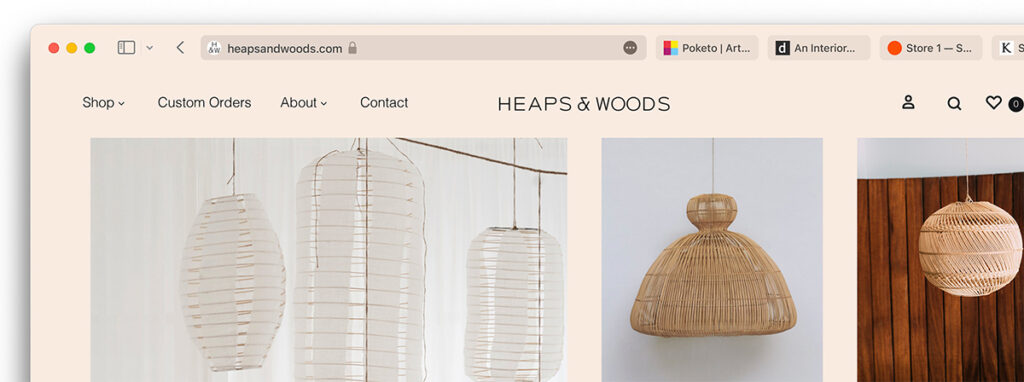
There remained, however, another feature of the Safari brought to Monterey. Coloring taband of the entire top bar of the browser depending on the color of the background header of the visited website. It is something new, but not necessarily pleasing to the eye, especially when we have a light colored background and the text on the tabs is no longer legible.

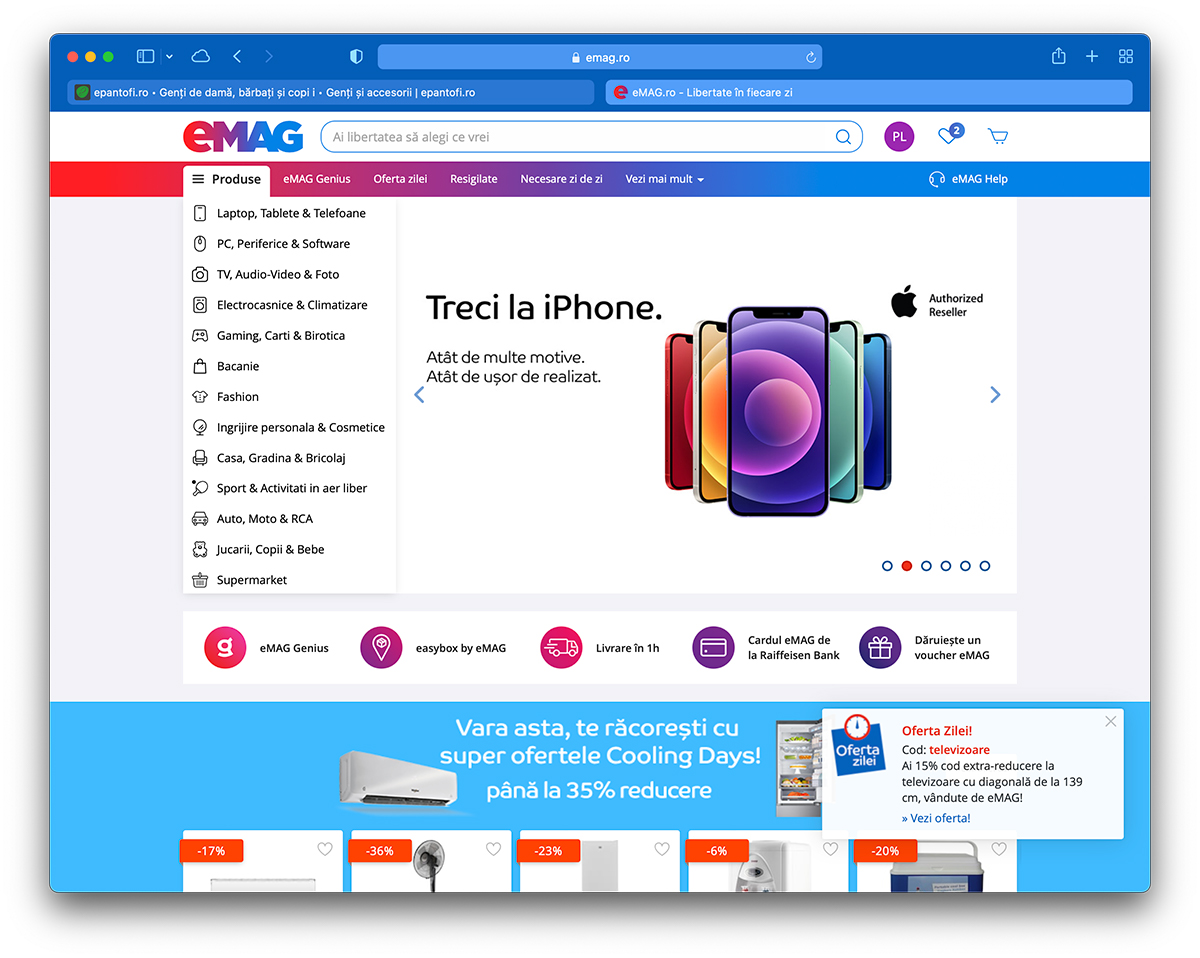
As can be seen in the images above, if we open epantofi.ro, there is little chance that we will be able to understand what we have open in other tabs. emag.ro looks a bit better, the text remains legible both in the active tab and in the other open tabs.
This option, through which the Safari toolbar takes over the background color of the websites in the active tab, can be deactivated very easily from the browser settings.
How to disable the color of tabs and toolbar in Safari on macOS Monterey
We go on Safari to: Preferences → Advanced → uncheck the option "Show color in tab bar“.
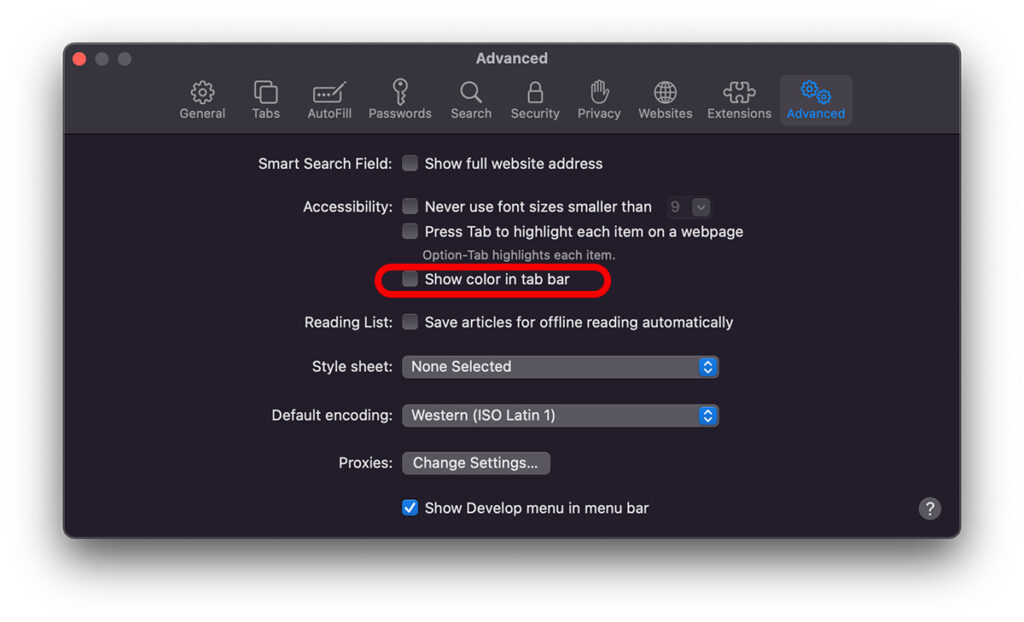
As soon as the option is disabled, the browser will show the difference. The toolbar in Safari will take on the system color. Dark or Light.

I still think it would be a good idea for Apple to return to the "unification" of the toolbar / streamlined tabs before the final version. That layout that was retired in Monterey beta 3 could be helpful for web developers in certain scenarios.




































