
AnyDesk It's a good alternative to TeamViewer, both on Windows and MacOS. Especially if TeamViewer erroneously detects that it is used Application for commercial purposes and leaves us only 5 minute Remote connection with another PC, if not We buy the license.
Anydesk for Macos is a very intuitive application and does not offer too many options, but you do the job with it in the free version. For distance connection on another PC from time to time, it is very ok. Fast connection without too high lag, good quality image in remote and minimal intuitive options.
The only issue of Anydesk application is that It opens alone with the start of the macos system, and in options / preferences there is no possibility of Disabling Anydesk in Startup. Fortunately, there is a very simple way to prevent the application of the application when starting Mac.
How we disable / delete Anydesk from the startup on Mac
Normally, applications that are set to start with the operating system must be found in System Preferences -> Users & Groups -> Login Items. But there are applications like Anydesk who displays anything in "Login Items"And it does not offer the user any option to deactivate the startup from the interface or options. In this case we will have to manually delete the automatic launch files of the application.
We open Finder (Shift + Command + G) and browse in the folders:
/Library/LaunchDaemons
and
/Library/LaunchAgents
In these folders we identify, we archive the files belonging to the Anydesk application, then we delete them.
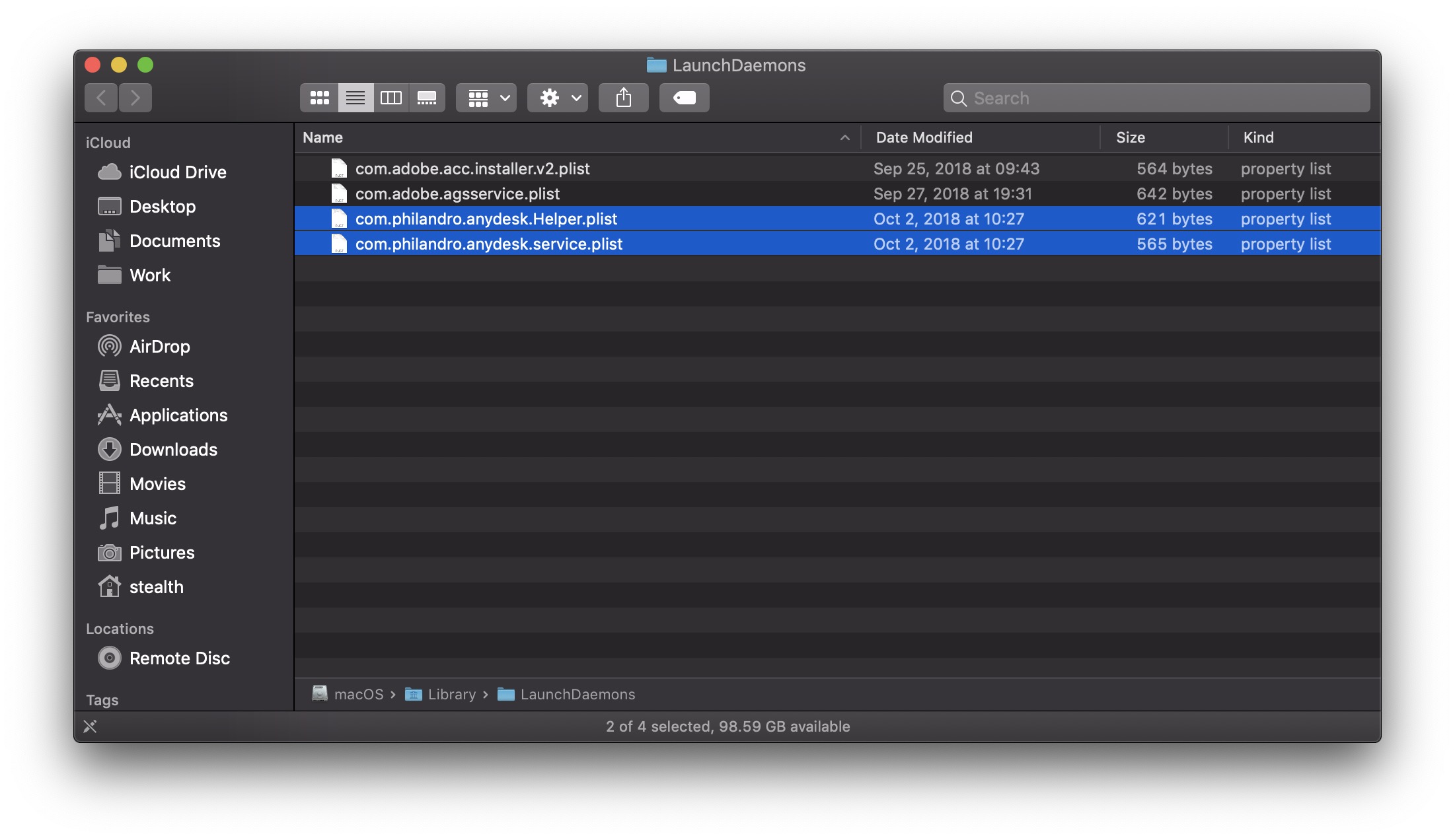
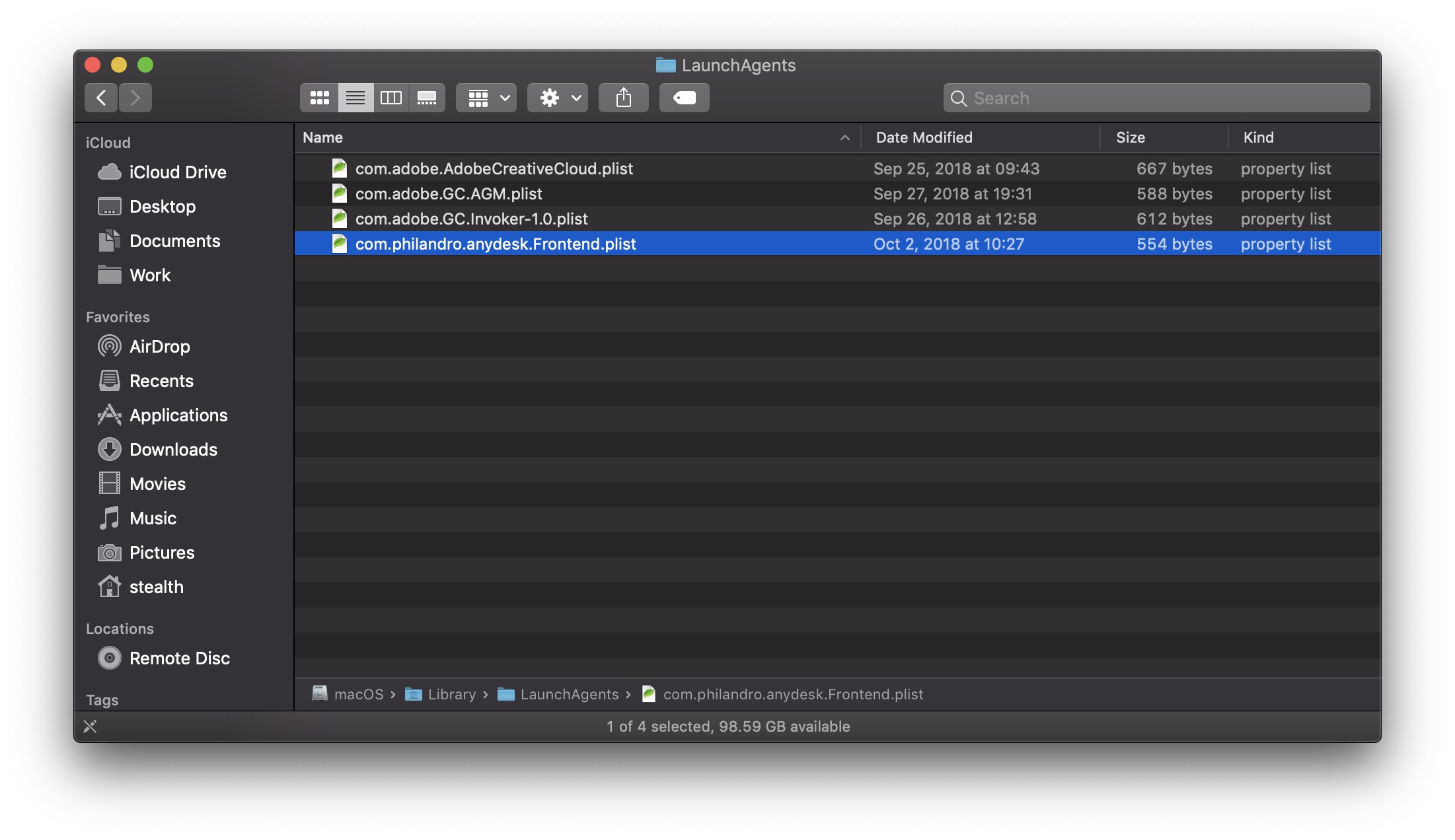
Archivation is recommended in case you want to restore Anydesk in the startup. After deleting the files, at the next reboot of the MacOS system, Anydesk will no longer be released.
The tutorial was tested on Macos Mojave 10.14.





































merci.
Thank you very much, almost not.
Thank you, I was already losing patience with this anydesk.
thanks.
It works very well! Keep in mind that if you need to assist your own PC remotely, you will not be able to restart your own PC as you will lose contact.
Congratulations to the author for the creation of the site! 🙂
Champion you are
Usually that's under
taskmanager => autostart => deaktiviere anydesk
CERTEIRO TIP, WORKED IN MY MACOS SIERA
Hi, thank you for this tutorial, I was tired of seeing Anydesk open to each start (Monterey).