

Siri is the intelligent personal assistant on which Apple has been betting a lot in recent years. We want an assistant capable of answer all the questions, to offer us suggestions or SA perform certain operations to a simple one voice command.
Regarding Siri suggestions (Siri Suggestions), they are not always useful and most of the time we feel invaded by them. Both in "search" and in applications.
These Siri suggestions can be disabled, customized for specific applications or completely disabled Siri assistant.
How we customize Siri suggestions, customize or completely disable Apple's intelligent voice assistant
By default, Siri can be "asked" by voice command "Hey Siri"Or pressing and holding button "Home"Or"Sleep", depending on the iPhone model.
If you don't need this Apple tool, deactivation and/or customization can be done very easily from the "Settings" menu.
1. Go in Settings → Siri & Search. In this menu you have all the options available for Siri settings. From here you will be able to activate or deactivate certain elements of the intelligent voice assistant or you can customize the Siri access in the applications.
2. To disable suggestions in search, look up and lock screen, go to "Siri Suggestions" in the menu and disable: "Suggestions in Search“, “Suggestions in Look Up"si"Suggestions in Lock Screen“.
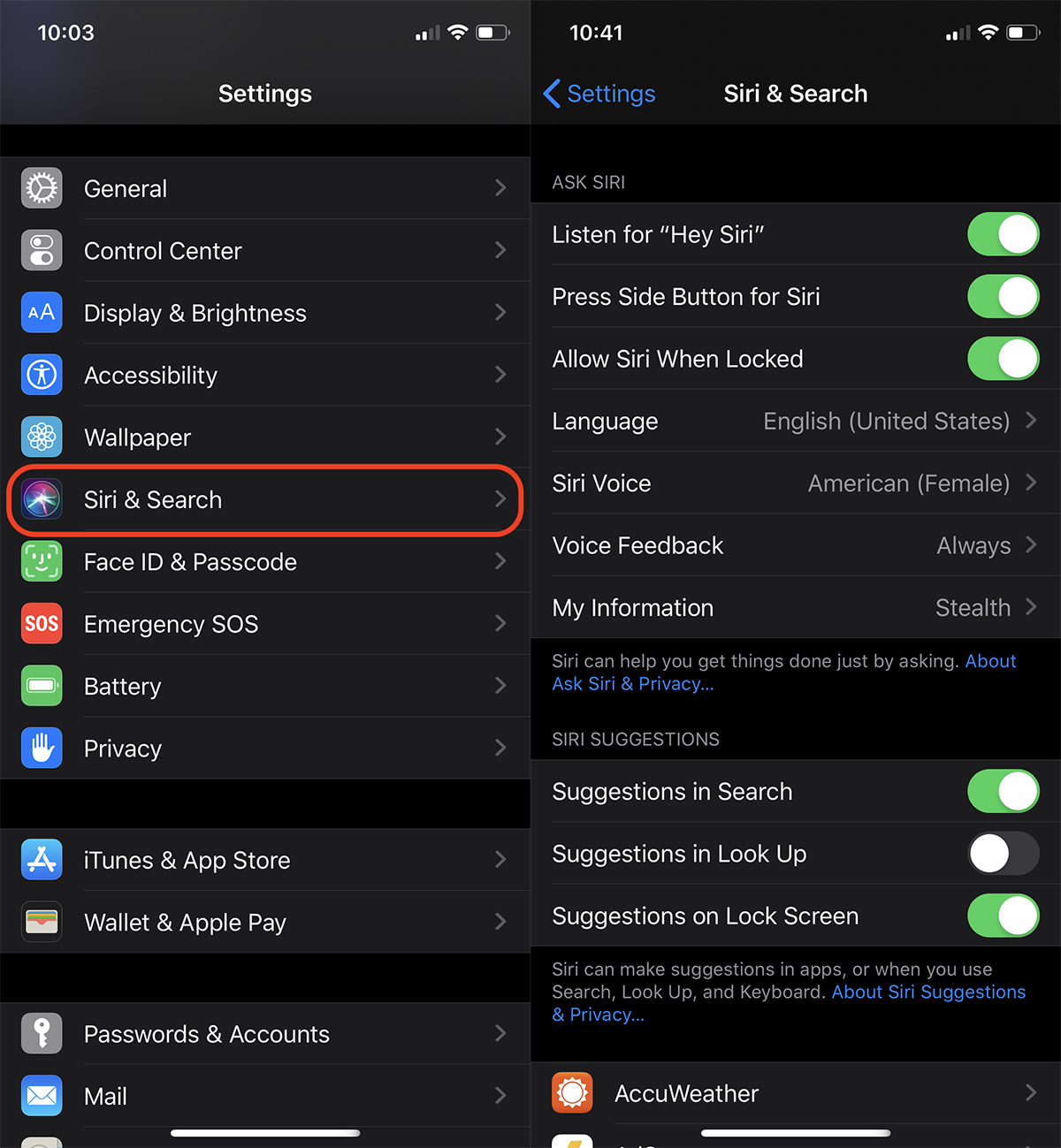
Also from this menu you can deactivate Siri with the voice command "Hey Siri" or when you hold down the "Home" button or the lock button on the side, in the case of models iPhone X and iPhone XS or newer.
Personalization of Siri for applications installed on iPhone or iPad
Scrolling down the menu from “Siri & Search" we find a list of all the applications installed on the iPhone. Going further into each application, we have the Siri customization options for that application.
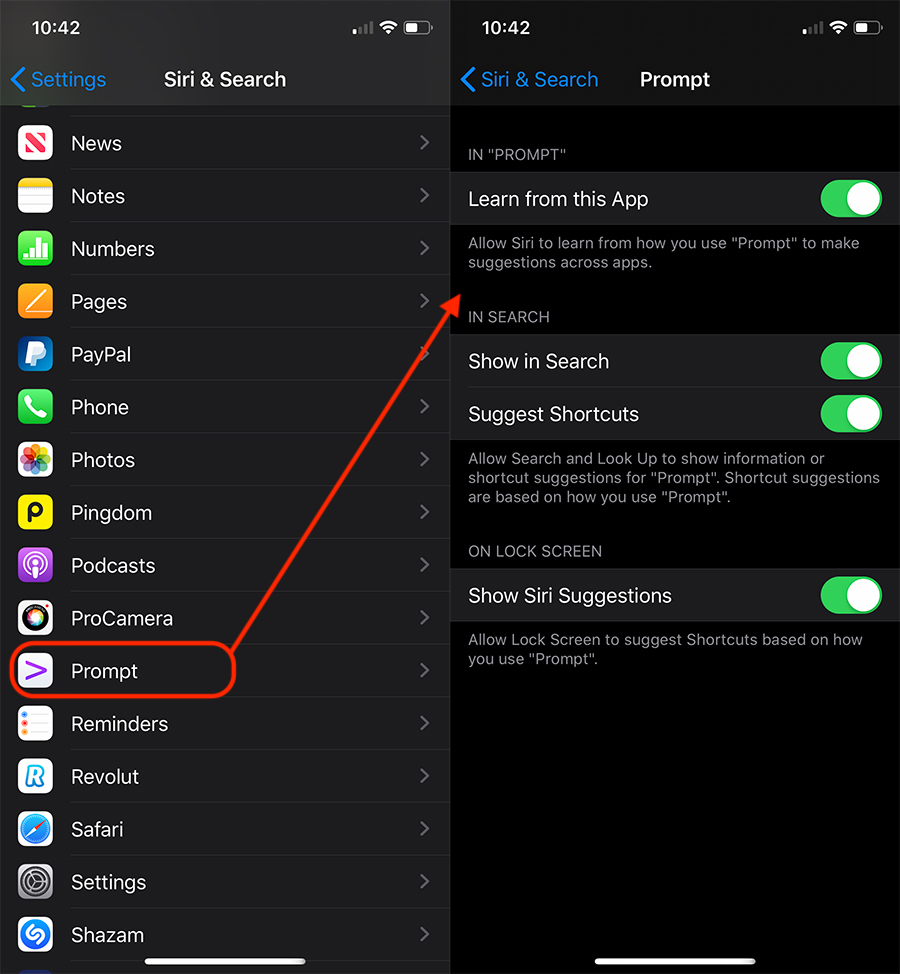
From here we can let Siri learn about how we use the application to give us suggestions in the future, we can enable or disable suggestions and search results for the application or we can remove it from the lock screen.




































