

"Guest User"There is nothing abnormal on a maccos operating system. This user of" guests " /" guests "is very little used, especially on the MACs where it has only one person. If you still want to leave someone at Mac, the use of the account"Guest User"It is very indicated. Authenticated on this account, The visitor will not have access to your files. to applications and in addition, All data stored in a "guest" session will be deleted automatically after disabling.
But this account can give some headaches to users who want to deactivate it. "Guest User" does not want to be easily removed from the authentication screen.
In mod normal, “Guest User” se poate activa, disable and administra from "System Preferences” → “Users & Groups” → click pe “Guest User“.
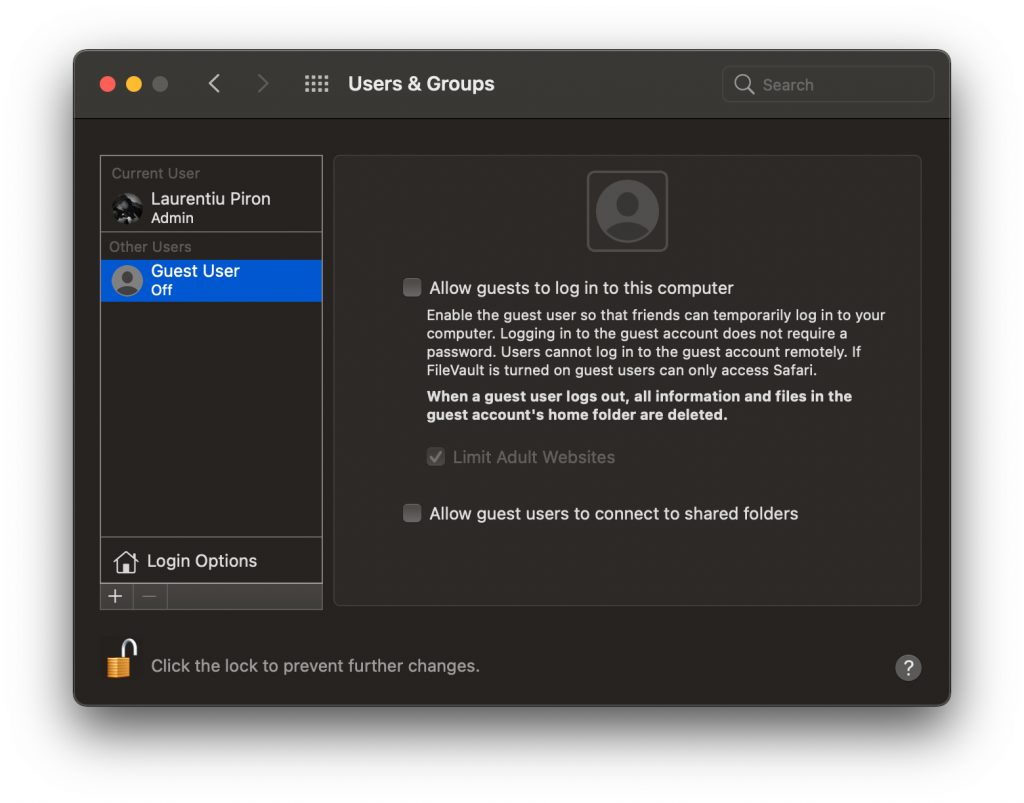
From this screen can be changed (theoretically) and the password for "guest user", it can be activated and deactivated.
Unpleasant surprise occurs when although this account / user is disabled, it still appears in login screen When we start Mac.

Cum dezactivam “Guest User”, daca acest lucru nu este posibil din “Users & Groups”
First of all, let's see the characteristics of this "guest user":
- belongs to the group of users ”_guest“,
- The account name is "Guest"(" Guest user "is just" the full name.
- has a user ID 201, which means that the files under this ID do not belong to a particular person, but to a visitor.
– UUID: FFFFEEEE-DDDD-CCCC-BBBB-AAAA000000C9
By default, when authentication should not be requested for "guest user" password. However, I welcomed situations in which this account appeared activated from the blue, with the password with everything. Unknown.
Before we can disable everything "guest user", we must establish a new password.
How we change the password "guest user" on Mac
1. We open the utility Terminal and we execute the command line:
sudo passwd Guest
2. We enter the administrator user password on macos
3. We enter and reintroduce the new password for the user "guest".
In this way, the password for the "Guest User" account on Macos will be changed with the one chosen by you.
Next, for those who already have "guest user" disabled, but it does not disappear from "Login Screen", the solution is as follows:
1. We go to System Preferences” → “Users & Groups” → Active "Guest User“.
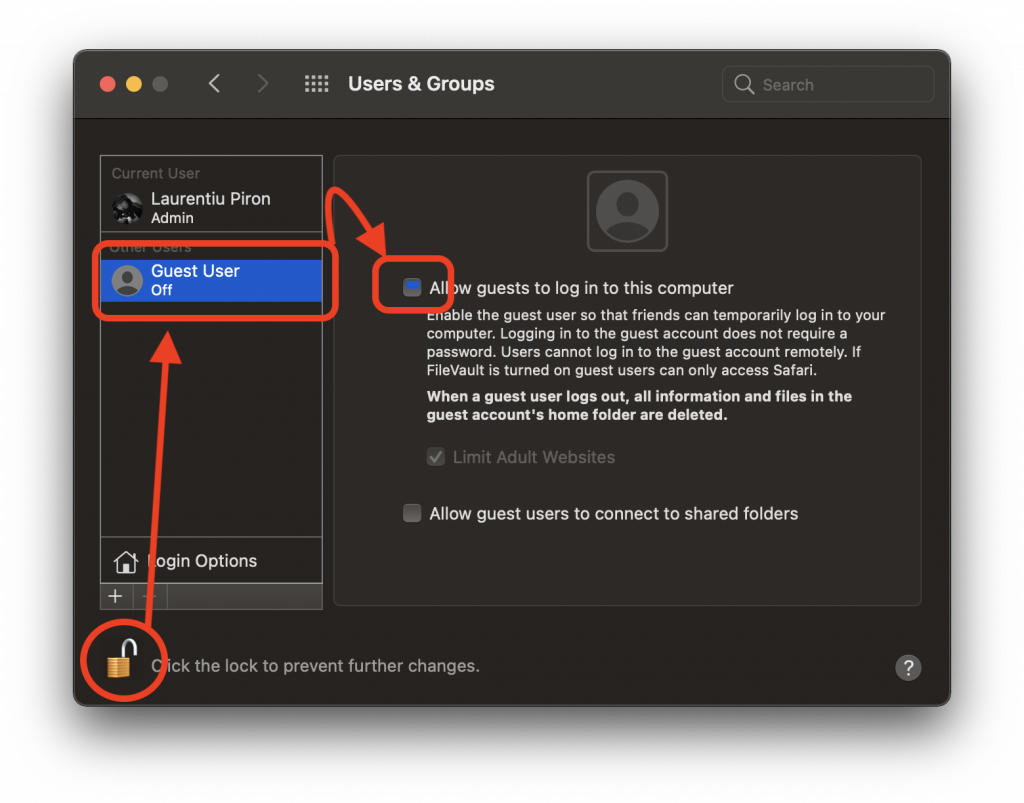
2. “Log Out"From the administrator user and we authenticate on the account"Guest User“.
As I said above, on the "Guest" user session, the data will only be saved until the disintenification. This user will create a "guest" folder in "/users".
3. "Log Out" from the user "Guest" and we authenticate on the administrator account.
4. We go to "/users/" and we delete the "Guest" folder.
5. Mergem in “System Preferences” → “Users & Groups” si dezactivam “Guest User”.
After this step, at the next restart of Mac, the "Guest User" account will no longer be present on Login Screen.
It seems that the impossibility of deactivating "Guest User" is a bug present on both older and Big Sur versions.





































Hallo,
I did this with the Gast folder and unfortunately the guest user is still there for me when registering. What can I do now? Immediately in the next Apple Store?