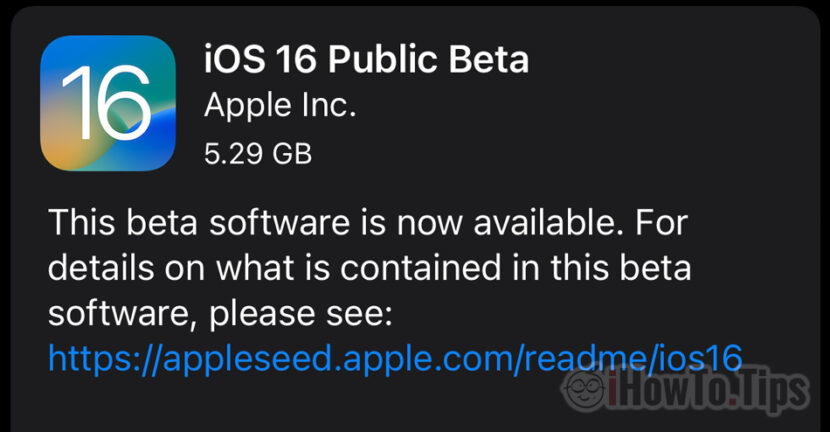

Apple has released the future iOS for iPhone in beta version. If you are curious to see the new features, in the tutorial below we show step by step how to install iOS 16 Public Beta on iPhone. First of all, you have to to check if your iPhone is compatible with iOS 16 and make a backup before starting the installation.
It is not recommended to use beta operating systems, because they may contain errors, bug-uri, incomplete functions and functionality problems in applications or Games. However, if you are curious and want to install the future iOS 16 operating system on your iPhone, you can do it very simply by following the tutorial below. Not before you make a full backup of your iPhone, so you can roll back to iOS 15.
Tutorial: How to install iOS 16 Public Beta on iPhone
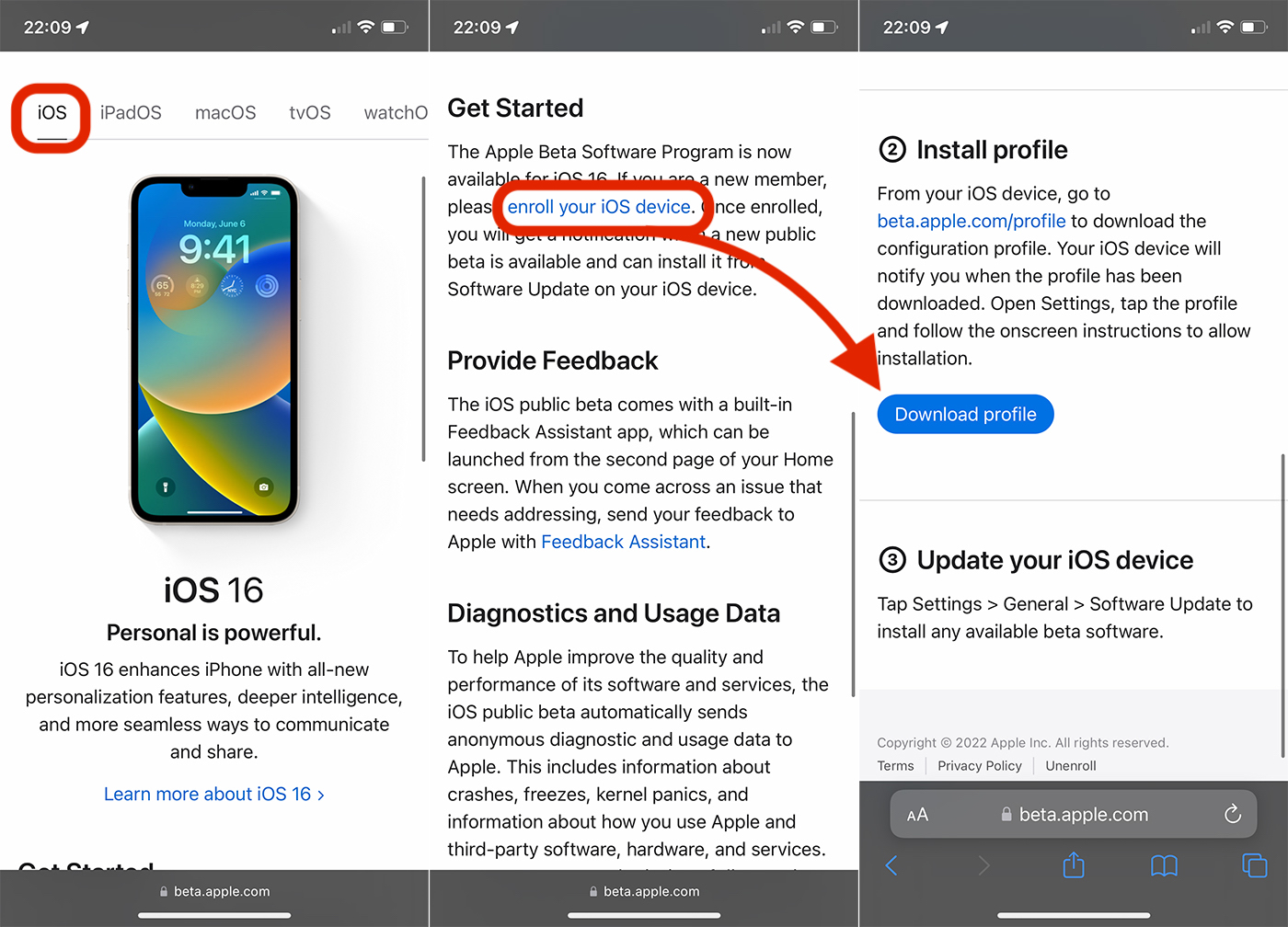
1. Access the official page from Safari on the iPhone Apple Beta Software Program.
2. Do not authenticate with Apple ID, select iOS, then we go to the link "enroll your iOS device“.
3. Scroll to the iOS 16 Beta profile download button.
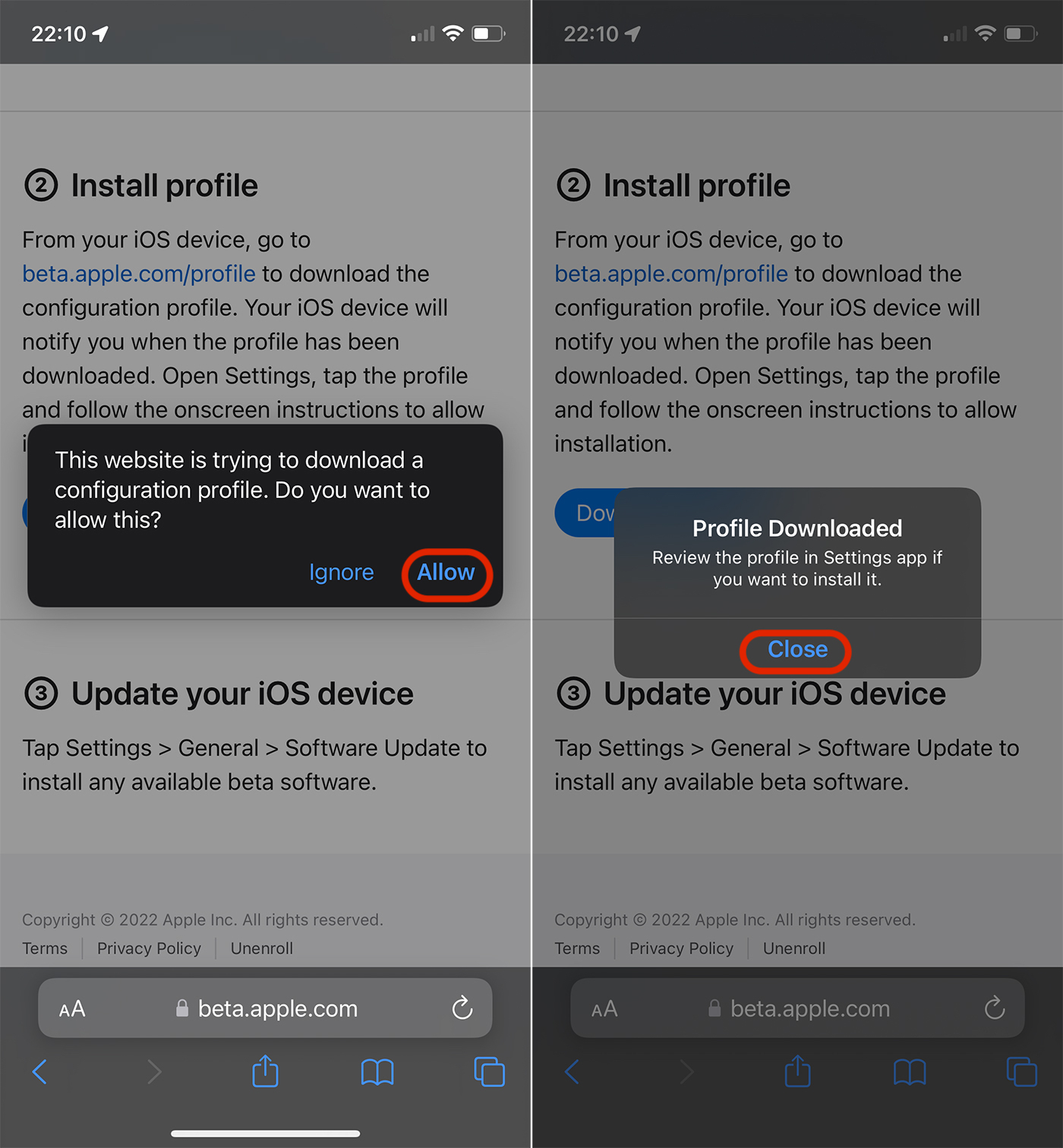
4. On the dialog box press "Allow” to allow the installation of the profile, then “Close” after it was installed.
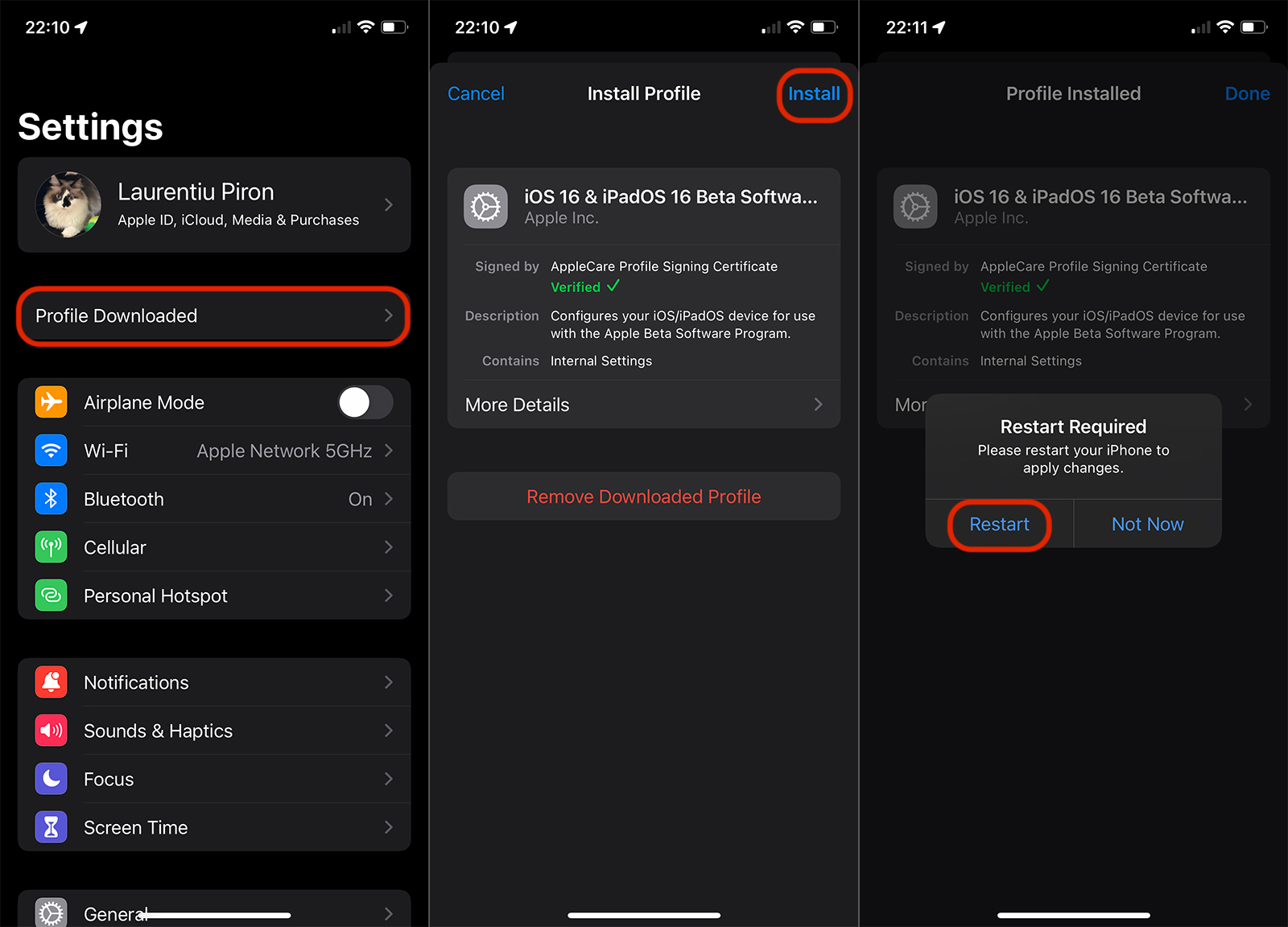
5. Leave Safari and go to Settings → Profile Downloaded → press "Install" at the top, enter the iPhone lock code, then accept the "Terms and Conditions", Install and finally "Restart“.
6. After restarting, go to Settings → General → Software Update. Download iOS 16 Public Beta and install. Minimum 50% battery charge level or iPhone connected to a power source to be able to do this upgrade.
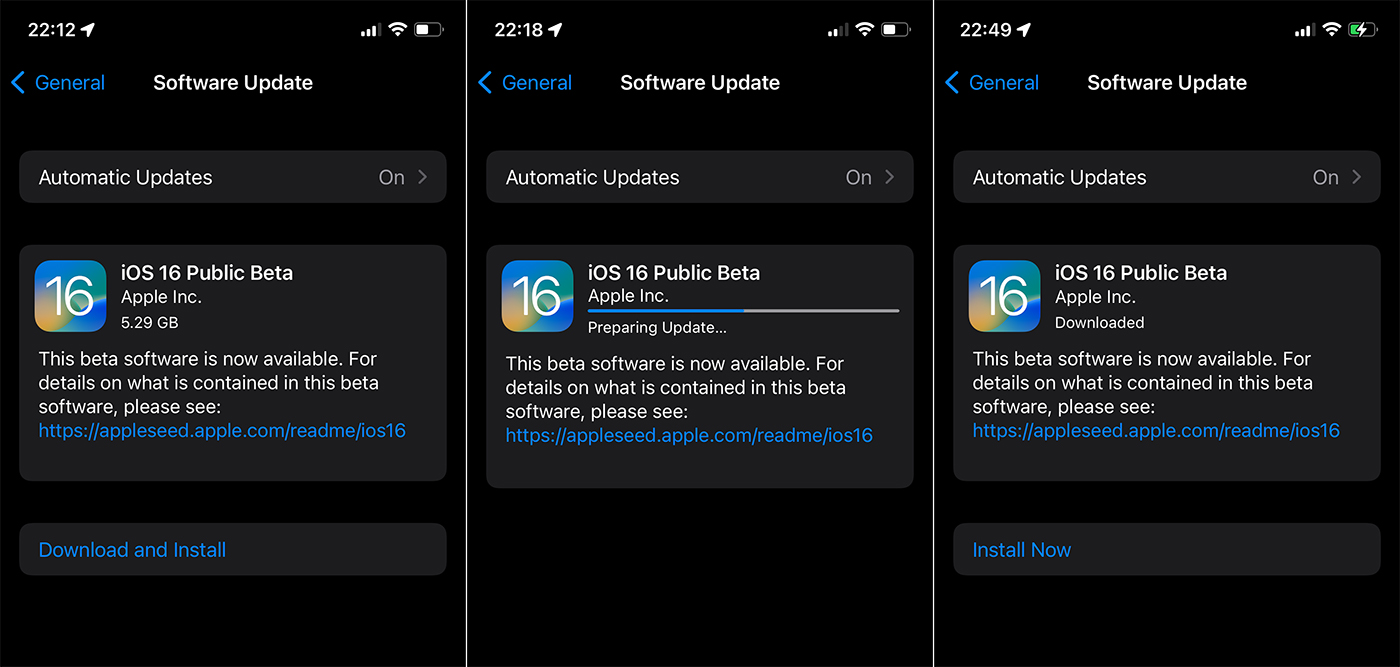
The installation process will take a few minutes and at the end, after you press "Install Now" the iPhone will be unavailable until the installation is complete.




































