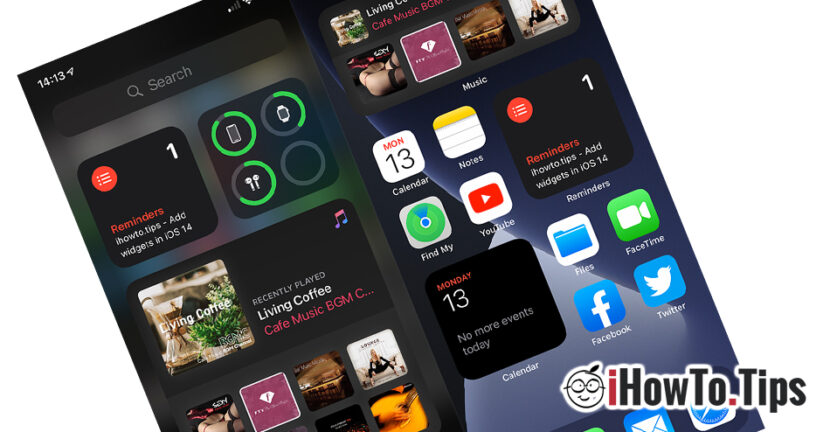

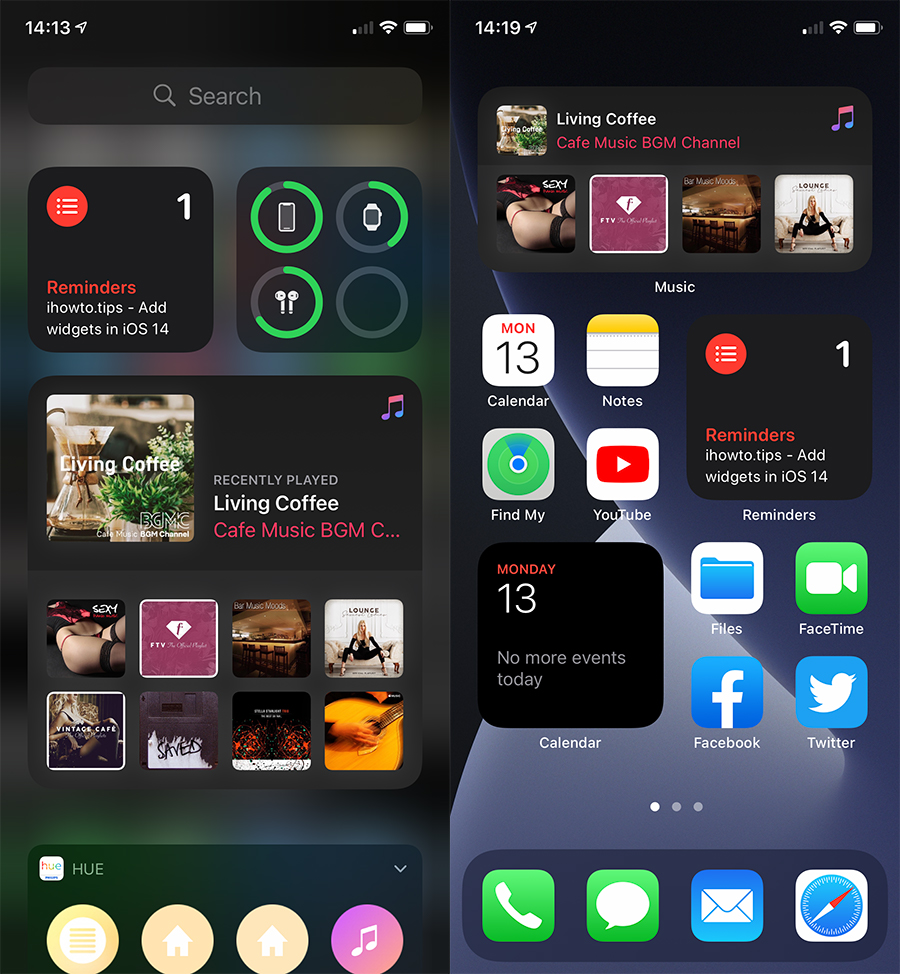
Printre multele noutati aduse de iOS 14, se numara posibilitatea de adaugare widgets on Home Screen at iPhone and iPad. A characteristics that iPhone users have been deprived so far, and some of Android did not want to hear a possible iPhone, just because of the lack of customization and widgets.
Widget-urile sunt extensii in Home Screen ale aplicatiilor instalate, ce ofera o accesibilitate mai rapida si informatii utile. For example, if for an application that shows us the state of the weather, we normally have to open it to see the weather information in our location, a widget can provide this information directly on the screen.
Apple introduces on iOS 14 the possibility of adding Dynamic Widgets on Home Screen, for iPhone and iPad.
Currently, widgets are only unpopular for several applications and utilities developed by Apple. Music, Photos, Weather, Notes, Calendar, News, Remiders, Batteries, Screen Time, Files and Maps. After the official launch, the application developers will be able to include these widgets in the characteristics of the application.
How can we add and manage widgets on iPhone or iPad
1. First, it is necessary for the device to run an iOS 14 or newer operating system.
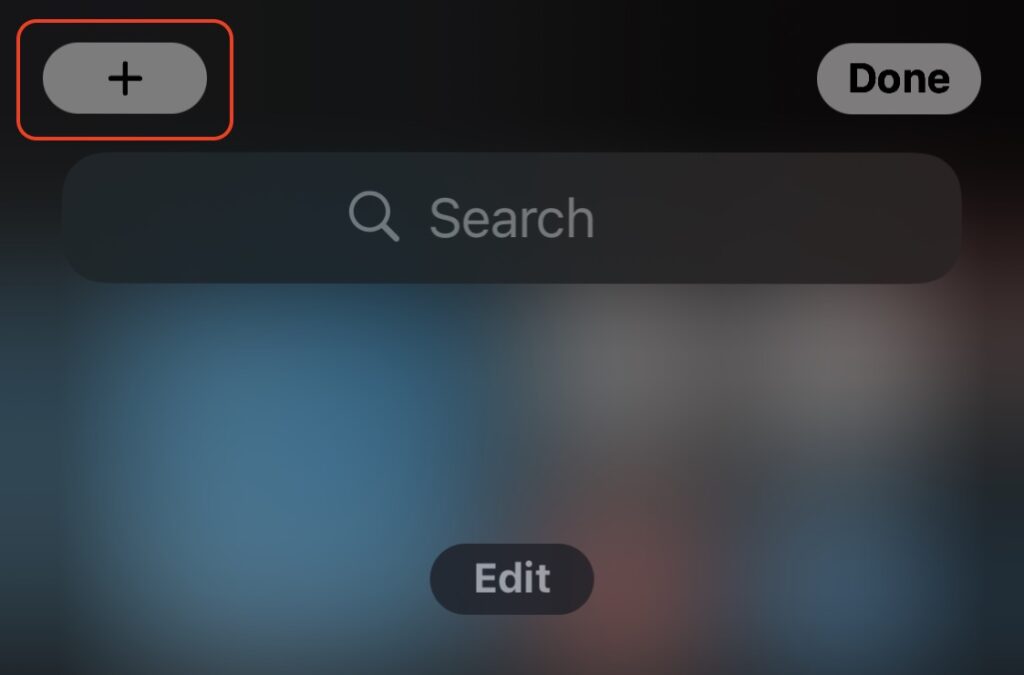
2. Press the screen in Home Screen in a neutral area long, then press the "+" sign on the top left.
3. Selectati un widget din lista care se deschide. Puteti opta si pentru unul sugerat in partea superioara sau puteti rula in josul paginii pentru a selecta widget al alte aplicatii.
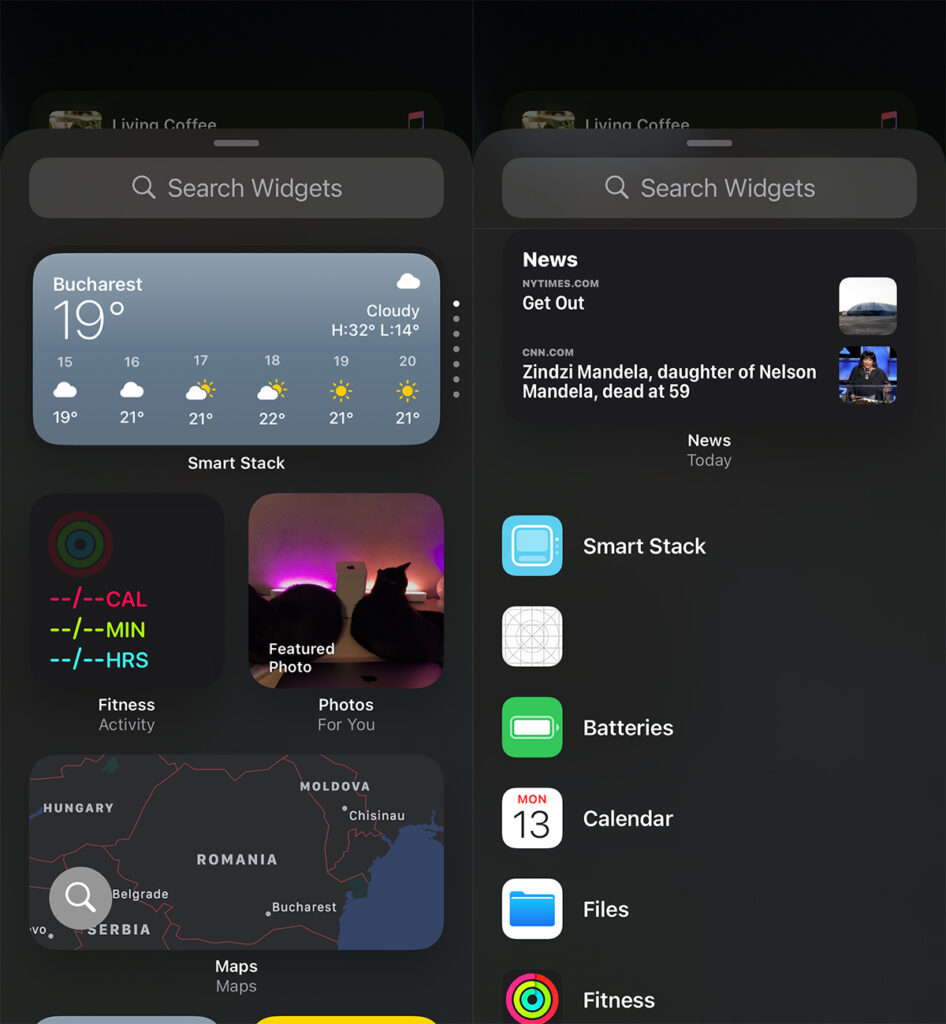
4. Multe widget-uri ofera doua, trei variante de afisare. Restricted, medium or extended. Selectati ce stil de widget doriti, apoi apasati butonul “Add Widget” pentru a fi pus pe Home Screen.
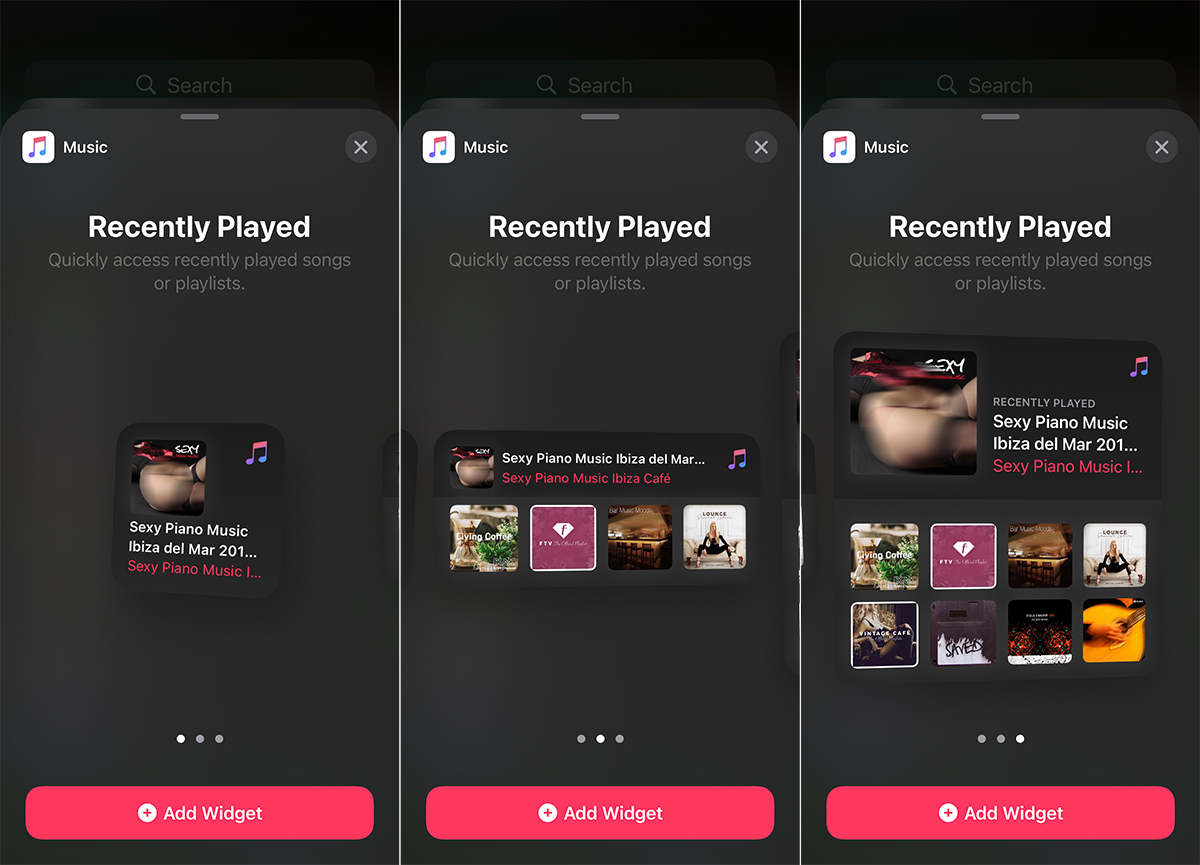
La final, va puteti bucura de noul widget pe ecranul iPhone sau iPad.
It would be interesting if Widgets for more applications would develop over time, which users can download and install from the App Store.





































This doesn't work on iPad! No '+' does not appear