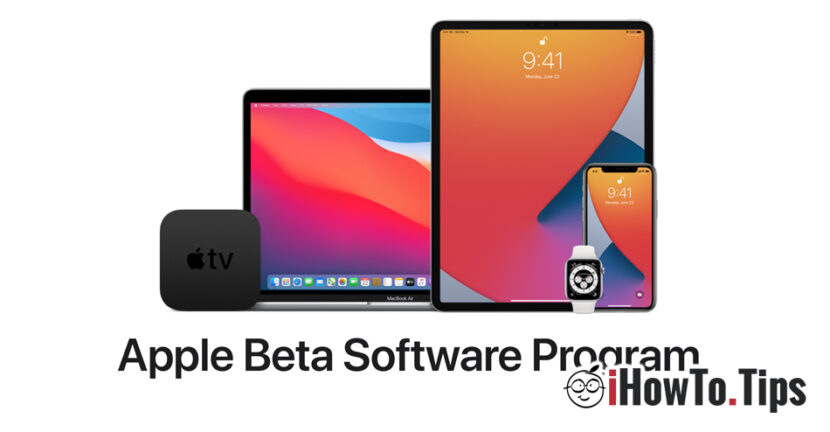

In the fall of this year, Apple will launch the models of models iPhone 12, which will come with the latest operating system, iOS 14.
We can come back from now on that it will be a year with many news, in which Apple seeks to redesign both maccos, iOS, iPados and future range of devices.
About the many news brought on iOS 14 I already said in a previous article. The most visible change will be Widgets on Home Screen and the page App Library in which users will find grouped all applications installed, depending on the profile of each. In addition to this visual change, Apple has brought many new carriers to Home, Messages, Reminders, Voice Memos and others.
Those who have iPhone devices (starting with 6s or newer), can install and test the new iOS 14 operating system. Provided, it agrees that beta versions can be unstable, and until the final version launches there will be many corrected bugs and new carrier to be brought.
Apple The first beta version of iOS 14 intended for the general public. Who wants to install the iOS operating system with which iPhone 12 will come, can do it by simply enrolling the device in Apple Beta Software Program.
How can we install iOS 14 public beta or iPados 14 on iPhone or iPad
The process of enrolling devices in Apple Beta Software Program is identical for iOS and iPados (iPhone and iPad). In the steps below we will show you How can you install a beta profile on your devices to receive Updates of operating systems in the test phase.
1. Access from the device Link: https://beta.apple.com/sp/betaprogram/ And you authenticate with your Apple (iCloud) account.
2. After authentication, on the web page that opens, select for which operating system you want to enroll. iOS, iPados, macos, tvos or watchos.
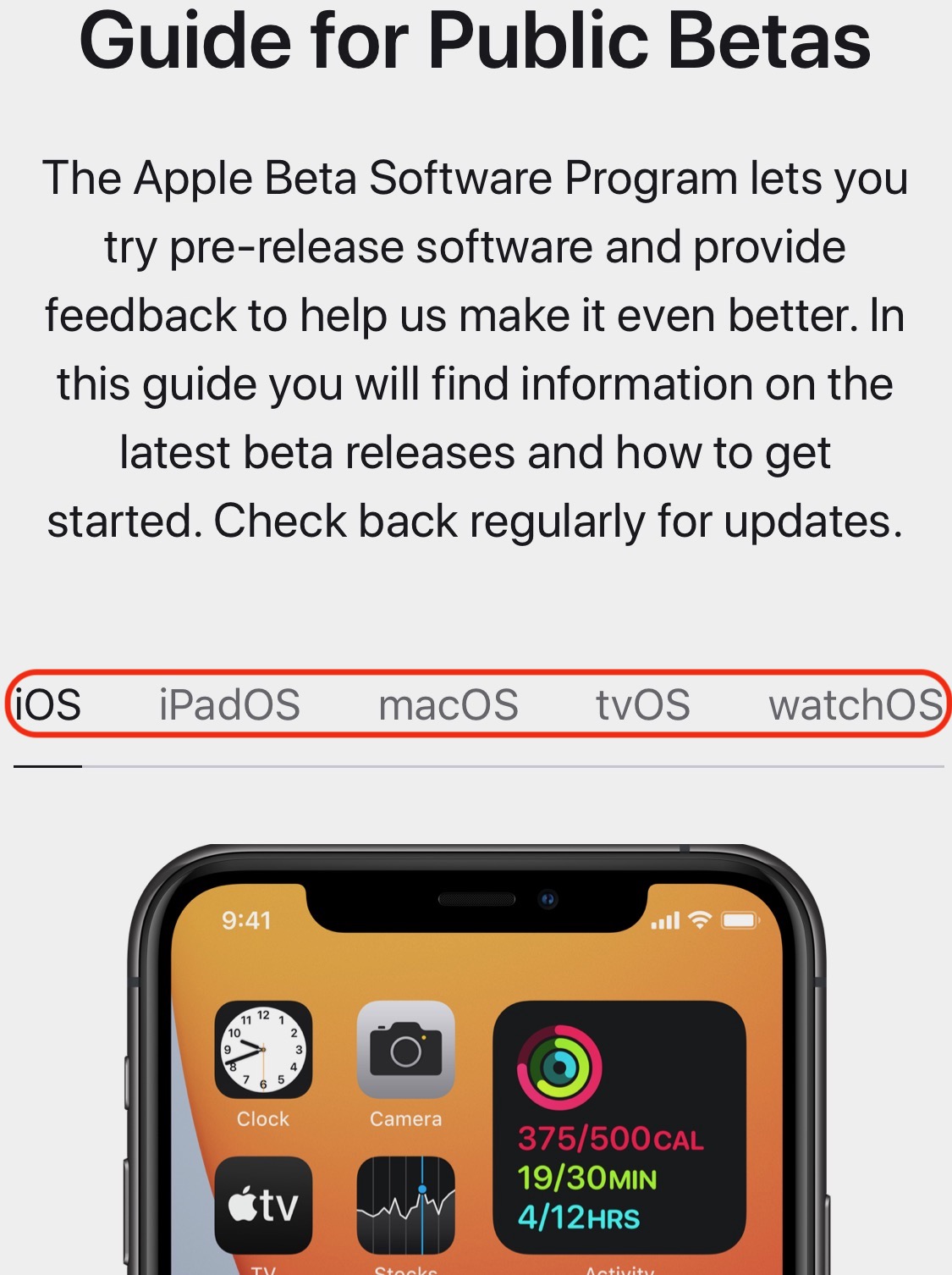
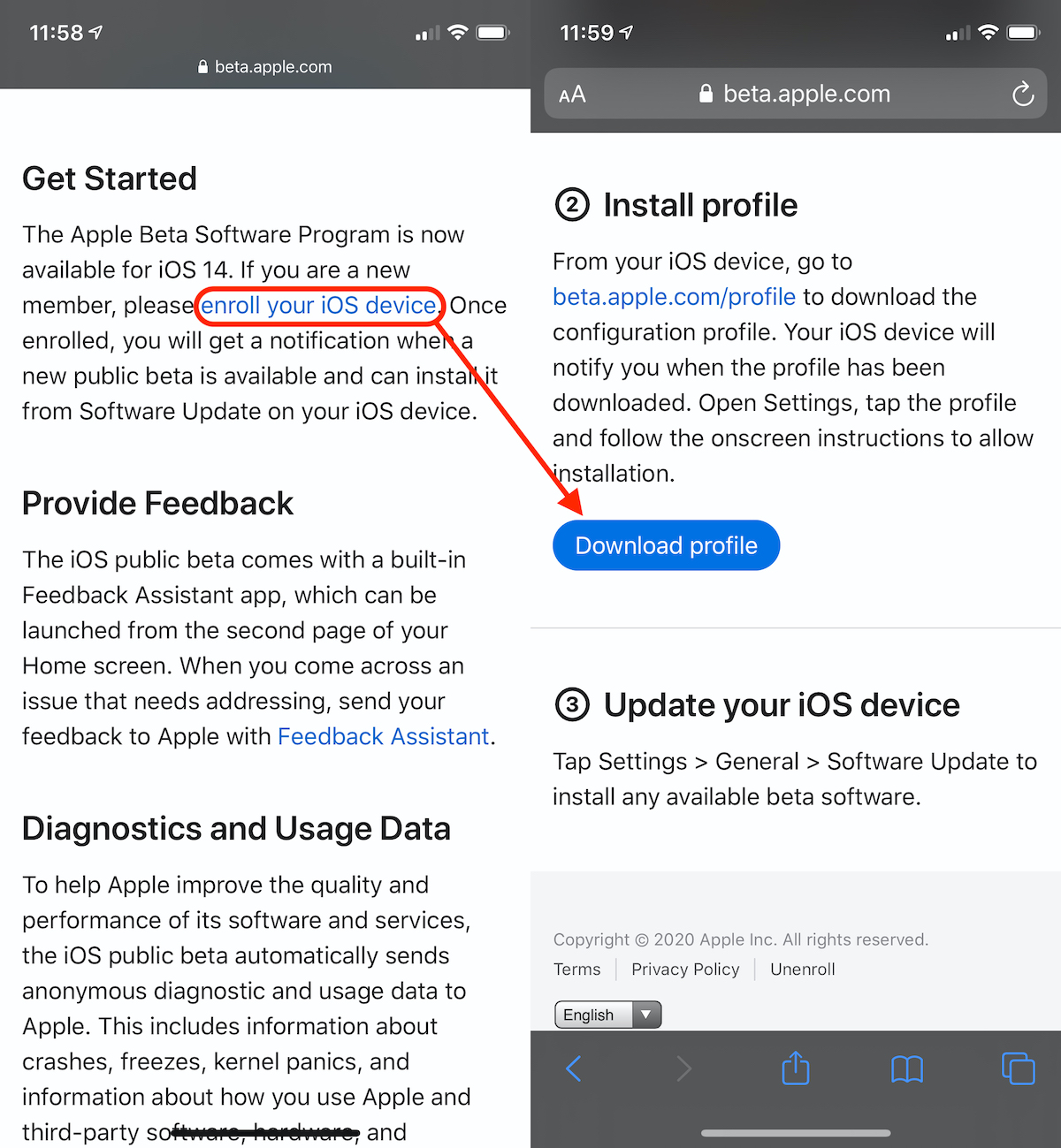
3. Run at the bottom and press on the link "enroll your iOS device", Then on the next page on the"Download profile“.
4. After the dialog box "Downloaded" dialogue appears, go to Settings → General → Software Update to install the iOS beta profile.
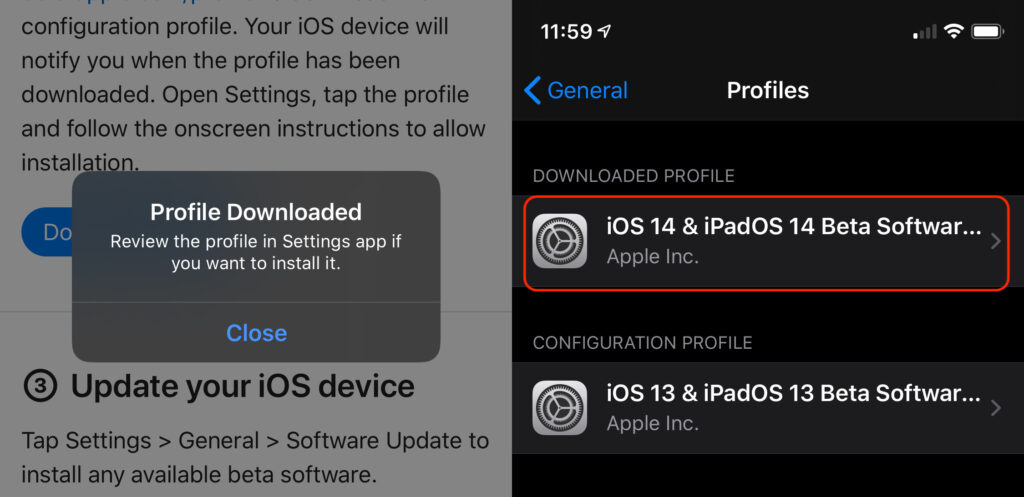
5. Press the newly downloaded profile and start installing by pressing "Install".
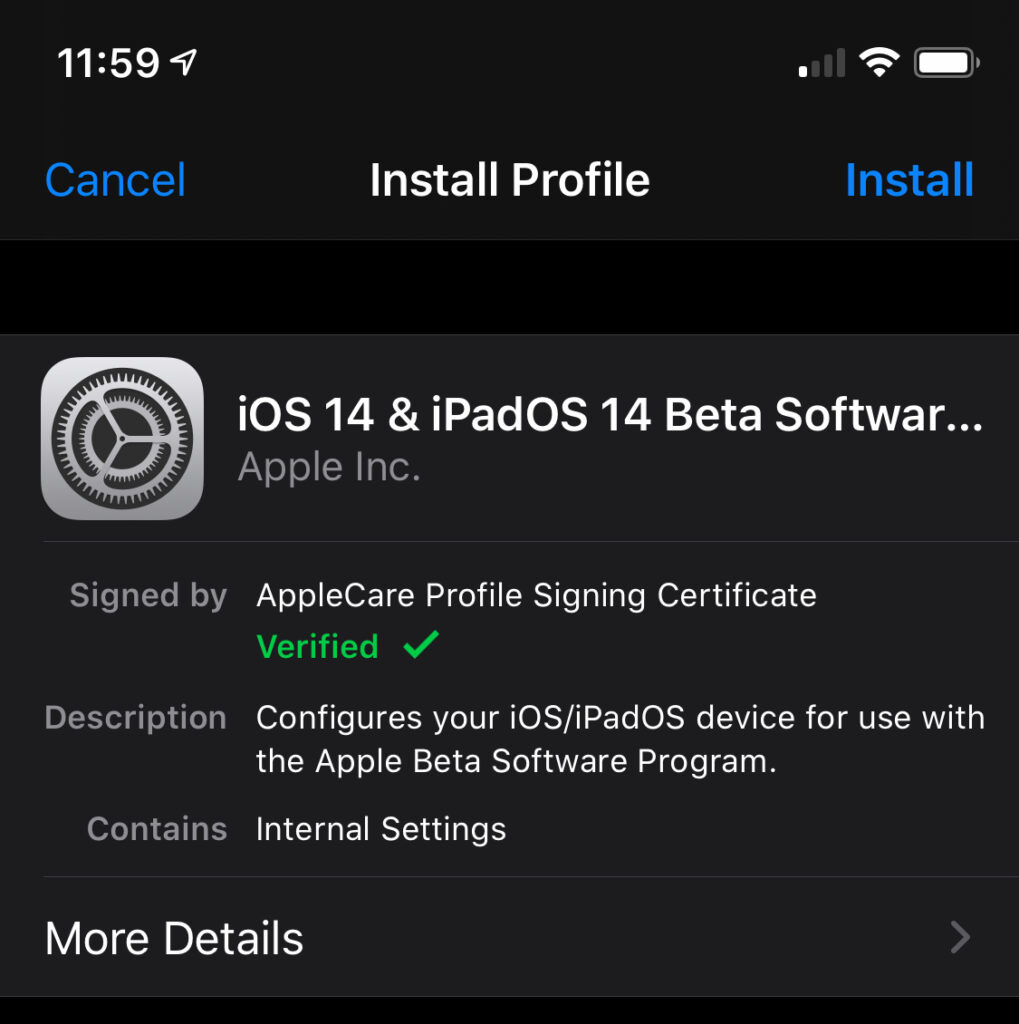
6. After the completion of the installation, the iPhone restart will be requested.
7. After restart, go to Settings → General → Software Update and start installing for the latest beta of iOS or iPados. As I said earlier, the iPad is the same process of devic.
It is not recommended to install a beta of iOS if you have a service iPhone to use intensely. As I said before, beta versions are generally dedicated to developers and those who want to test, otherwise, before a version is launched. "Public Beta", It is also one intended for developers. Apple Developer Program.
The "Public Beta" versions are not delivered to meet the curiosities of the unbelievers, but for the automatic data collection on the devices that these versions have been installed. These data contain complete use reports, performance, interactions with third applications, errors that can occur in certain use scenarios and many other information that will be useful to develop the final version.





































1 thought on “Cum instalam iOS 14 & iPadOS 14 Beta Software Program – Testeaza viitorul iOS al iPhone 12"