
Skip to content
iHowTo.Tips
  • Home
  • iPhone
  • iPad
  • Mac
  • Apple Watch
  • AirPods
  • HomePod
iHowTo.Tips
  • Home
  • iPhone
  • iPad
  • Mac
  • Apple Watch
  • AirPods
  • HomePod

Mac (macOS)

Useful tutorials for Mac and MacBook. It exploits the potential of computers with maccos operating system to the maximum. Useful settings for productivity and security, personalization settings and news.

Rapid iPhone or iPad charging with MacBook feeder - Apple charger compatibility

How to quickly charge the iPhone or iPad battery - Apple Food Adapter Compatibility

Most of the time, the traditional iPhone or iPad feeders cannot load ...
January 5, 2024

macOS Mojave 10.14.6 Supplemental Update

Apple's last days has launched an additional update update for Macos Mojave 10.14.6. About…

August 5, 2019

Create new encrypted volumes on Flash drive

How to create multiple partitions encrypted on a USB memory (flash drive)

Creating several encrypted partitions on a USB memory may be a good solution for stored data management and security.

August 27, 2024

How to format / delete all data from a disk (HDD or SSD) on macos

As with Windows operating systems, formatting the entire hard disk, either classic HDD or…

July 27, 2019

The official WhatsApp application for iPad and Mac - Independence from the iPhone or Android application

We all know that the WhatsApp application was bought by Facebook at the beginning of it ...
July 26, 2019

app can't be opened

[Solve] App can’t be opened because Apple cannot check it for malicious software

App can’t be opened because Apple cannot check it for malicious software este un inconveniet …
March 21, 2023

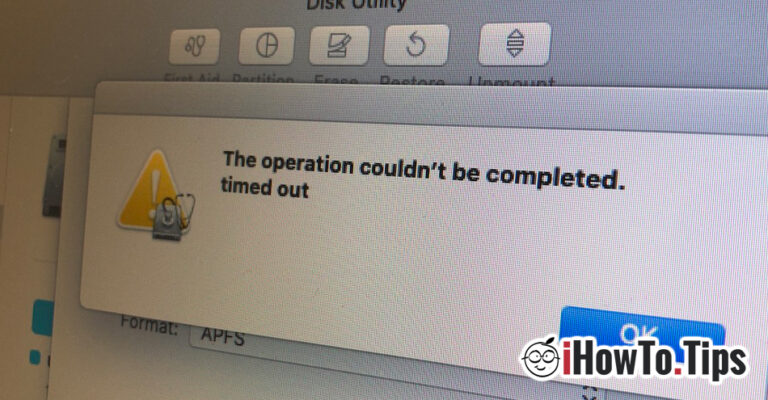
The operation couldn’t be completed. timed out – Disk Utility / Erase Disk Error

After installing for Macos Catalina Beta tests, I found that the new system of…

July 14, 2019

Overload CPU macOS Catalina – mstreamd [HowTo Fix]

Macos Catalina promises to bring many fine changes for macos users and an interaction ...

July 12, 2019

macOS could not be installed on your computer [macOS Catalina Fix]

Macos Catalina is currently in beta version for developers but also for users who…

July 7, 2019

Previous
Next
BiomeAgent

BiomeAgent – High CPU usage (macOS Tahoe)

If the BiomeAgent process consumes excessive CPU resources on your Mac (High CPU usage), this tutorial will definitely help you.

October 20, 2025

iOS 26

iOS 26 and macOS 26. New versions of Apple operating systems in 2025.

Apple changes the names iOS and macOS: iOS 26 will be announced at WWDC 2025, in a new branding strategy synchronized with the current year.

May 30, 2025

iPhone 17 Pro

What will be different on iPhone 17 Pro compared to previous models

The iPhone 17 Pro seems to be a model to redefine the user experience, with a new design and some new features.

May 29, 2025

How to safely copy a large volume of data on your Mac

How to safely copy a large volume of data on your Mac

A secure way to securely copy a large amount of data between two hard drives (HDD or SSD) on your Mac.

April 12, 2025

Open ZST Compression File on macOS

How to unzip ZST files on macOS

A simple method by which you can unzip ZST files on Mac computers, without the need for an application with a graphic interface.

March 28, 2025

© 2025 iHowTo.Tips. Tutorials and news about Apple devices.

privacy policy | Contact | About us

RomânăEnglishFrançaisDeutschEspañolPortuguêsItalianoBahasa Indonesia日本語한국어NorskNederlandsSvenskaPolskiHrvatskiMagyarБългарскиČeštinaSlovenčinaLietuvių kalbaΕλληνικάTürkçeالعربيةעבריתУкраїнськаEesti keel中文(简体)
























