
A fairly common problem encountered by Mac users who have installed the Windows operating system through the Parallels application is the error 0xc1900101 when updating Windows 11 through Windows Updates.
For Windows PC systems, error code 0xc1900101 is most often associated with driver issues during the Windows 11 system update process. This means that one or more drivers installed on the computer may be incompatible with the new version of Windows and thus block the update.
In the case of Windows 11 operating systems installed virtually using the Parallels application on Mac, the error is also generated by the drivers, as on Windows PC, only the driver management is done through the application.
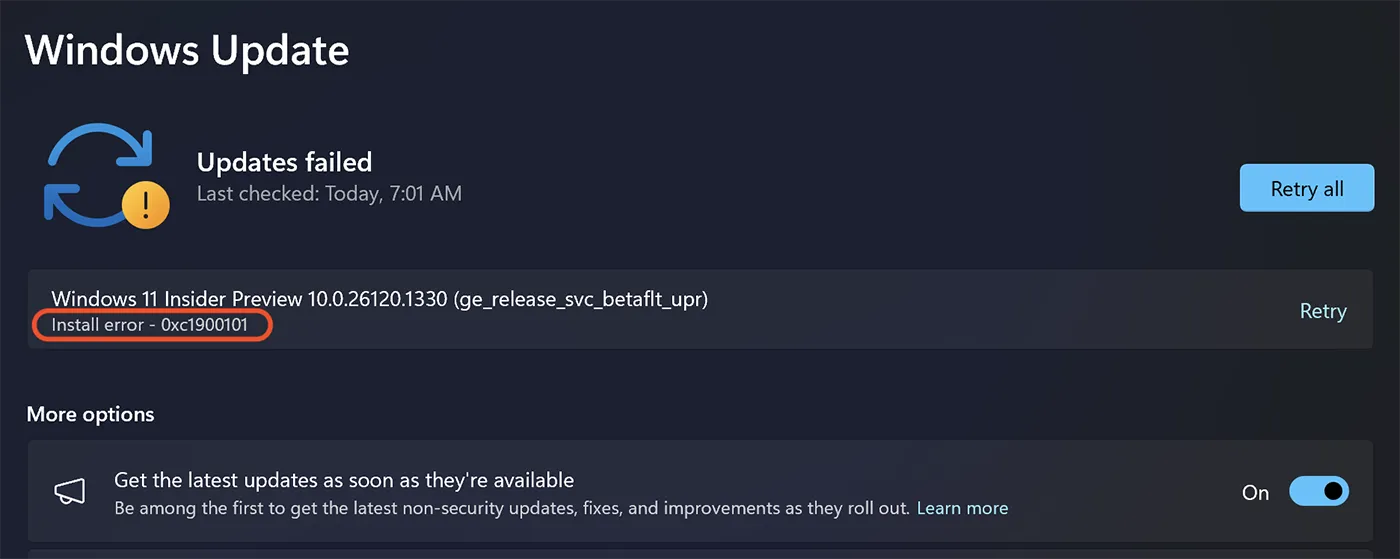
Resolving error 0xc1900101 when updating Windows 11 installed with Parallels on Mac
1. Shut down the Windows 11 operating system (Shut Down), but leave the system window open in the Parallels application.
2. Go to the top right of the Windows 11 configuration options button.
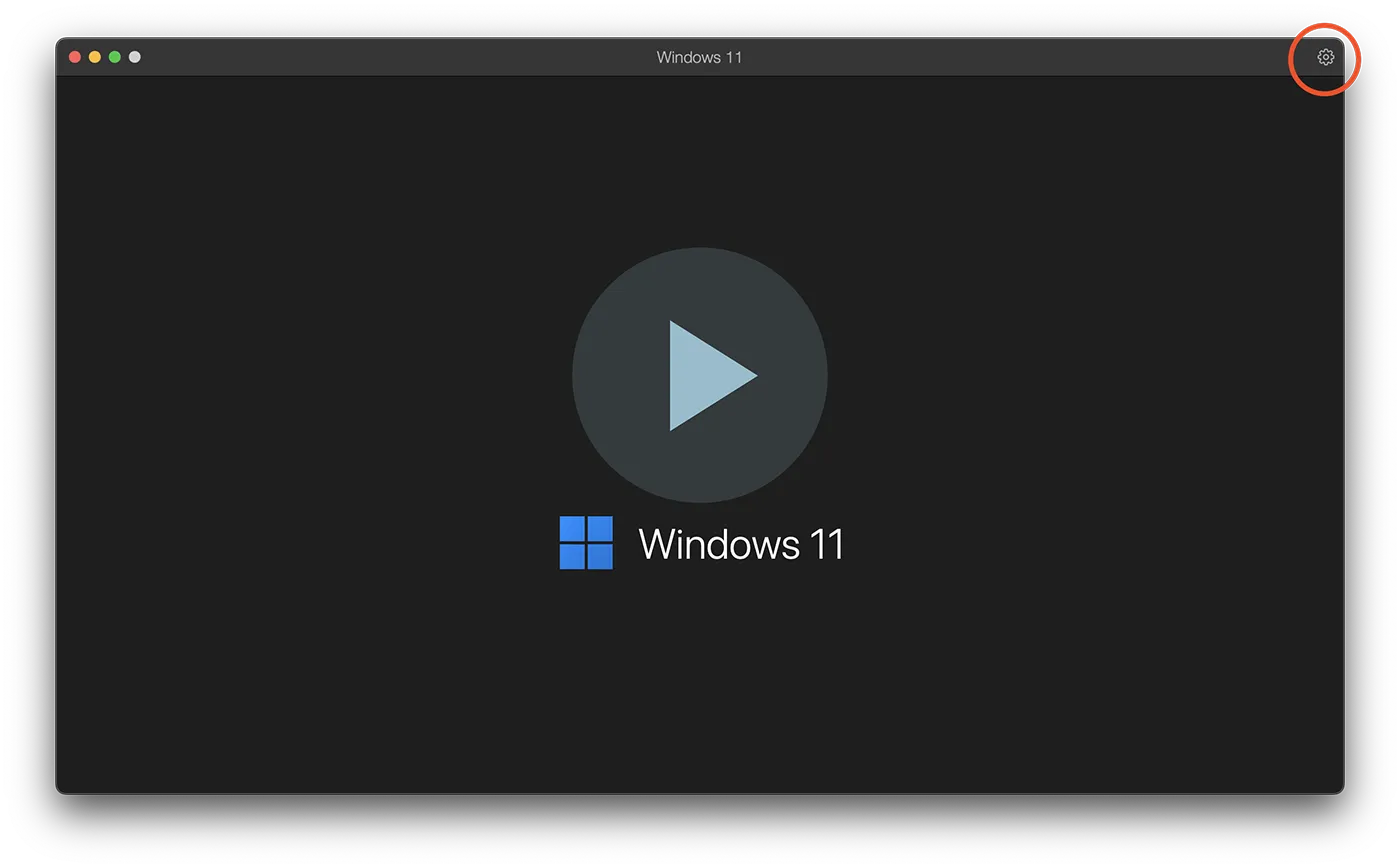
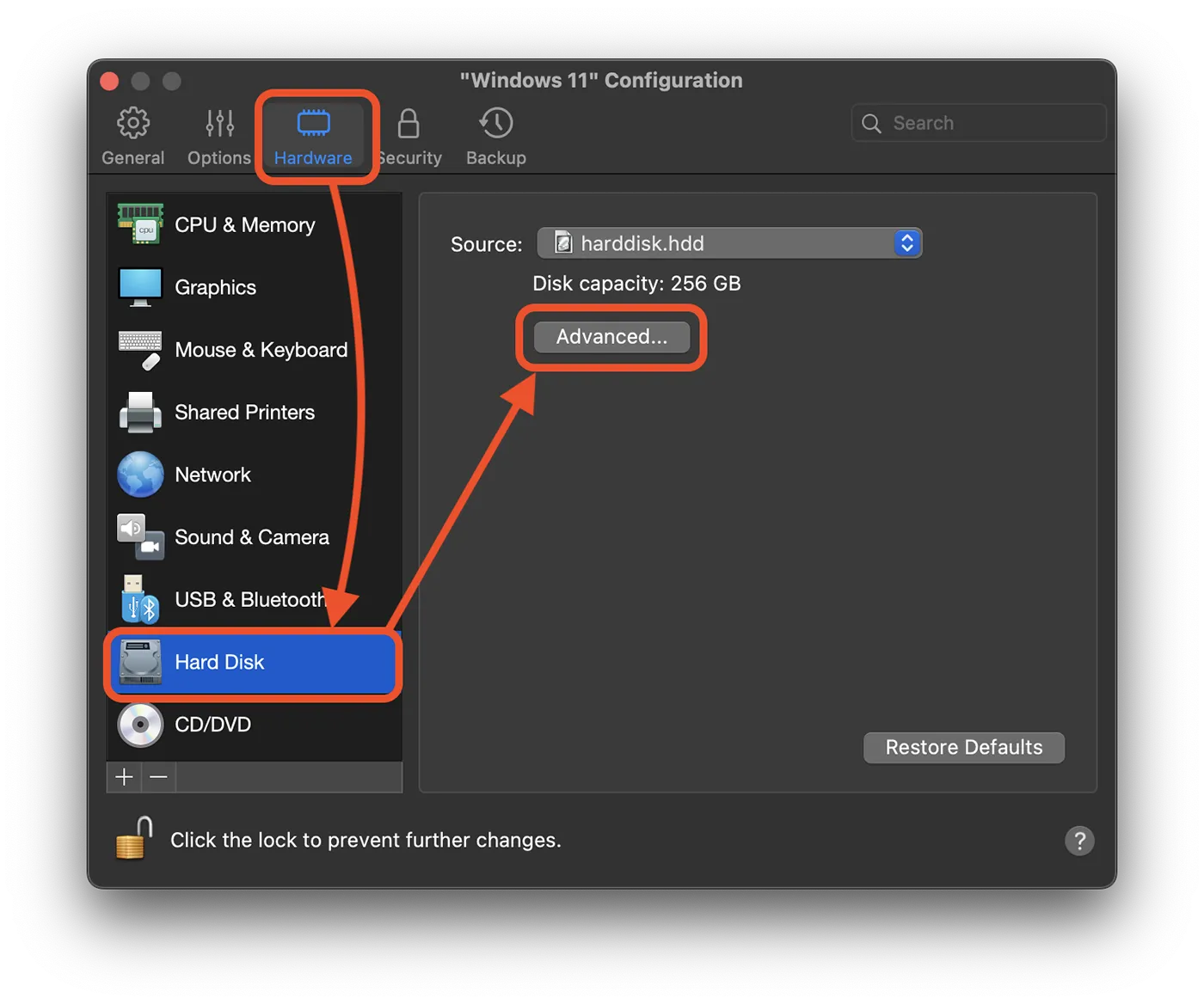
3. In the configuration options of Windows 11 access the settings for Hardware (at the top of the panel), go to the settings for Hard Disk, then click on the button for advanced settings (Advanced).
In the image below I have illustrated the exact steps above.
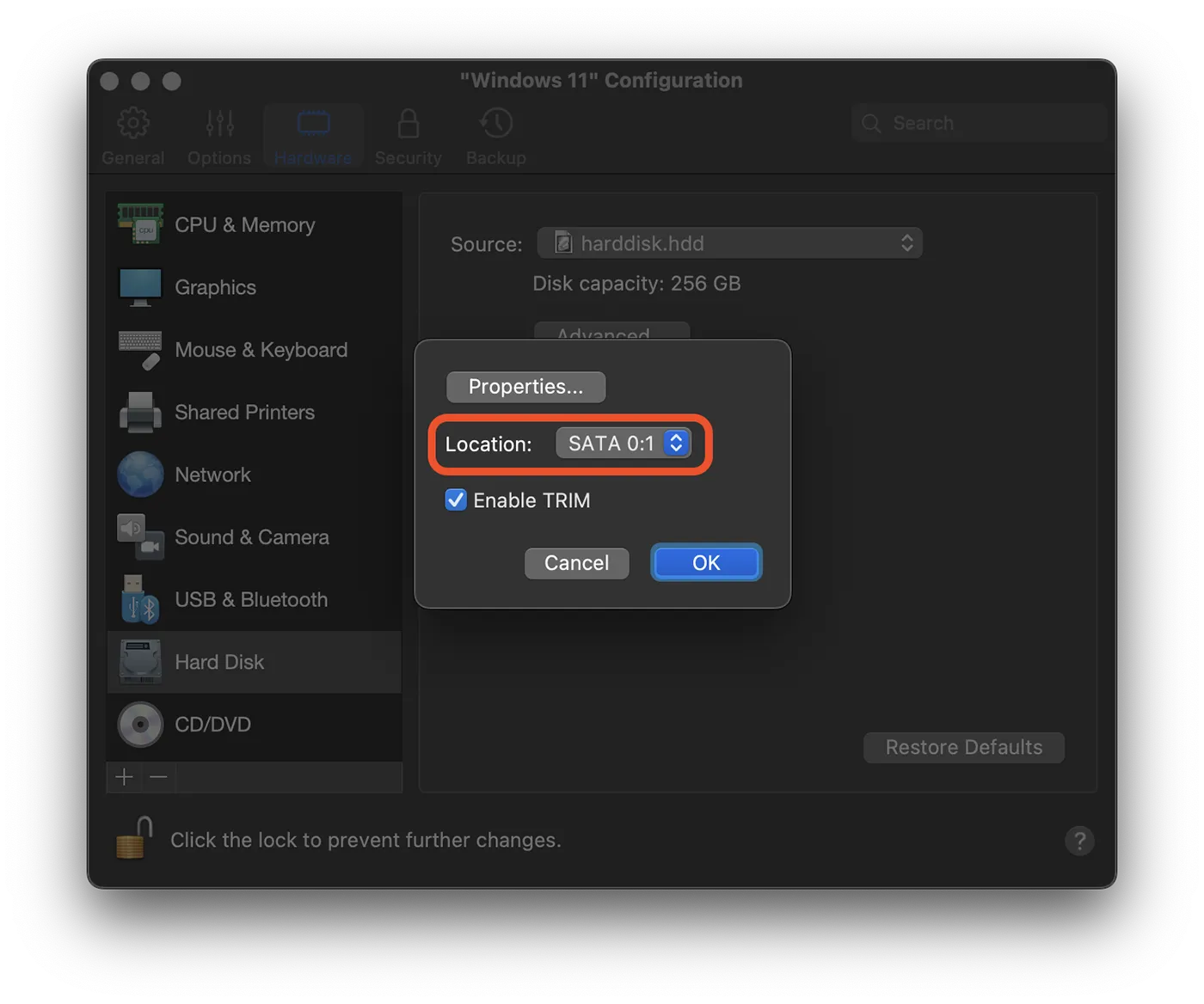
4. In the location settings, the format for NVMe is most likely selected. Select the SATA 0:1 location, then click the "OK" button.
Related: Tutorials for Windows operating systems and solutions for installing Windows on Mac computers.
After this last step, restart the Windows 11 operating system and resume the update process (Windows Updates). Everything should go smoothly without the 0xc1900101 error when installing Windows updates.
For Windows PC, error code 0xc1900101 when updating Windows 11 may occur due to driver incompatibilities or corrupt drivers. The error can also be caused by hardware problems, especially the hard drive, or insufficient space to download and install Windows 11 updates.