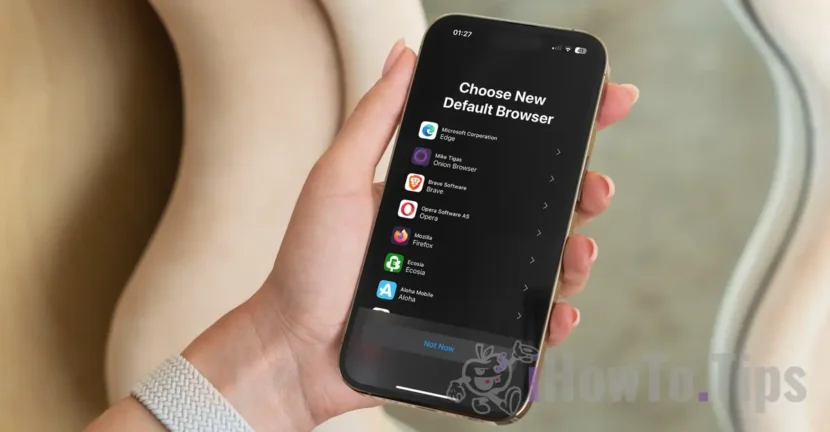

In this tutorial we explain step by step, how you can change the browser default on the iPhone or iPad, if you are not satisfied with Safari, Chrome, Firefox, Opera or another browser when browsing the Internet. Also, the tutorial is useful to you if you want to set the default browser safari on the iPhone or iPad again.
Starting with iOS 17.4, Apple brings major changes on iPhone, iPad and Mac for users in the European Union. On these devices, users can install applications from other sources, without totaling the App Store. In addition, after initializing the operating system on iPhone or iPad, users need to choose which Default browser want to use for Internet browsing.
Depending on the region (s) in which the user is located, a list of browsers is offered from which the user can choose.
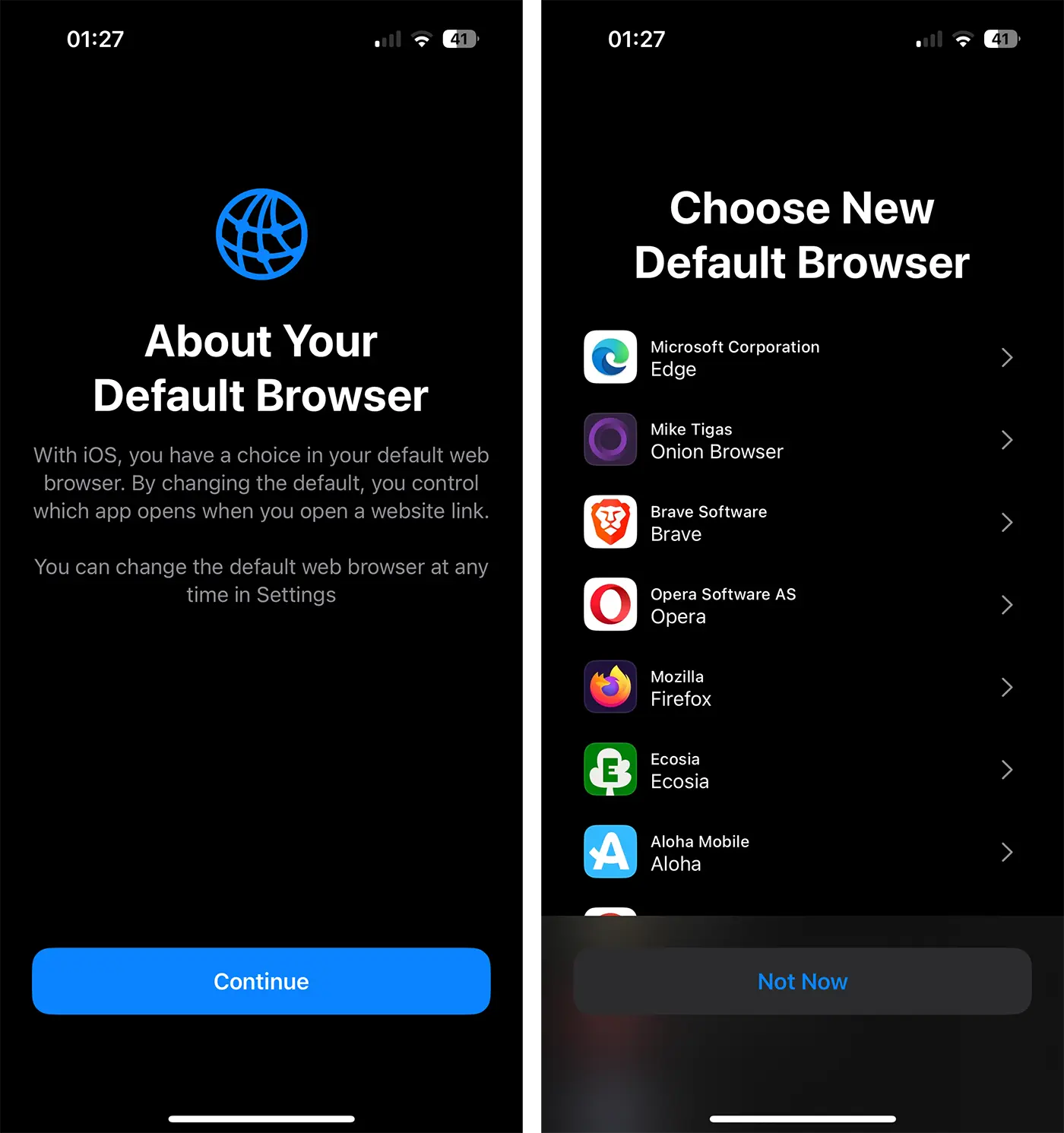
Personally, I think Safari is the safest browser for Apple devices. I find it very well optimized (it is also understood, it is developed by Apple), for both the latest iPhone, iPad and Mac models and for older models. Safari offers synchronization through iCloud for all content, including saved passwords, navigation history, open web pages, which means that users can access them from any device that is authenticated the same Apple ID account.
Related: How can you see the passwords saved in safari on macos
How can you change the default browser on the iPhone or iPad
If for any reason you are not satisfied with the Internet browsing experience offered by the current browser, the steps in the tutorial below will help you change the default browser or iPad.
1. If it is not already installed, install the browser you want to use for browsing the Internet.
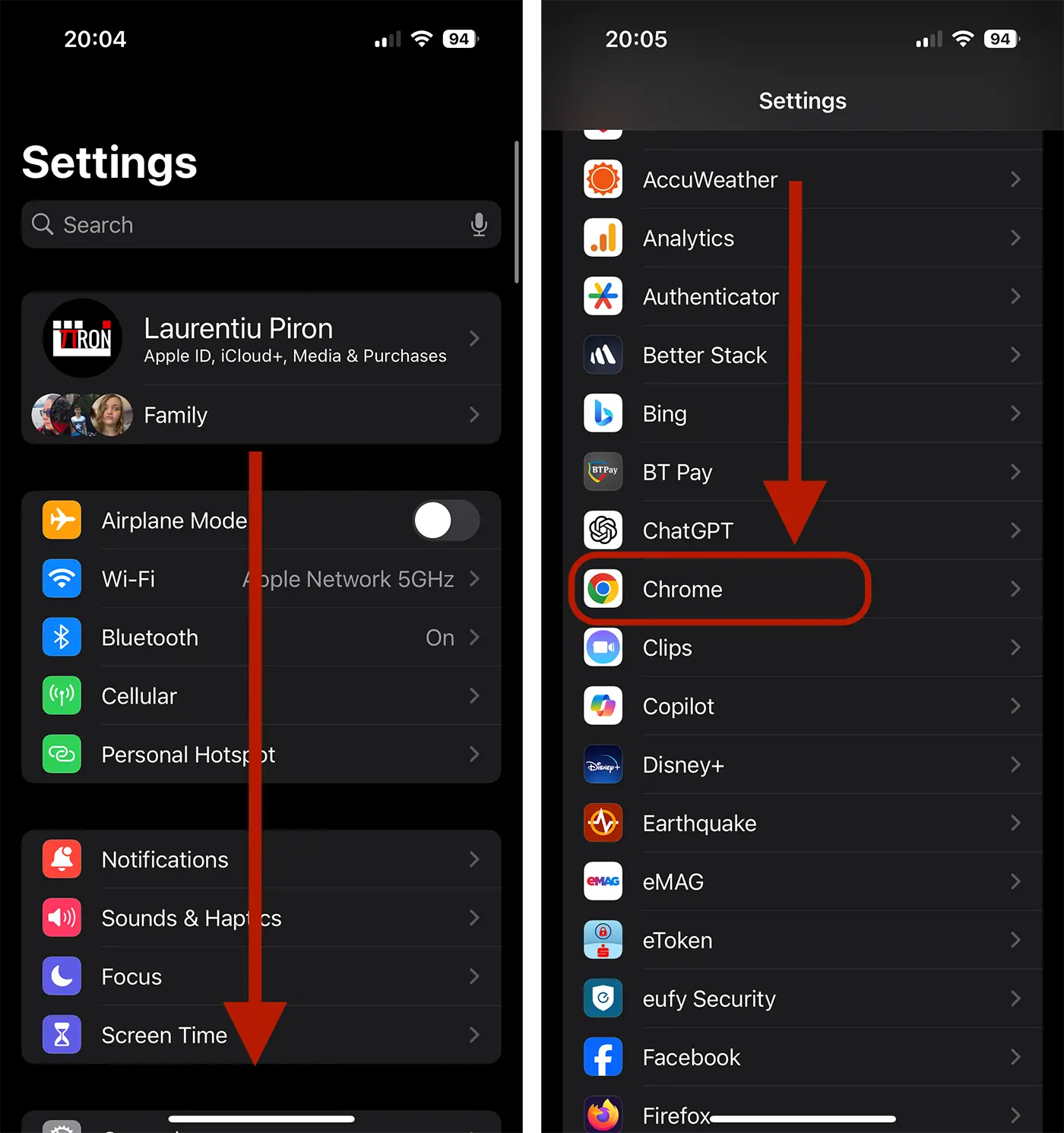
2. Open the iPhone configurations (settings), then run to the browser app you want to set default for browsing the Internet. In my example, I chose Chrome.
3. In the browser settings menu, go to the "Default Browser App" option and choose the new browser default for your device.
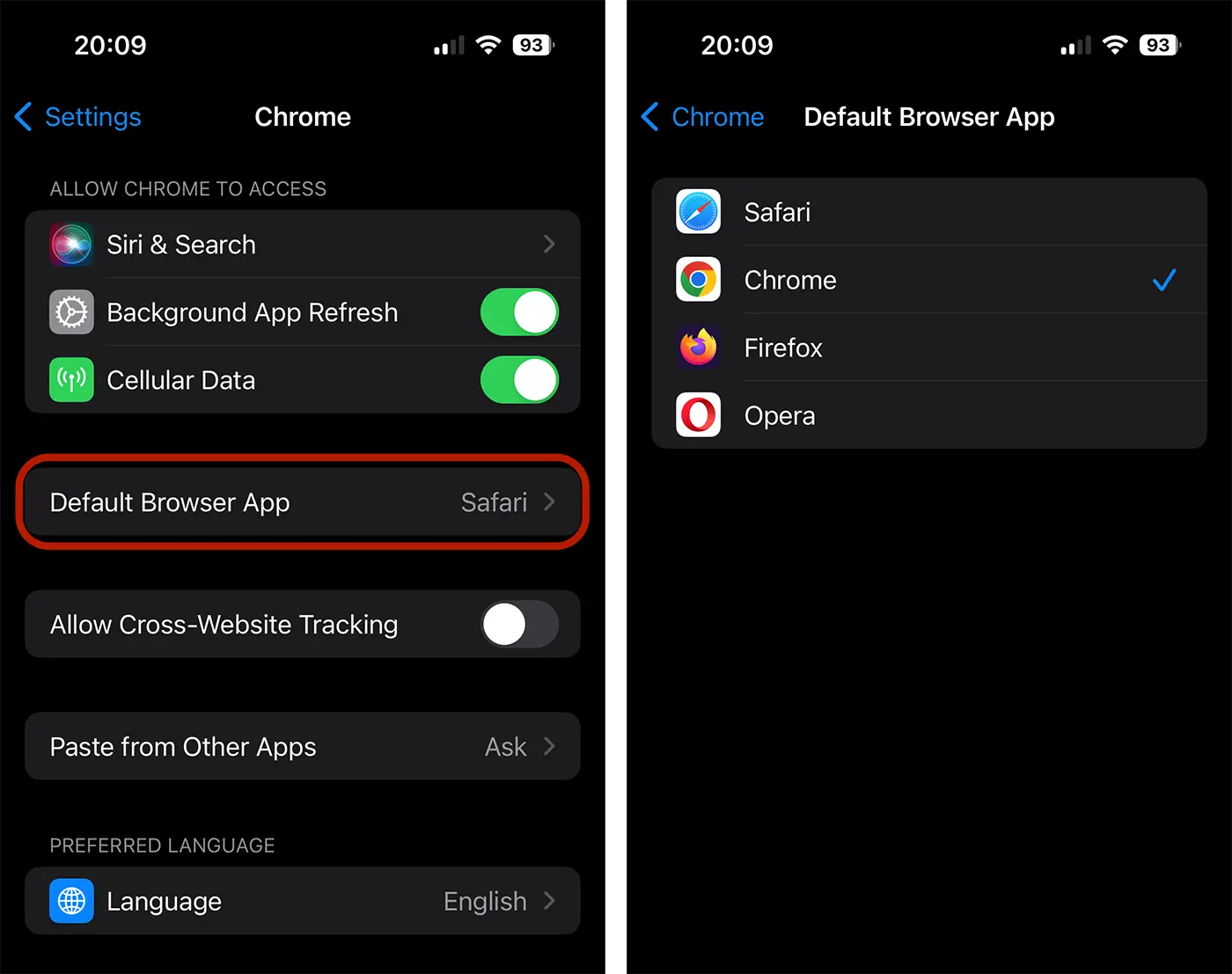
That's all. This way, you managed to change the default browser on the iPhone. After you have made this change, the links in the email, from social networks or messages will open in the new browser selected by you.




































