
A simple tutorial that shows you how you can export Webp in Photoshop on Windows or Mac. JPG conversion, PNG in Webp on Mac and Windows transform JPG, PNG or any other format of Photoshop Next-Gen Webp format.
Table of Contents
What are webp images
Briefly, WebP It is a relatively new format for images, developed by Google and recommended for web use. Format has a losses compression algorithm (lossy), without much affecting the quality of the image. A JPG image, PNG transformed into WebP will have a much smaller volume. A better compression also means a faster discharge speed with a low data consumption for visitors to a site that has the images formed WebP.
Serve images in next-gen formats
Image formats like WebP and AVIF often provide better compression than PNG or JPEG, which means faster downloads and less data consumption.
How Export Webp in Photoshop 23.1 or older versions
Starting with Photoshop 23.2 The application natively supports the format WebP. In Photoshop you can open, edit, create and export files WebP.
For versions Photoshop 23.1 or older users need to install plug-in WebPShop For Export Webp in Photoshop.
Windows – Export images in WebP
1. Download plug-in WebPShop For Windows on Github.
2. Copy plug-in into the folder:
\Program Files\Common Files\Adobe\Plug-Ins\CC3. Open Photoshop.
macOS – Export images in WebP
1. Download Plug-in webpshop for export webp from Github.
2. Dismissal and copy the file WebPShop.plugin In the folder:
/Library/Application Support/Adobe/Plug-Ins/CCUsed to Finder → Go → Go to Folder..
3. It is very possible that the Security Mac Do not allow the rolling of this plug-in, if it cannot check the developer.
WebPShop.plugin cannot be opened because the developer cannot be verified
open Terminal and run the command:
sudo xattr -r -d com.apple.quarantine /Library/Application\ Support/Adobe/Plug-Ins/CC/WebPShop.plugin4. Open Photoshop.
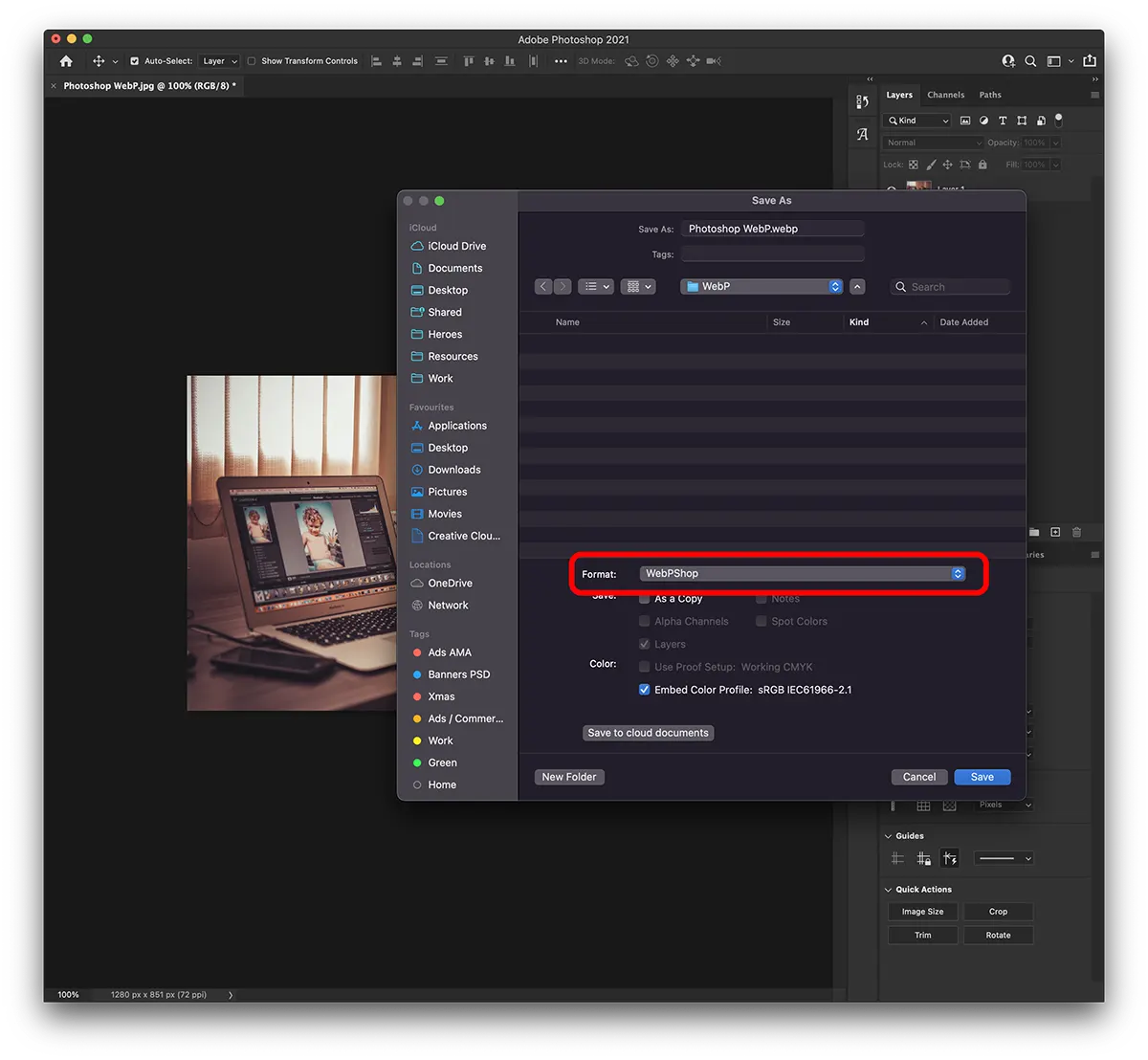
Both on Windows and MAC the export of a file in webp format from Photoshop is made very simple:
File → Save as… → Format: WebPShop
You can choose the compression level for the exported webp image.
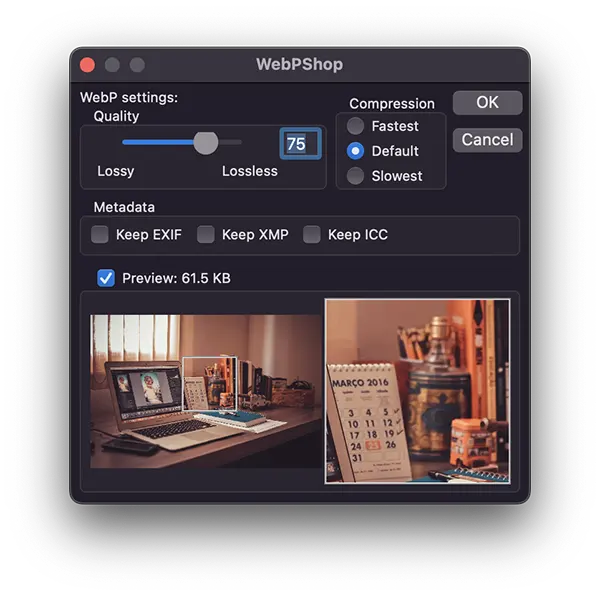
In the end you will get images with a very good compression, in webp format with the help of Photoshop.




































