
Windows 10 is a system quite different from earlier versions of operating systems launched Microsoft. Even though the principle and architecture remained largely the same, Microsoft has made visible improvements and innovations on all versions of Windows 10.
As for Windows 10 update system (Windows Update), this is much modified and does not offer much the user can block updates. ANY not be recommended to do this, given the current conditions in which more and more cyber attacks and new vulnerabilities (Meltdown and Spectra being in fashion during this period).
These days we have faced a slightly more strange problem related to the Windows 10 update. No updating panel: Windows Update, Windows Update Settings / Options and "View Installed Update History"Don't work. It could be opened, but Windows Update panel remains blank, showing in the top bar the indicator that it would load some content.
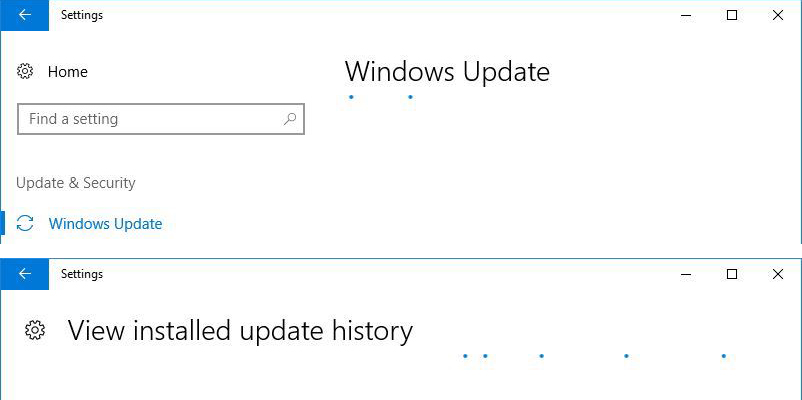
Why not work and not load the "Windows Update" page in Windows 10
Compared with operating systems Windows 7, Windows Vista and Windows XP, Windows 10 uses another actulization system. If for the aforementioned versions the updates could be downloaded from the Microsoft site and settled as a regular Sotware, on Windows 10 these updates can only be done through "Windows Update". That this Windows 10 update module can work, it is necessary for certain Windows services (Windows Services) to run on the operating system.
- Windows Update
- Background Intelligent Transfer Service (BITS)
- Cryptographic Service
- Update Orchestrator Service
All these four services are mandatory to run for Windows Update to work normally.
How to check if Windows Update services are running on Windows 10
Open the Windows Services. Do this either by pressing the keys ”Win” + “R", And the" Run "box Tutati"services.msc"Then"Enter", Either open" Start Menu "and Tab" Services "." Services "will appear in the list of results.
In the list that opens in identifying the four services mentioned above and we see if they have status "Running".Homepage“.
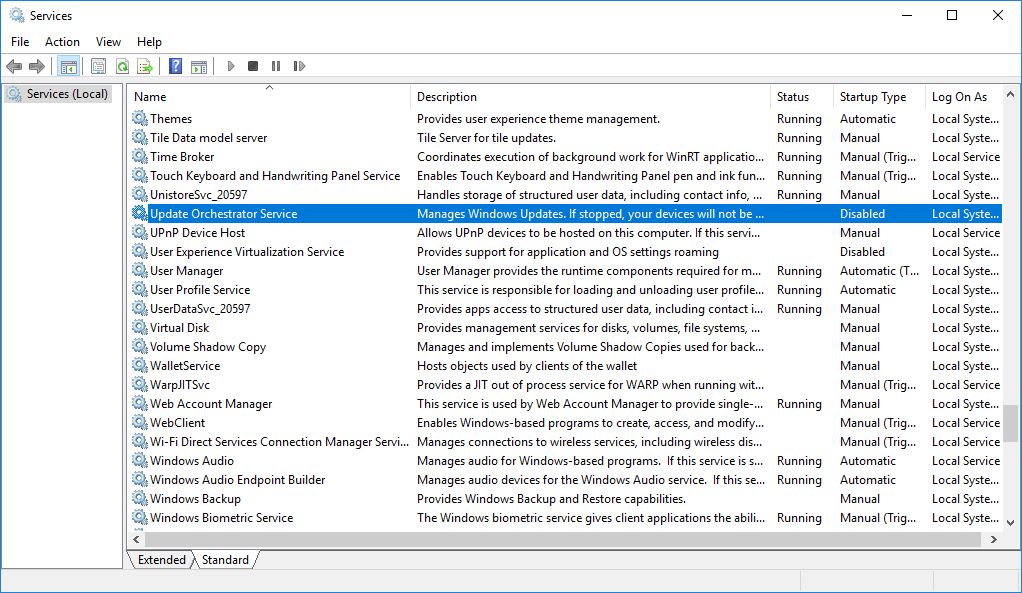
After the services are started, we go back to the Windows Update panel. Everything should work normally.
Responsible for our problem was "Update Orchestrator Service". Windows 10 service that is responsible for all updating services. You can no longer install updates of Windows 10. Blank.