

In iPados 18 but also in iOS 18, Macos Sequoia, Apple has introduced a new option called "keep download" (Keep Downloaded) through which you can keep the files from iCloud locally. These files will remain stored locally, being available anytime, from any place, even when there is no internet connection.
This new feature is especially useful for iPad users who hold files and folders stored in iCloud and need to access them when they are in areas without the Internet. I say this option is especially useful for iPad users, as many users prefer this device for productivity when they are moving or vacation.
How do you access the "Keep Downloaded" option through which you can keep the files in iCloud locally?
In previous versions of iPados, iOS and maccos, control over the offline stored files. Even if there is the local file download option (Download Now), after a while, the ICLOUD automatic management system removes the files on the device to release space. This behavior leads to the deletion of files that the user wanted to have permanently available, even when there is no internet connection.
So far, there is no simple way to prevent this behavior and you could not keep the files in iCloud locally on iPad, Mac or iPhone. Starting with iPados 18, iOS 18 and Macos Sequoia, when you sail from iPad or iPhone via iCloud Drive with the Files (or Finder Mac) app, holding on a file or folder, the new option "keeps download". (Keep Downloaded). By selecting this option, the cloud symbol next to the file becomes an opaque circle with downward arrow, indicating that the file or folder will remain stored on the device and will be automatically deleted by the iCloud management system. Thus, you can keep the files in iCloud on the iPad or iPhone locally.
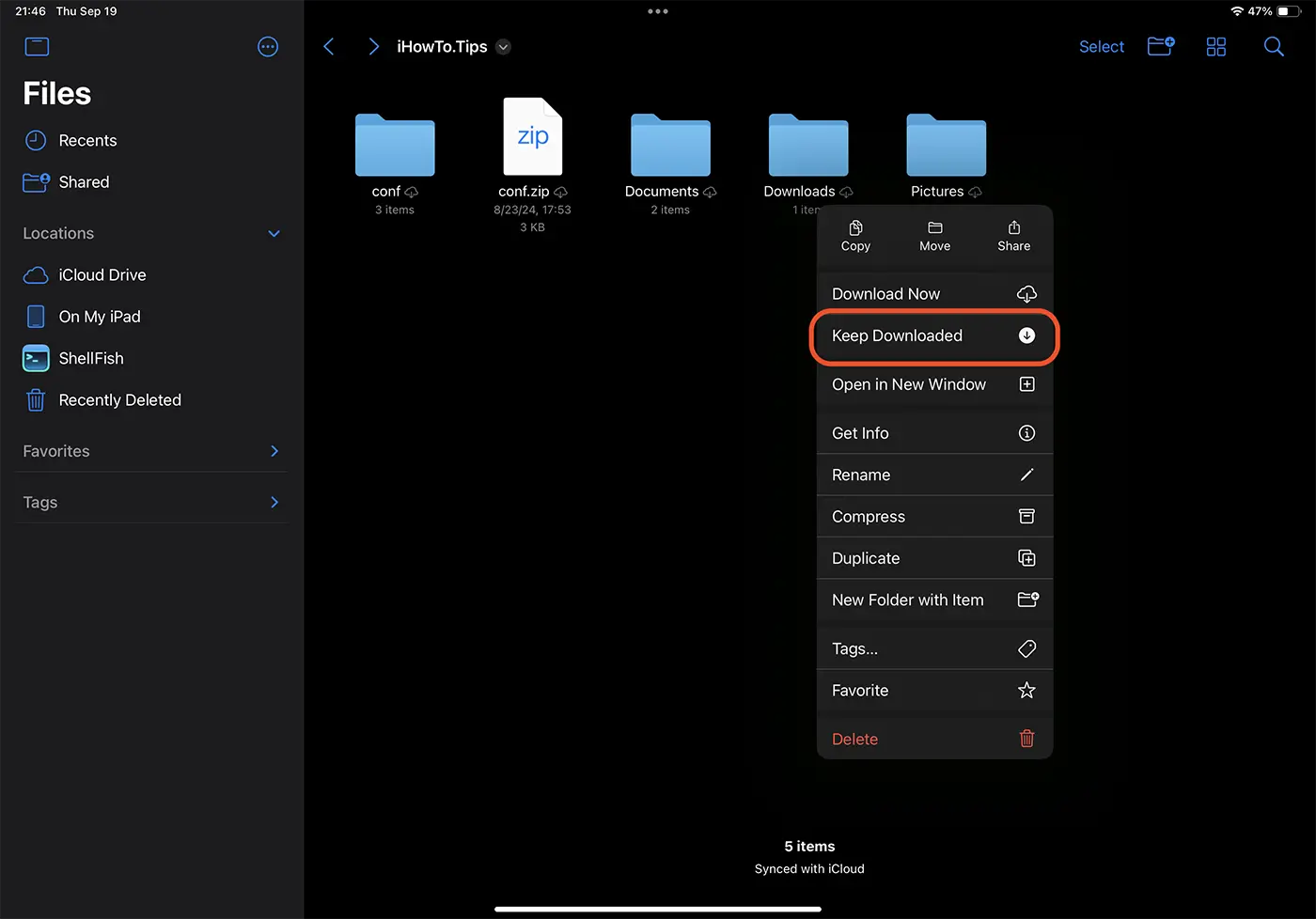
Of course, the device must be connected to the Internet to download the files and folders from iCloud locally.
If you are a Mac user, right click on the files or folders in iCloud that you want to keep locally, then in the context menu you click on the "Keep Downloaded" option.
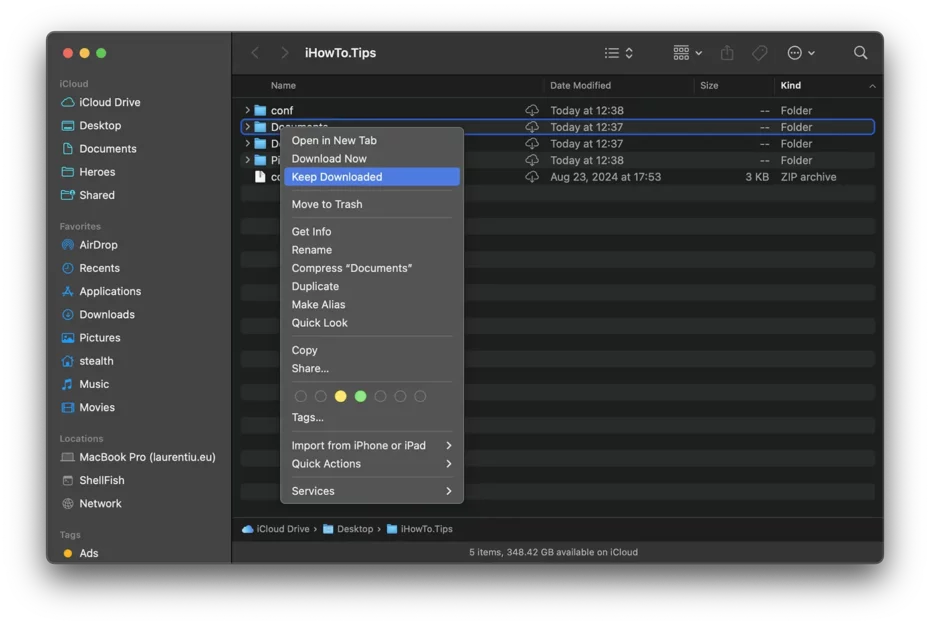
This functionality is extremely useful for users who need to access documents or files as they travel or are in areas with limited or non -existent internet connection. By activating this option, you can be sure that your important files will remain offline, thus avoiding the problems caused by the lack of access to the Internet.
Also, the local storage of important files in iCloud is also useful in situations where problems arise with downloading files from Apple servers. For example: Do iCloud files slow down on MacBook?.