

The causes from which the files in iCloud are slowly unloading on MacBook devices can be multiple. In this tutorial you will see step by step what you need to do to solve this slow download problem stored in iCloud, given that you have a good internet connection and sufficient storage space.
The limited storage space or the price too high for MacBook devices with higher storage capacity, are the reasons why iCloud use is indispensable for storing files and pictures. In order for personal files and pictures to occupy as little as possible from MacBook's storage, it is advisable to be synchronized and stored in iCloud.
For iCloud users who keep Desktop synchronized and documents in iCloud Drive, the problem of slow file discharge occurs quite often, even if they are small.
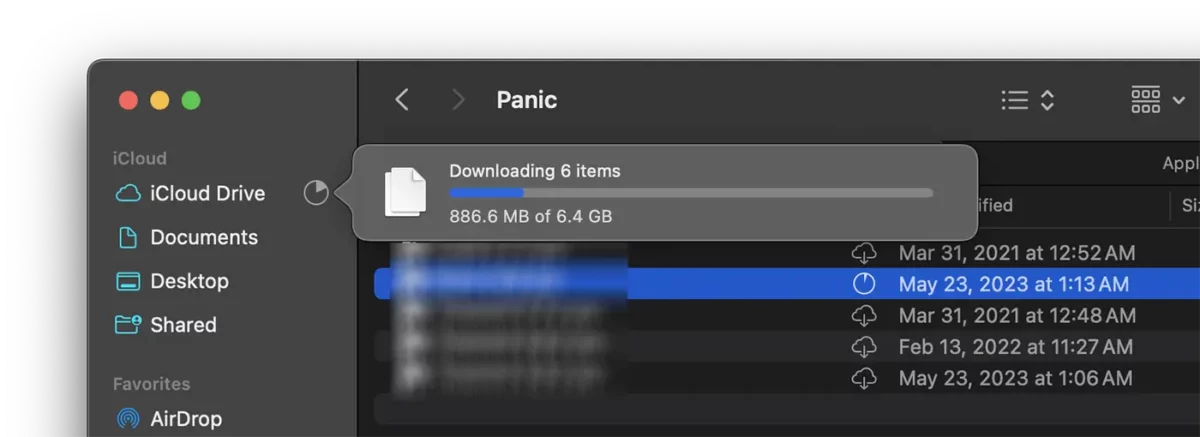
Apparently, this slowly downloading problem in iCloud on MacBook devices seems to be because of the installed internet connection, but if not the cause, you can solve this problem by following the advice and settings in the guide below.
What do you need to do if the files in iCloud are slowly unloading on MacBook?
If the files in iCloud slow down on the MacBook even if you have a stable internet connection and enough storage space to download files to the device, then it is good to check if energy saving prevents files from downloading.
Compared to Mac or IMAC computers, MacBook devices have an energy resource management system to increase the battery life. The user can choose that "low power mode" be activated or disabled according to the power supply.
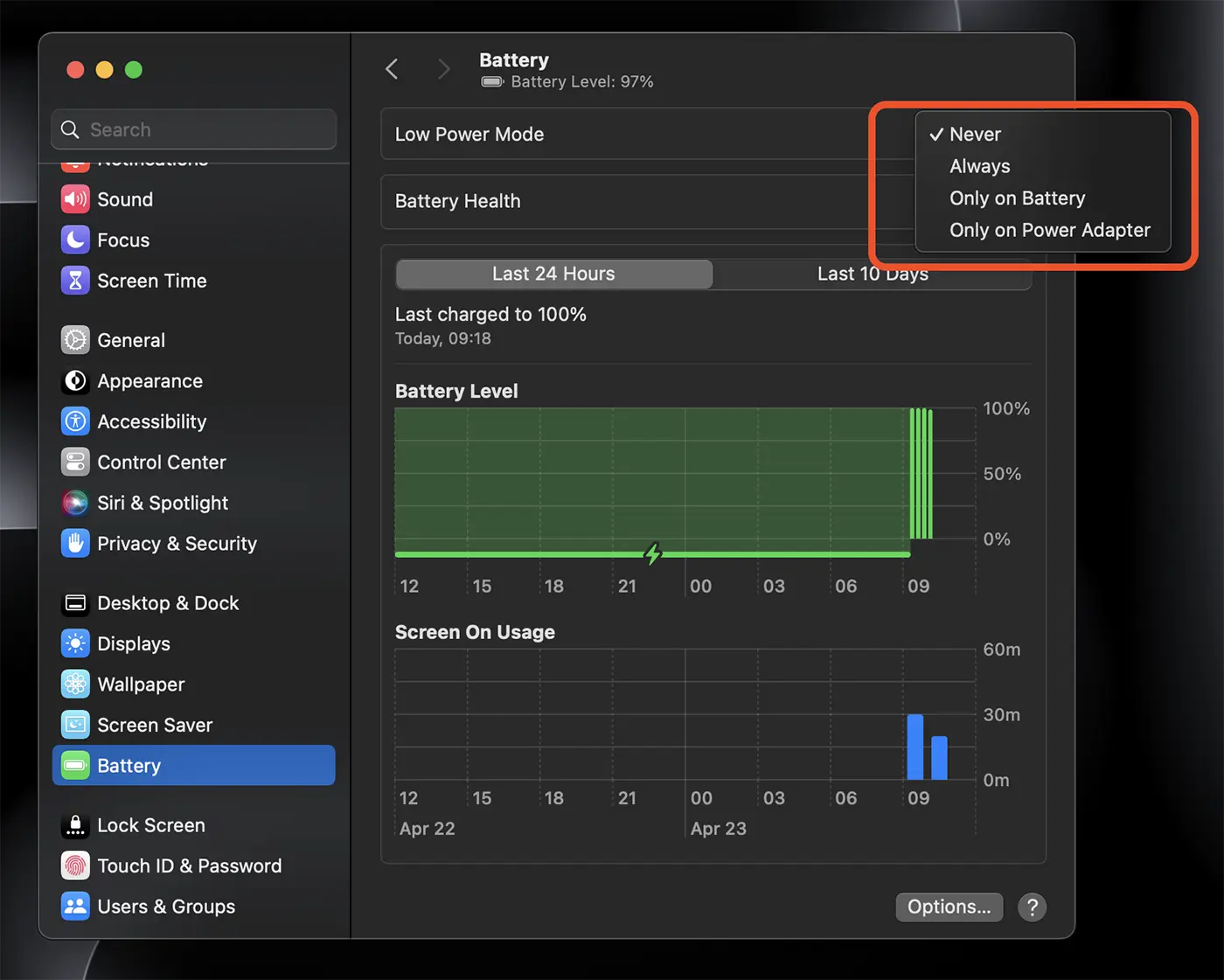
When MacBook is not connected to the power adapter and the energy saving mode is activated, many of the services of the maccos system are stopped or run in a slower way. So, if the files in iCloud slow down on the MacBook, check if "low power mode" is also activated.
Related: Find out more about low power mode.
In my case, with the MacBook Pro disconnected from the power adapter and with "low power mode" deactivated (ie everything should have operated without restrictions), the files in iCloud were extremely slow until I connected the MacBook to the power source.
In conclusion, if you have a MacBook and the iCloud Drive files are very slow or downloading process, you must consider the following:
1. Make sure you have a stable and fast internet connection. Use an online download / upload speed measurement service. If you are a MacBook owner, you probably have a Wi-Fi connection. Make sure the wireless connection signal is good, stable and there are no interference.
2. Make sure that Macos does not run other programs that use a lot of tape while downloading files from iCloud.
3. When the files on the desktop or documents are synchronization in the iCloud Drive, on the MacBook's storage space, only their icons are kept, so as not to deal with the local storage space. When downloading the files from iCloud you need to have enough local storage for them.
4. Check the availability of iCloud Drive. Sometimes the Apple servers do not work properly, which is why ICLOUD files are slowly downloading MacBook. visit Apple System Status to verify that the service is functional.
5. Make sure MacBook is connected to the power supply, even if "low power mode" is not active when the device uses battery energy.
Following the above tips, the problem of downloading files from iCloud Drive on MacBook devices will be solved.




































