
A feature a iOS 16 that helps us to hide the pictures on the iPhone or iPad. They can also move to The Hidden album, where access will only be done with biometric authentication. Is necessary Face ID or Touch ID for access in the hidden album.
iOS 16 It brings many features and new options to protect confidential data, inclusive of the pictures taken with iPhone or saved in Photos.
We all know that access to pictures and video from Photos It is possible if iPhone is unlocked or someone knows iPhone unlock password / iPad.
In many couples and families It happens that this IPhone unlock password to be known by other people. Partner / partner. wife / husband or other family members.
Until iOS 16 we could move pictures and video from the photo gallery to “Hidden”. It no longer appeared in “Recents” or in other albums. But access to the hidden album It was made quite simple without the need for a separate password or biometric authentication with Face ID or Touch ID.
Once with iOS 16 and iPados 16, Apple introduced biometric authentication cu Face ID or Touch ID For access to pictures and video in the gallery Hidden from iPhone or iPad. This means that another person even if he does not know the iPhone unlock password, he will not have access to the pictures and video in the hidden gallery.
Table of Contents
How we hide the pictures on iPhone or iPad and set biometric authentication for access to the hidden gallery
We go on iPhone or iPad in Settings → Photos Let's make the hidden photo gallery visible (Hidden album) You are Setam Face ID for access.
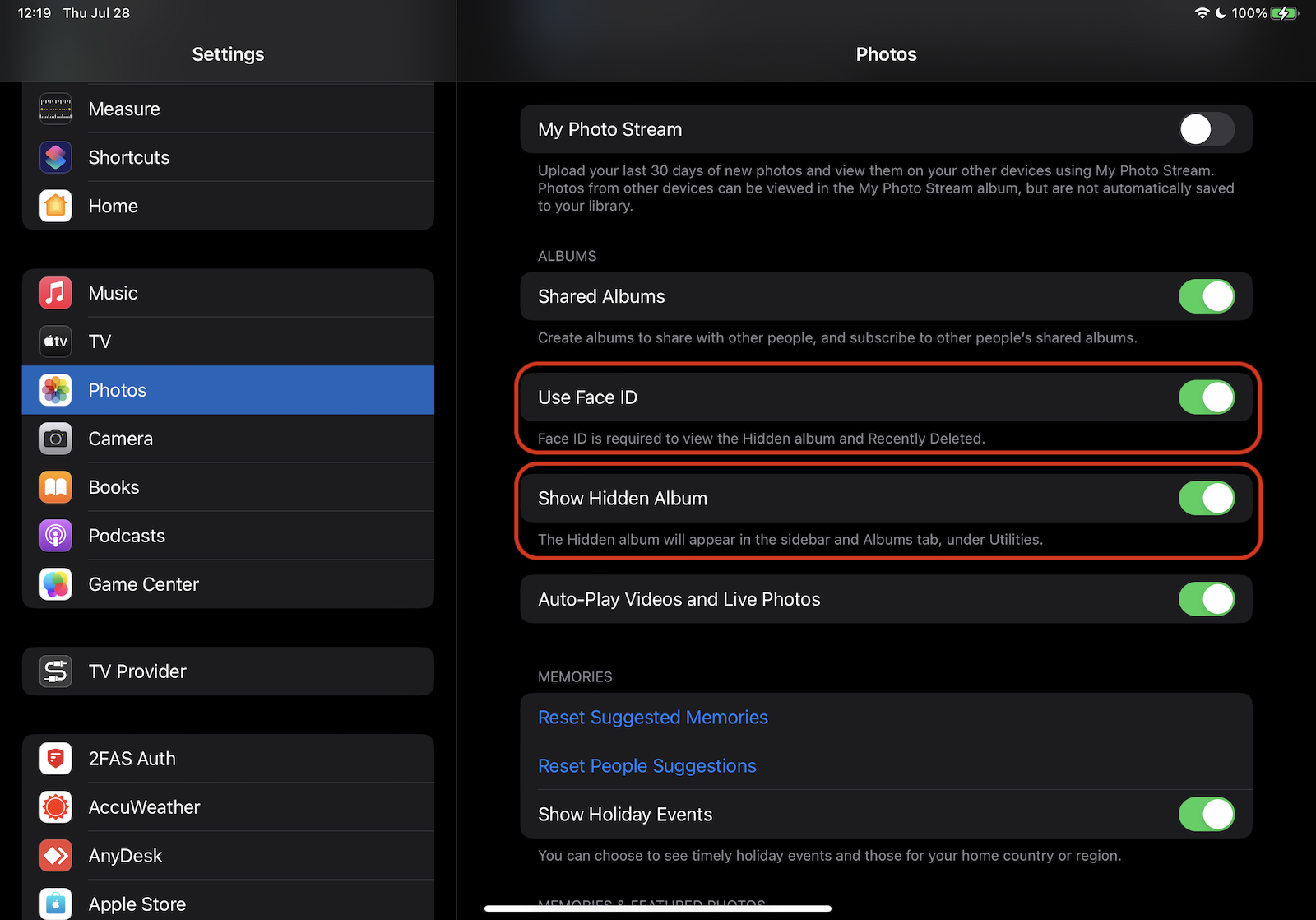
This hidden photo gallery will appear in the Photos application below Utilities As soon as we have the first picture or video marked with “Hide”.
As we hide pictures, video from Photos, all we have to do is go to the photo gallery, to select them, then mark them with “Hide”.
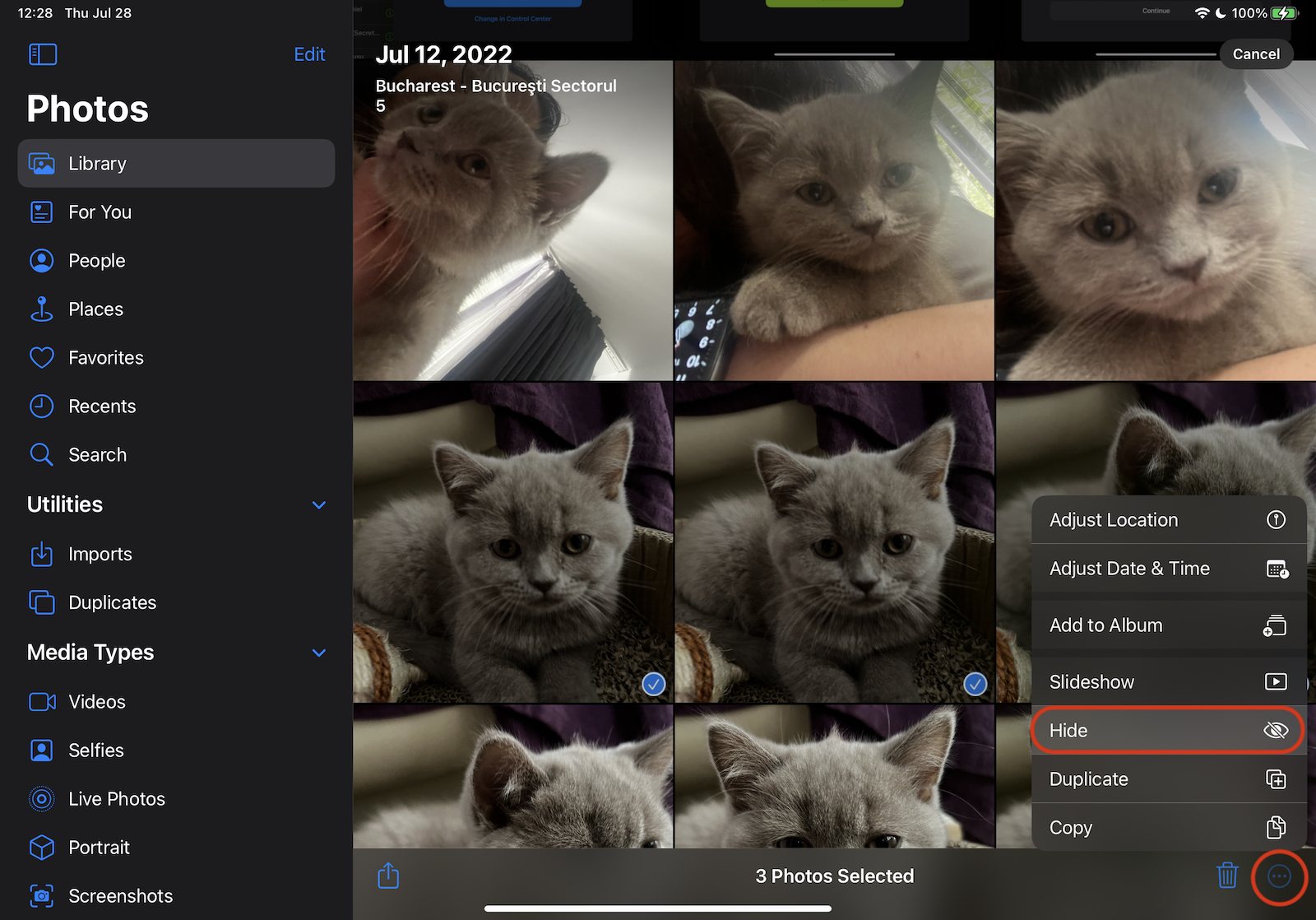
After pressing "Hide" you will need to confirm that we want to hide the pictures on the iPhone or iPad.
These photos will be hidden, but can be found in the Hidden album. You can choose to show or hide the Hidden album in Settings.
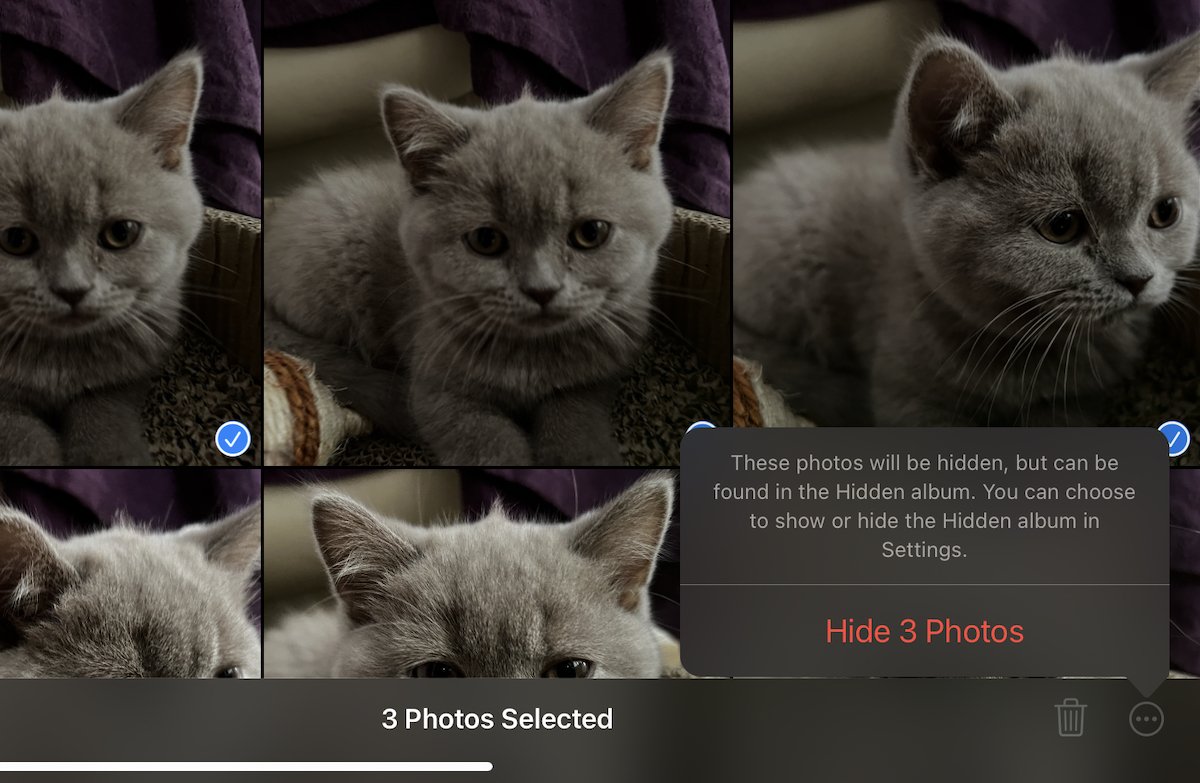
At this time the pictures will disappear from the Gallia PHOTO “Recents” and from other personalized galleries of the Photos application.
On the iPhone, in the application Photos at Albums it will appear at the bottom below Utilities ALBUM Hidden with a lock next to him. Sign that it is a protected photo gallery and access can only be done with authentication. At the iPad this album with hidden pictures and video appears on the left side.
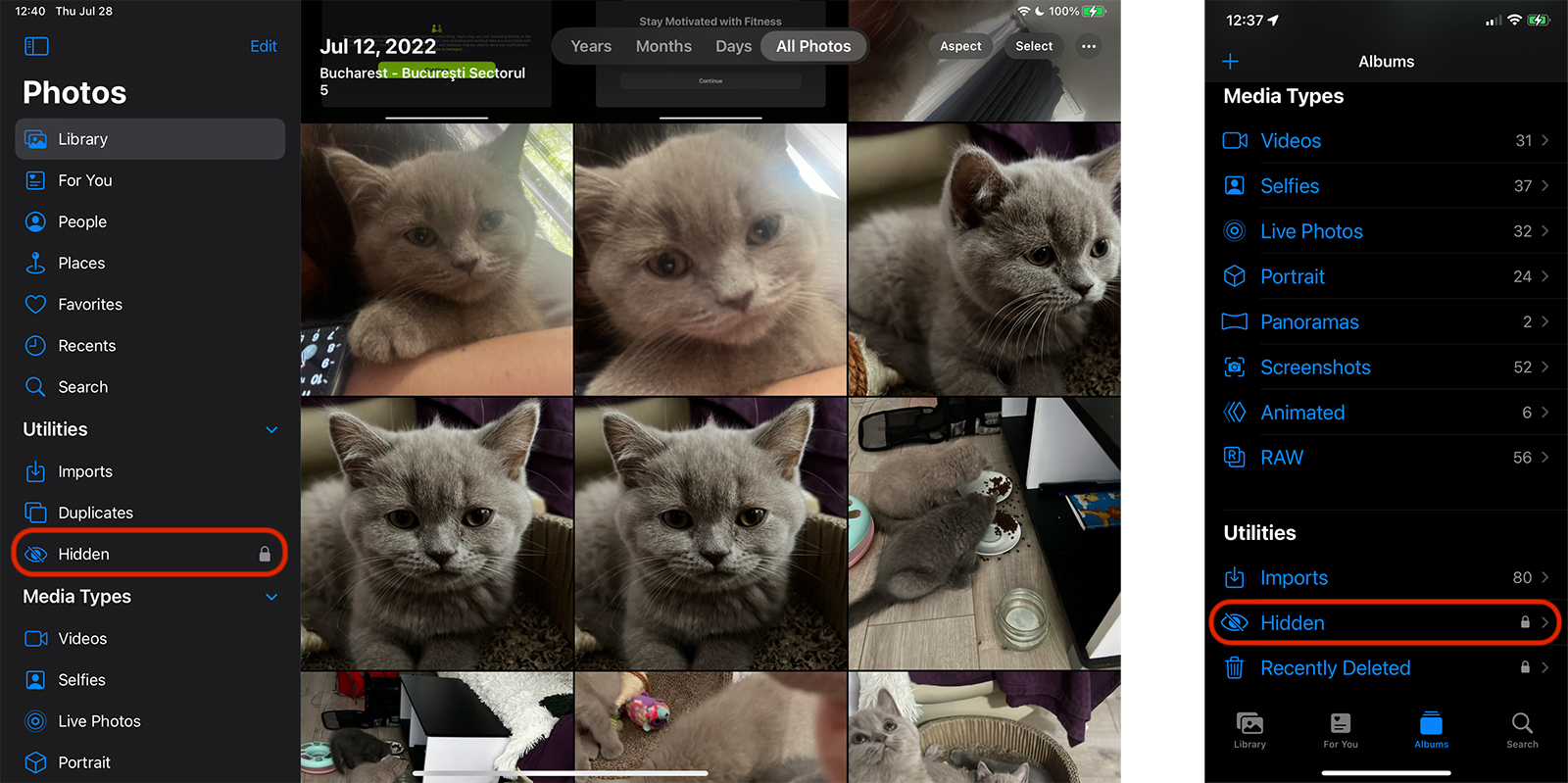
How do we access the hidden pictures and video on the iPhone or iPad
If at the first step of this tutorial you have set to use Face ID (or Touch ID) For access to the hidden photo gallery, access to this album will only have the owner of the iPhone or iPad. It takes Biometric confirmation of identity.
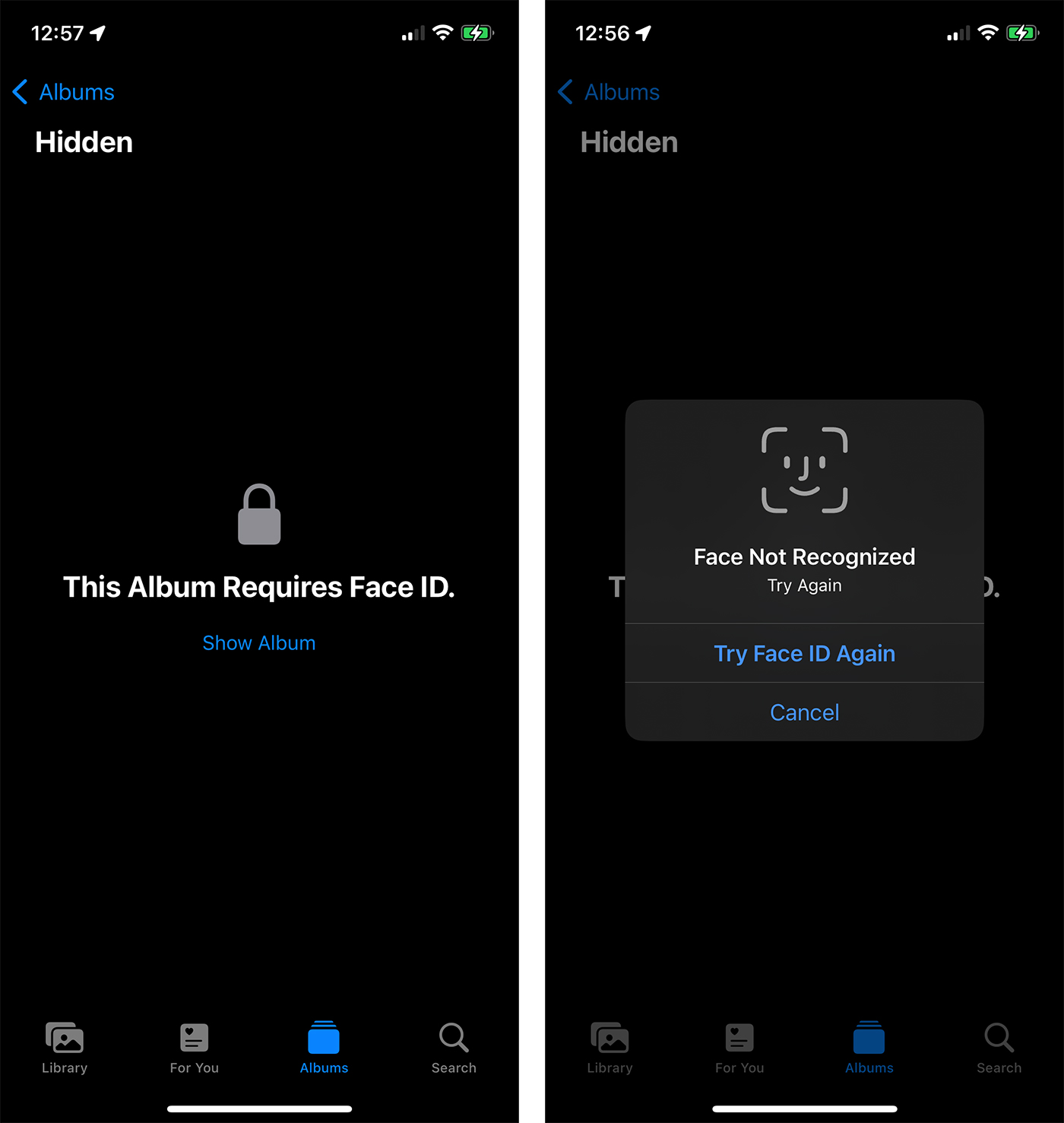
This security measure through which we can hide the pictures on the iPhone excludes the possibility that another person can access the pictures and video from the hidden album, even if he knows the password to unlock iPhone or iPad.
The feature is implemented and on macOS Ventura, where access to Hidden Album can be done with Touch ID (For MacBook with Touch Bar, Magic Keyboard cu Touch ID).
This protective measure also applies for deleted pictures and video. They are moved for 30 days in Recently Deleted, where access is also based on the biometric confirmation of identity.




































