

When we access a web page, on our computer, on the Internet Browser are saved for a period of time more data. Cookies files, cache files and web browsing history. Before we see how we delete these files related to Safari Privacy, to see briefly what these files mean and what their role is.
Table of Contents
What are cookies files
Cookies files help the gas pages you access to identify your online preferences and sometimes even identity. Without cookies you could not keep authenticated on a website after closing your browser, you cannot set certain preferences on a portal or you will not keep products in the shopping cart on an online store.
Also cookies are used for marketing. Online advertising trackers use cookies with which to find out as much information about you. What websites you visit, how much time you spend on a site, what type of content you are interested in, plus many other data. That is why when you access a web page, the European Union has imposed the mandatory consent that a website administrator must receive from each user.
Cookies files are very small in size and will not occupy the storage space. A file has around 2K - 4K.
After deleting the cookies files, you will notice that you will need to get on sites and online applications. Even if the passwords are saved in Briwser, the authenticated sessions were closed with the deletion of cookies,
What are cache web files
In the sense of everyone, the cache web files are the ones that make up the web page. Most files, including: images, CSS code, HTML code and Java code, are stored for a limited or longer period.
For website administrators, the administration of cache files is very important. An efficient cache policy will greatly increase the speed of loading of web pages when accessed by visitors and will put a lower pregnancy on the server.
In a simple scenario, the images that make up a web page and which are not frequently updated, after the first access they will be stored in the cache of the browser. This is when you react the web page for a while, the images will be served from the cache, instead of being downloaded again from the Internet from the host server.
For the user it means a higher speed of loading the web page and less internet traffic, and for the host server less traffic and less execution processes.
The same thing happens with the scripts that make up certain elements of the website and with style files.
If in the case of cookies the space occupied on the disk is very small, we cannot say this about the cache files. Because these can be media files, the space occupied by cache can be from several hundred MB to a few GB.
Internet browser history
When we access a web page, it is saved in the Internet browser browsing history. The purpose is primarily to remind you what pages you have visited if you want to react it in search of information.
Also "History" also helps to complete automatic in the address bar when typing the first characters of a web page. Self -pumps in address bar.
How to delete Safari History (navigation history), cookies and web cache (Safari Privacy)
History, cookies and cache are elements that we meet on all web browsers. Google Chrome, Mozilla Firefox, Opera, Microsoft Edge. However, the methods of administering these data differ from browser to another.
For users of Safari, deleting the whole web browsing history means the deletion of all the data of the web pages in the history. Cookies and web date (cache).
1. We go to Safari at the menu bar and open "History"Then at the last option we have"Clear History"
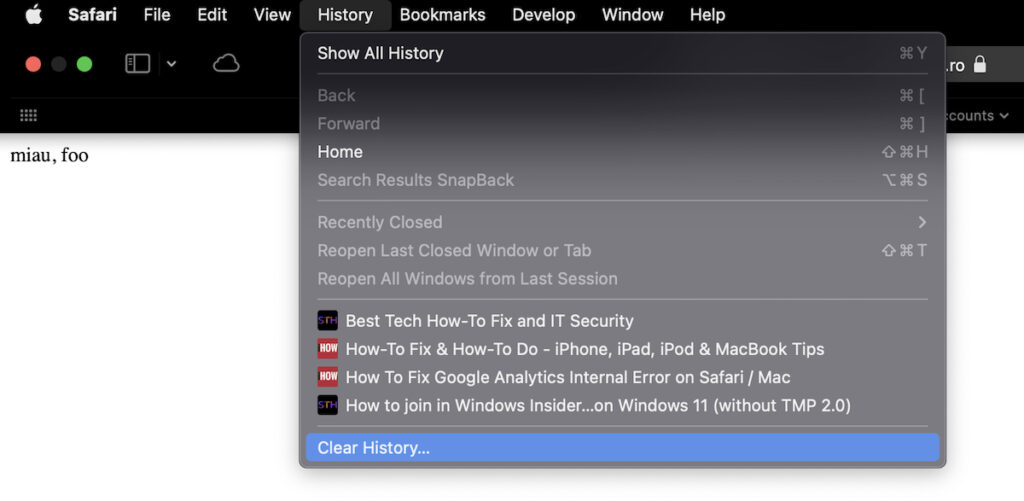
2. As I said above, the deletion of the navigation history in Safari, will automatically delete cookies and web date. In addition these files and the history will be deleted from all the devices you have synchronized in iCloud. For example, if you have a MacBook, an IMAC and an iPad, if you perform this operation on the MacBook, History, Cookies and the Data Web will be deleted automatically from all three devices.
Clearing history will remove related cookies and other website data.
History will also be removed on other devices signed into your iCloud account.
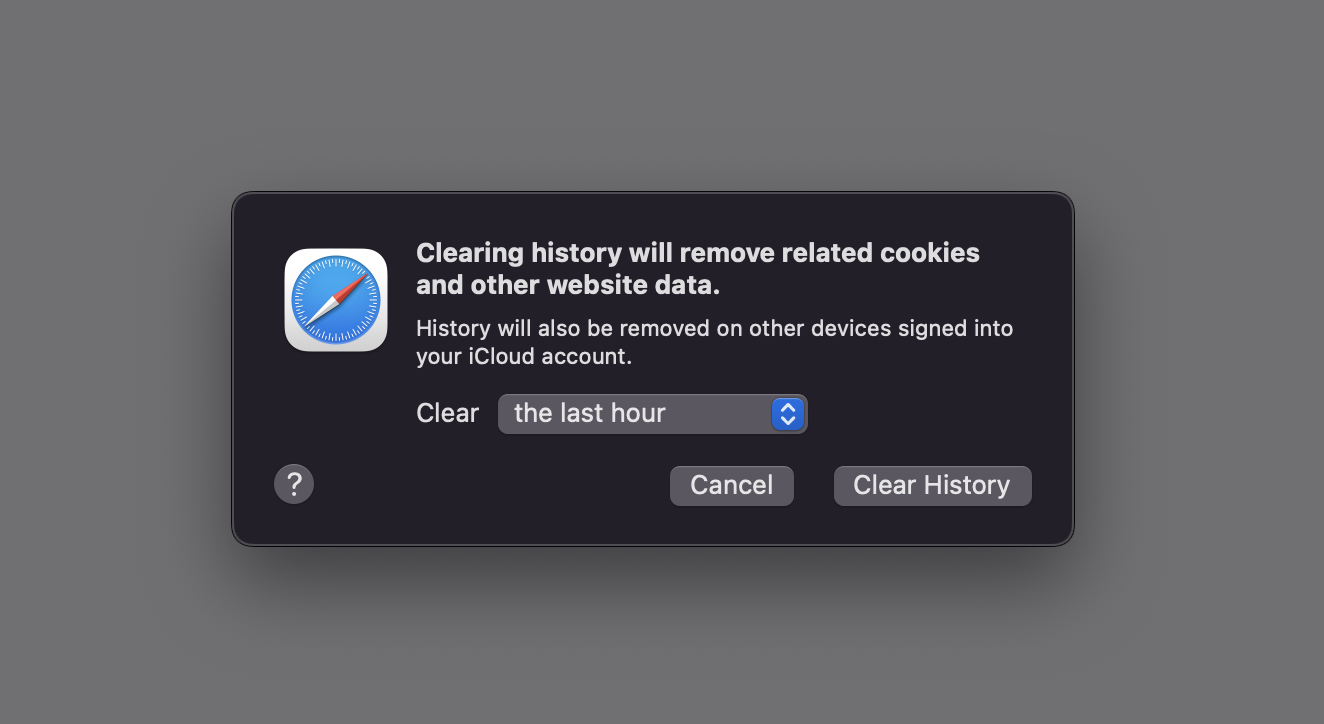
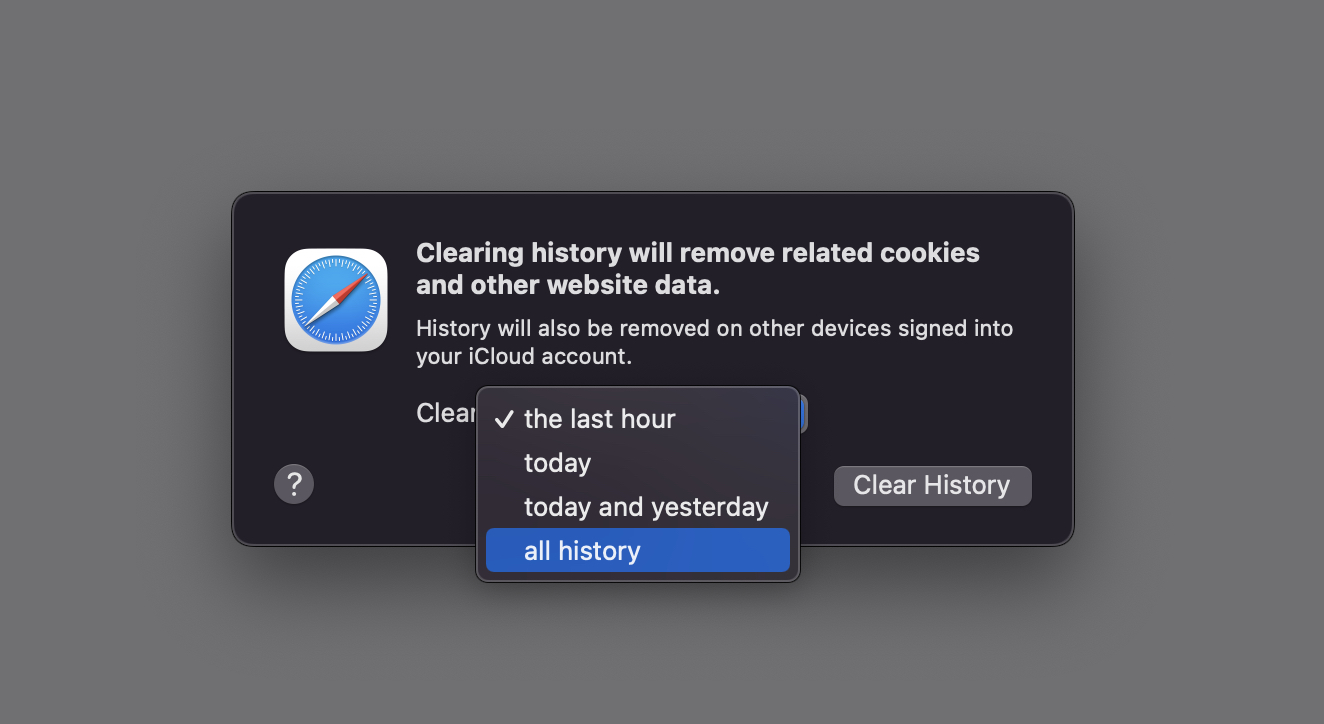
We can choose to delete Safari History (navigation history) from the last hour, current day, current day and previous day, or all the navigation history. All History.
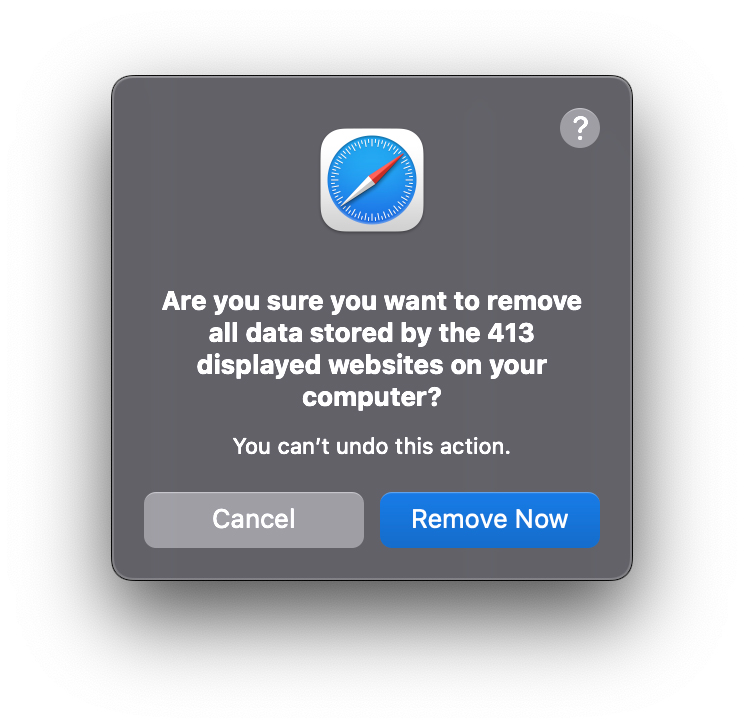
3. We confirm the deletion of the data. "Remove Now", and Safari History will disappear from the device.
How can we selectively delete Safari History?
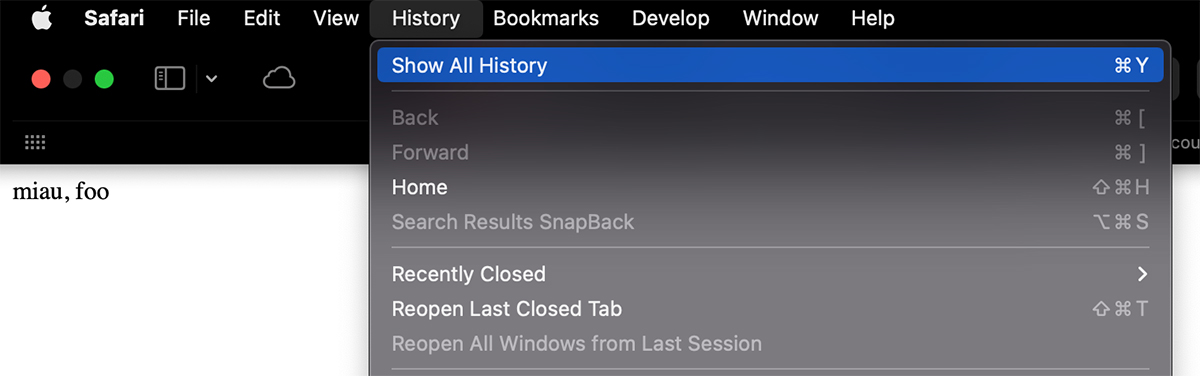
If we want to delete only certain web addresses from the navigation history, we go to Safari at the menu bar, history, then we access "Show All History“.
From the list of accessed web address, we select the web address that we want to delete from the history, right click and click "Delete".
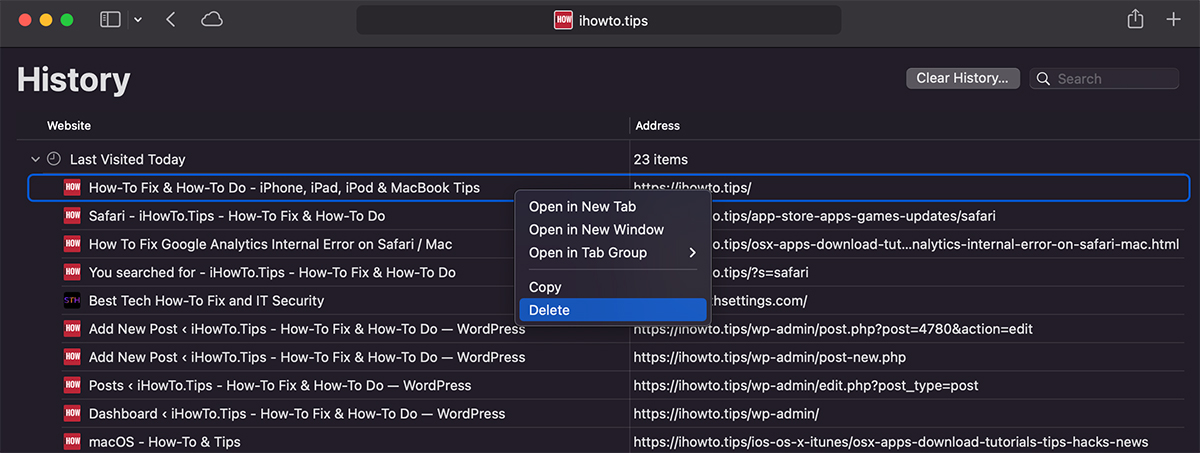
In this way we will delete only one page and Safari History.
How to delete sensitive data (cookies) without deleting the navigation history
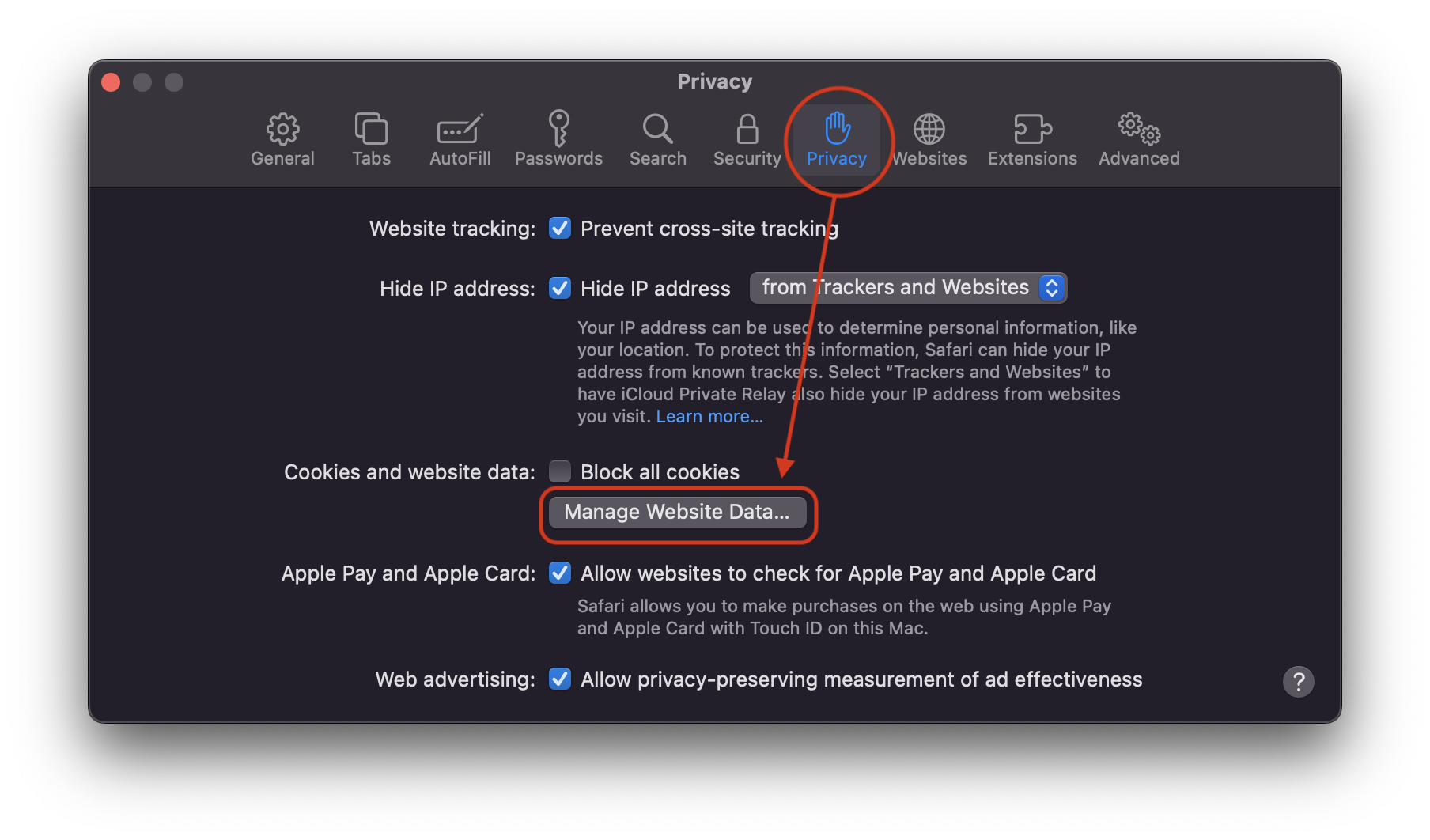
If we want to delete only cookies, without affecting Safari History, then the simplest is to access the "Privacy" settings. Safari Privacy.
We go to the "Preferences" menu of Safari, then at "Privacy" we click "Manage Website Data".
Here we can see what was stored in safari when accessing a web page. If only cookies or cache files have been stored.
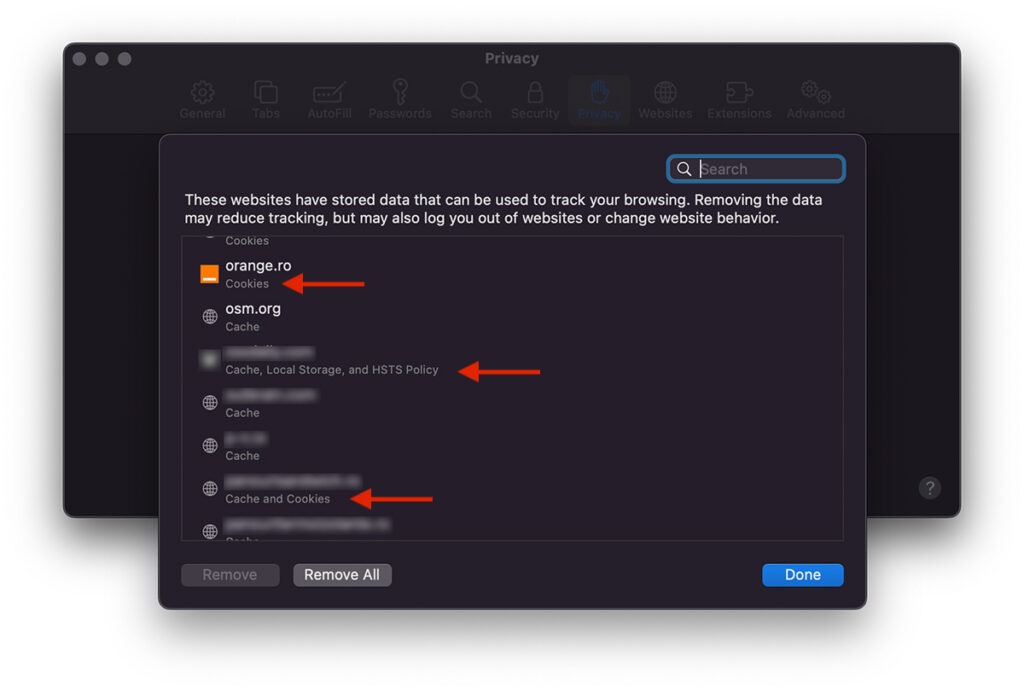
We notice that for some websites only cookies were stored, while for others the cache, cookies, Local Storage and HSTS Policy were stored.
We can choose to delete this data individually or all at once. Remove all.




































