

About the same way How the language changes for iOS, you can change the language of apps for macos. So that the menus and options of the apps are displayed in a language other than the operating system.
There are many users, who prefer English on operating systems, even if it is not the mother tongue. The reason is very simple. In the past, both Apple and Microfoft offered support only for English, this is still the basic language of MacOS operating systems, Linux, Windows, Android, iOS.
With the launch of iOS 13, Apple operate on operating systems iOS / iPadOS the possibility to change the language from the applications, leaving the language of the operating system unchanged. The user can set a language other than the iOS system for the application interface.
And for maccos operating systems we can do the same. We can change the language in which the menus and options options are displayed, without changing the language of the operating system.
How can you change the application language for macos
In this tutorial you will learn step by step how you can change the language of macos applications.
We take the scenario we have macOS Ventura set in English but we want the app Numbers (correspondence Excel For Windows) to display the menus in another language, such as French, Romanian, German, Spanish or any other.
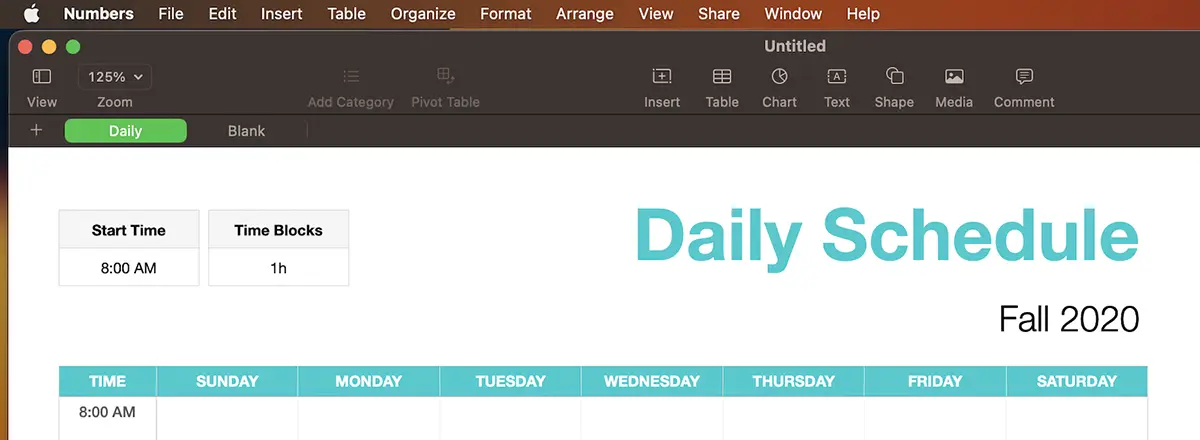
You can change the language of apps for macos both from ”System Settings", As well as from the application settings.
To change the language in which the app menus are displayed Numbers“You must follow the steps below:
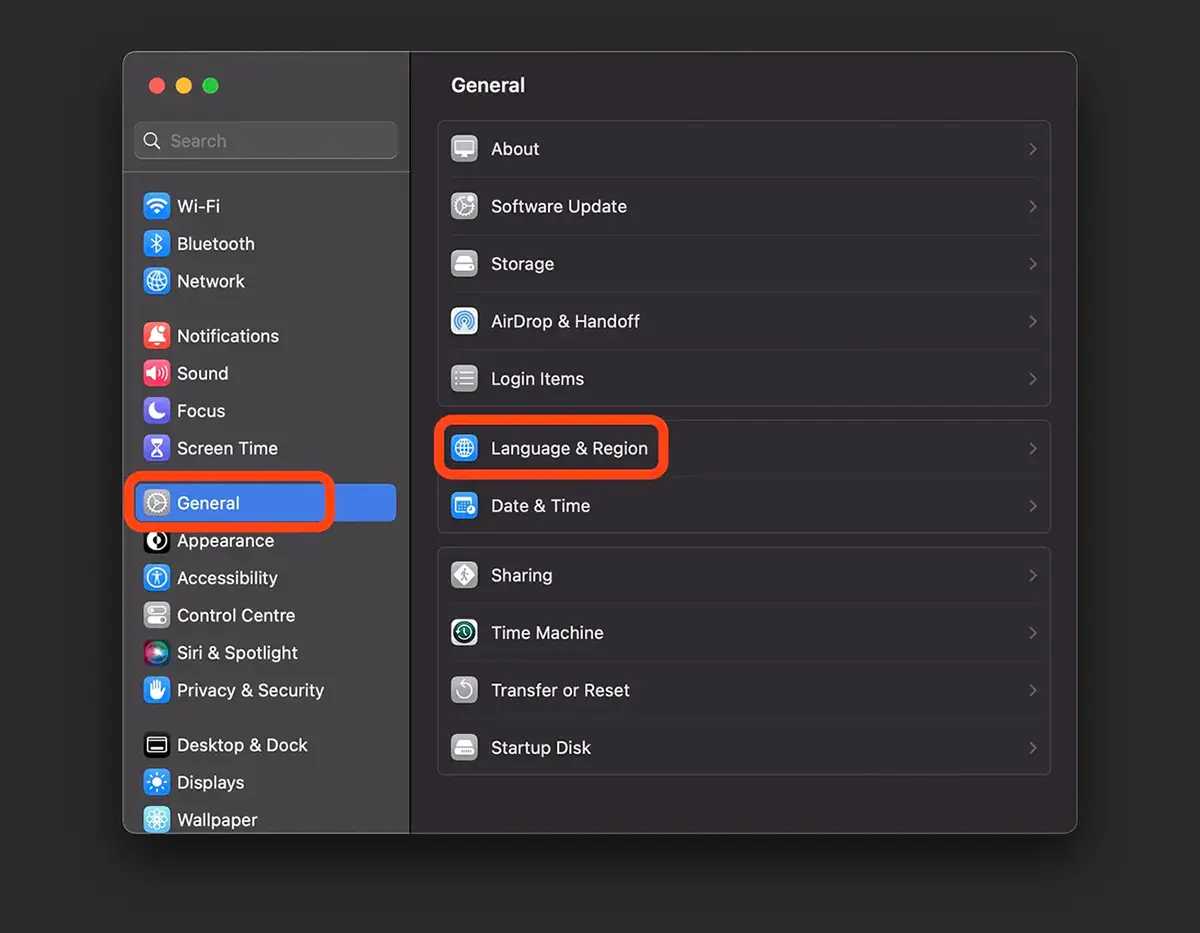
1. Open System Settings (former System Preferences) then General → Language & Region.
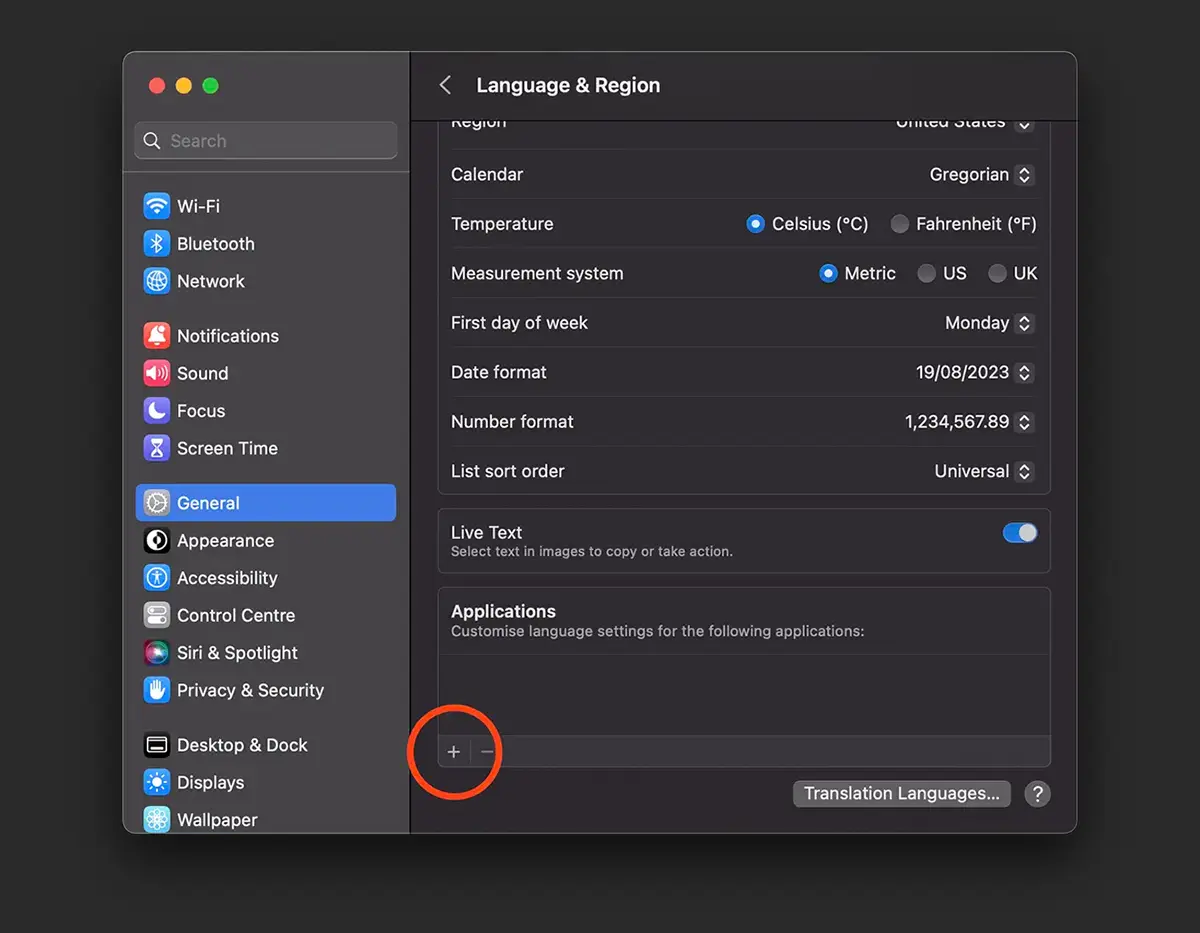
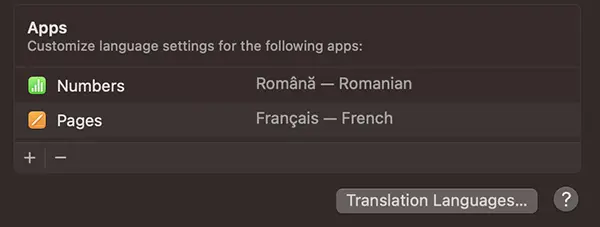
2. At the settings Language & Regions, somewhere at the bottom below Apps, click on the sign “+”.
3. In the next screen you can select applications and the language in which you want them to be displayed.
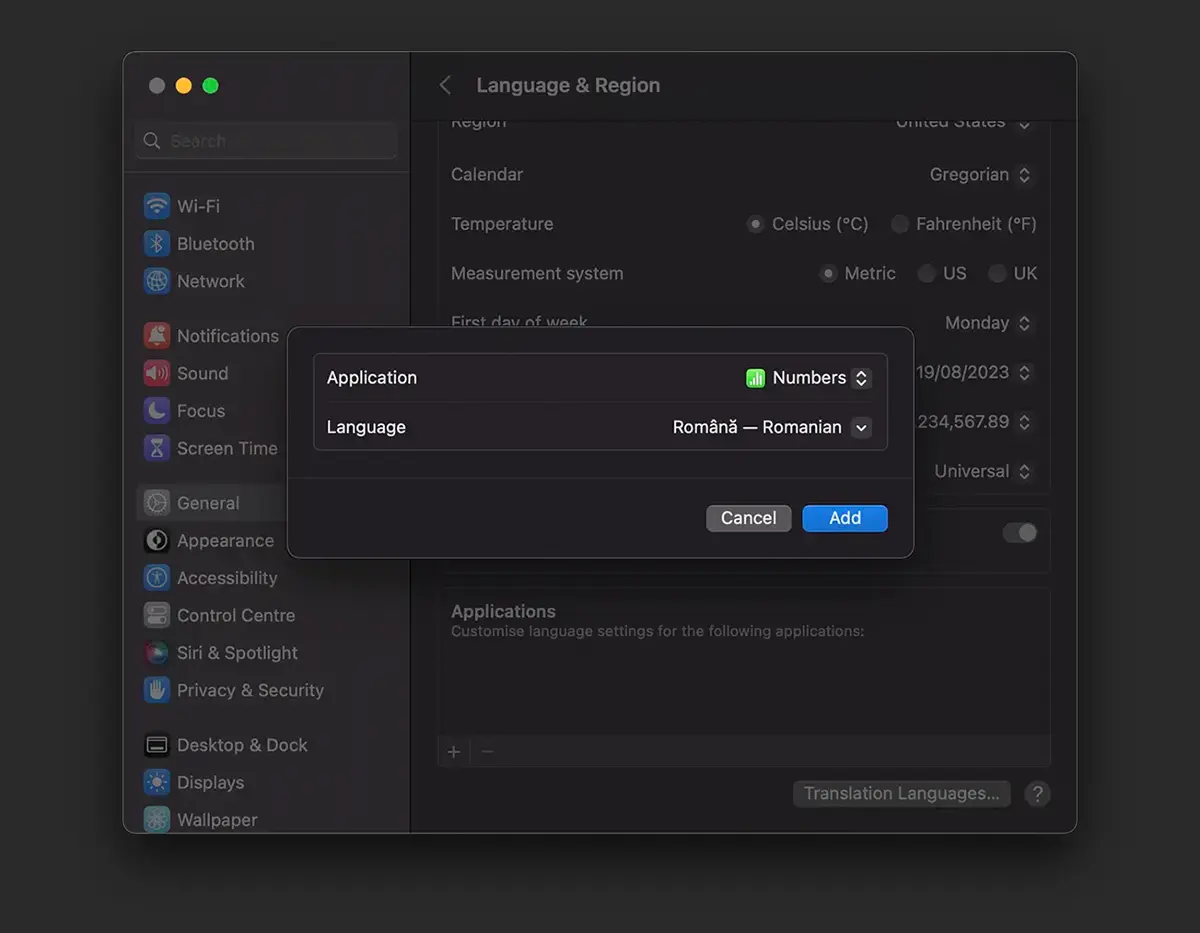
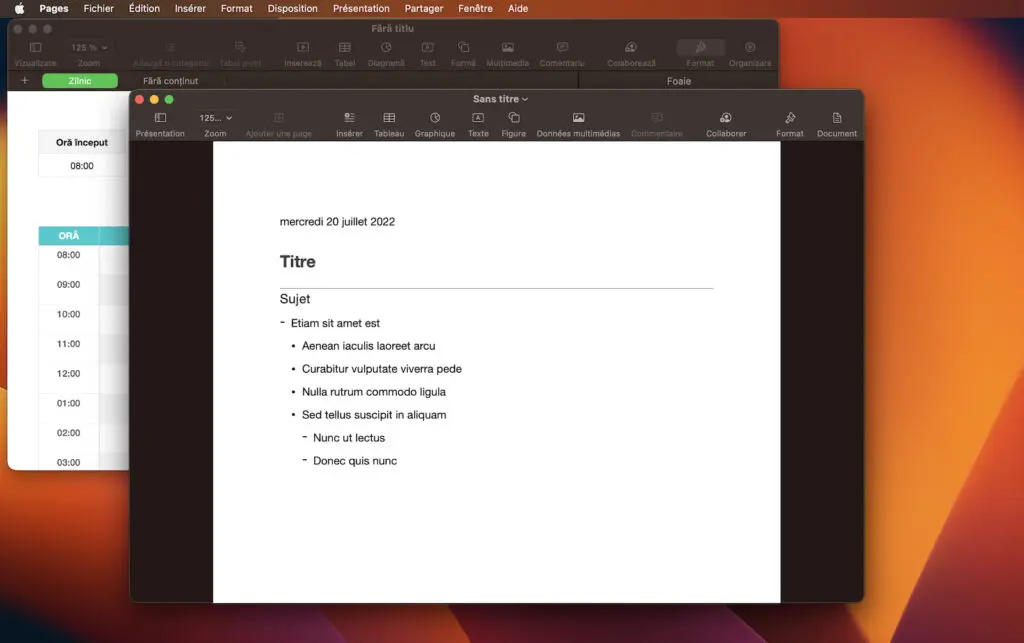
Thus you can have the system macOS set in English (System Default) but the app Numbers You can set it in Romanian. Of course, if you are polyglot, you can set different languages for each application.
To observe the menus of the two open applications, Numbers & Pages. Romanian and French.
If you want to return to the default language of the application, all you have to do is go to point 2 above, select the app for which you have chosen another language and click on the sign “-“.





































1 thought on “How can you change the application language for macos"