
Mac users know that they use different format types compared to Windows, both for the internal storage unit (HDD / SSD / Fusion Drive), as well as for external ones (Flash Drive units, external hard drives, etc. SDCARD).
FAT and exfat There are two formats that can be found natively on Mac. But these nature come up with some limitations, regarding the volume of data per file. A format used by many is NTFS, but it can only be read by Mac. If you sleep copy one or more files from Mac on a storage extern formatted ntfs, natively we cannot do this. We can only read the files from the external storage or copy them on Mac.
Fortunately, Apple added an experimental feature, through which Mac users can copy Mac files to a Flash Drive or External NTFS hard drive. Without installing an application, be it free.
How can we copy files from Mac on an external hard or flash drive NTFS
First of all, do not forget that this method is currently experimental, and Apple only recommends users who have no important data to the external storage.
One requirement to keep in mind is that the name of the external unit (Flash Drive, External HDD, etc.) be composed of a single word.
In our scenario, we have a 16GB USB stick, formatted NTFS, called "iHowTo"On which we want to copy data from Mac.
1. We open the terminal utility and execute the command line:
sudo nano /etc/fstab
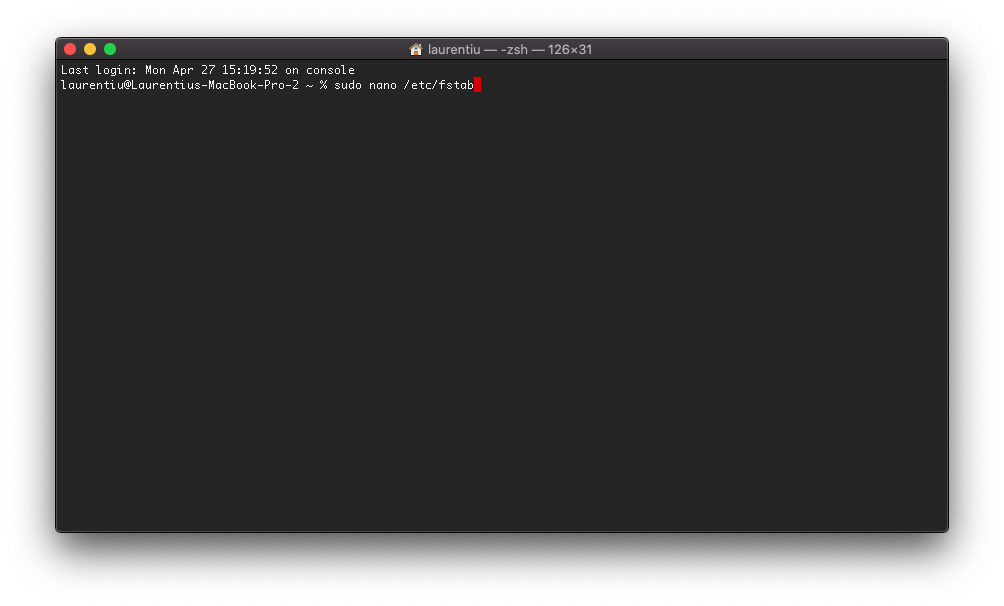
After executing the control line, press "Enter" and enter our user's password. Password on Mac.
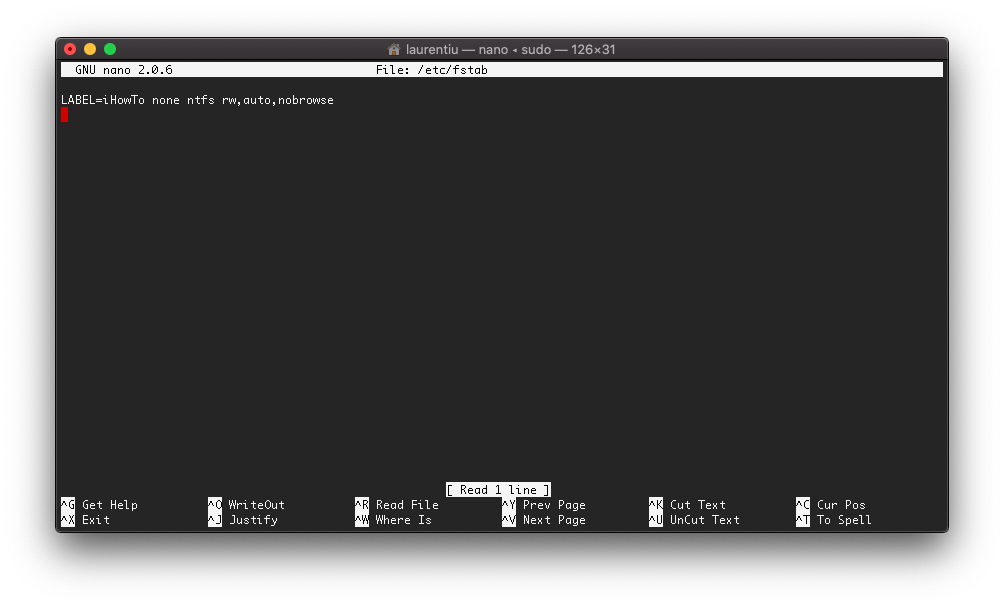
2. In the editable file “fstab” open with “nano”, add the line (replace "iHowto" with the name of your storage unit):
LABEL=iHowTo none ntfs rw,auto,nobrowse
We save the modification with CTRL+O and we do not close "nano" with ctrl+x.
3. we disconnect the external unit and reconnect it to Mac (if connected).
4. We open Finder, we go to “Go” → “Go to Folder…” and we introduce “/Volumes” to access the external unit.
Now we can copy poppy files on an external NTFS storage unit.




































