

The experience of having a MacBook with a swollen battery and a deformed case cannot be neglected or overlooked easily. This article shares personal experience with a 2017 MacBook Pro that required service due to a swollen battery and rear case deformation.
When you invest more than €2000 in a MacBook Pro, the reasons for the purchase are clear: the performance of the operating system and hardware resources, the connectivity options, the design and the quality of the components. The expectation is that you will be able to use the device for several years without encountering major problems or having to spend money on premature repairs or replacements of components or even the device itself.
Apple offers solid warranties for its devices at authorized service centers. Generally, when a device experiences problems prematurely during the warranty period, it is replaced with a new one, as we have experienced with the iPhone, iPad and Apple Watch. However, with MacBooks and Macs, the situation is different. Defective components are replaced, and sometimes other related repairs are required. The costs are covered during the warranty period, but after the warranty expires, users have to bear the repair costs, which are not small at all.
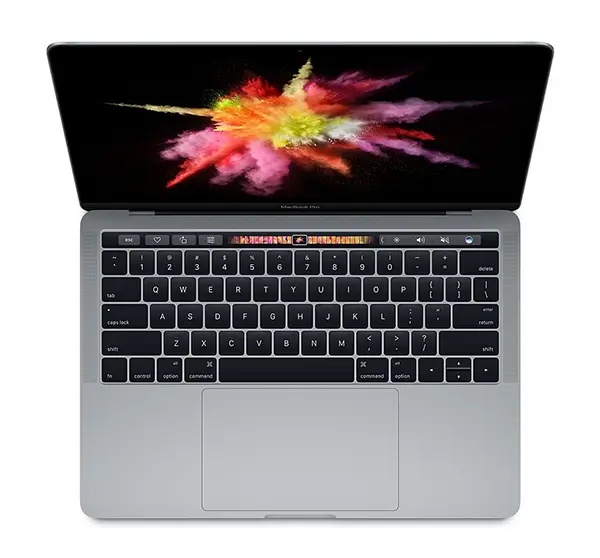
I had this experience with a 2017 MacBook Pro 15-inch, purchased in October 2017, which, after less than three years of use, developed battery swelling and rear case warping. Although I didn't initially imagine that a 2017 MacBook Pro could have battery problems so soon, the warping of the case was a clear sign of a battery problem.
Table of Contents
How can you tell if you have a MacBook with a swollen battery?
Normally, when a MacBook laptop battery stops working properly, the user can see this problem in the battery health reports. These battery usage and health reports are available in the power settings in: “System Settings” > “Battery” > “Battery Health”.
Related: How to see if the MacBook battery works normally.
However, there are also situations (like mine) where the macOS system does not report that there are problems, even though the battery is swollen. In this case, follow the signs:
MacBook case warping at the back
The most obvious sign of a swollen battery is deformation of the MacBook case. Look carefully at the bottom of the MacBook. If you notice a bulge or protrusion, you may have a MacBook with a swollen battery. Sometimes the warping can be subtle, but it can be noticed by placing the MacBook on a perfectly flat surface. If the laptop doesn't sit perfectly on that flat surface, or you can't fit an A4 sheet under it, it's case deformation.
Trackpad slightly elevated or malfunctioning
On most MacBook models, the trackpad is located right on the battery. If you notice that it starts to become unresponsive to touch, if it is lifted slightly (especially in the corners), or if it does not work at all, it is very possible that the MacBook battery is swollen.
MacBook keyboard problems
A swollen battery can cause problems with your MacBook keyboard. Swollen batteries can expand and put pressure on other internal components, including the keyboard. This pressure can cause the keys to stop working properly or even get stuck. In my case, some keys responded twice to a touch or didn't work at all.
What to do if your MacBook battery is swollen
First, unplug your MacBook from the outlet and turn it off immediately. Swollen batteries can be dangerous and cause fires or explosions. Also, don't try to change the battery on your MacBook yourself. Our recommendation is to contact an authorized Apple service or even an Apple service if it is located in your area.
Certain MacBook models experience manufacturing problems with their batteries, which has led to Apple launching recall programs to replace them. So, it's quite possible that you can exchange a defective MacBook battery for free if your device is included in such a program.
Useful link: Check if you have a device eligible for the service: Apple Service Programs.
Apple's service recall programs aren't just for problems caused by MacBook battery malfunctions. Programs have also been run to correct other issues related to keyboards or screens. Also, if you have a MacBook with a swollen battery and a deformed case, Apple service will replace all components affected by this problem.
MacBook Pro 15-inch 2017 Post-Warranty Service Experience at Depanero Service (Apple Authorized)
In short, if you are from Romania and you have a MacBook with a swollen battery and a deformed case, there are not many options when it comes to choosing an authorized Apple service. In the absence of an Apple representative, the most recommended is Depanero (Apple Authorized Service). I went with my MacBook Pro 15-inch 2017 laptop under warranty to Depanero service. The battery was replaced in just one week, but in addition to the battery, all the components affected by it were also replaced. The back cover, the keyboard and the front of the device.
The fact that my MacBook Pro was not included in Apple's service recall program for battery problems, I covered the cost of replacing it, but not the price of the other components. For me, the fact that after two years and three months of use, I paid about 200 EUR to change these components, it was not a problem. I brought it back from service with a new battery, a changed keyboard (Apple replaced all butterfly keyboards for all devices that ended up in service, for whatever reason) and a new case. Basically, my MacBook was like new.
If you need to contact Apple for support or service, you can find the list of phone numbers here: Contact Apple for support and service.
Reasons why a MacBook battery can swell
MacBook battery swelling can be caused by a number of factors, including:
Manufacturing defects: Sometimes batteries can have manufacturing defects that make them prone to swelling. This issue has been reported on most MacBook Pro models.
Excessive loading: Leaving your MacBook plugged in for long periods of time after the battery is fully charged can cause the battery to swell. It is not recommended to leave your MacBook plugged in while the battery is charging.
Overheating: Exposing your MacBook to extreme temperatures or prolonged use of demanding applications or games with advanced graphics can cause the battery to overheat, which can cause it to swell.
Using a non-original charger: Using a non-original or poor quality charger or charging cable may damage the battery. It is recommended to use original or MFi certified power adapters.
Related: How to tell if a MacBook power adapter is genuine.
Battery age: As the battery ages, its ability to hold a charge decreases, and this process can be accompanied by physical swelling of the internal cells.
In my case, the problem most likely arose from overcharging (only 80 charge cycles in two years) or a manufacturing defect.
In conclusion, if you have a MacBook with a swollen battery, immediately disconnect it from the power source and contact the nearest authorized Apple service. You will not need the warranty certificate (if it is post-warranty) nor the purchase documents.





































macbook pro batteries are a disaster, after a year I replaced the battery and after another year the battery swelled again and the warranty was over, crap, not laptops!!!
Honestly, as a huge Apple fan, you're absolutely right. I'm thinking about getting a MacBook Pro with an M2 processor, but from what I've heard, they have some pretty serious issues. I still use the laptop I mentioned in the article. It's currently working quite well.
– Google Translate from Romanian.
I have a 2019 MacBook Pro with a swollen battery. It really is a disaster. It has raised some keys and the back cover is very curved. I am seriously considering requesting a replacement for the MacBook, because it is unacceptable that this is happening after such a short time.