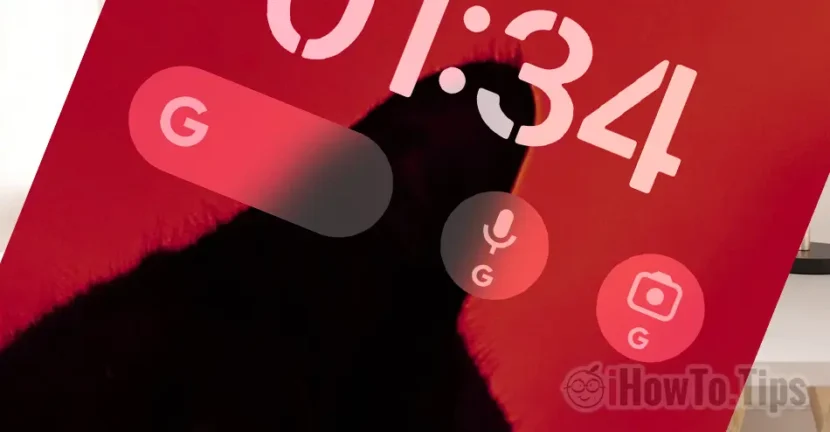

Android users are used to Google Widget on Home Screen. It offers quick access to search and other Google services, without having to open the application. If you have recently passed from Android to iPhone (iOS), in this tutorial you will see how you add Google Search Widget on the iPhone Home Screen. So you will make him look a little with a smarphone Android.
You will have quick access to Google Search, Search Voice or Google Lens directly from Home Screen or Lock Screen.
Table of Contents
How do you add Google Search Widget to iPhone Home Screen
To add Google search bar on iPhone Home Screen, first of all you have to install the Google application in the App Store. Being devices developed by Apple, iPhone do not come with Google Installed Services.
1. Open App Store on the iPhone and Install the Google application on the iPhone.
2. Go on Home Screen And hold in a neutral area to activate the adding options widgets, then press on the sign “+” From the top left of the iPhone screen and search Google in the Widgets gallery.
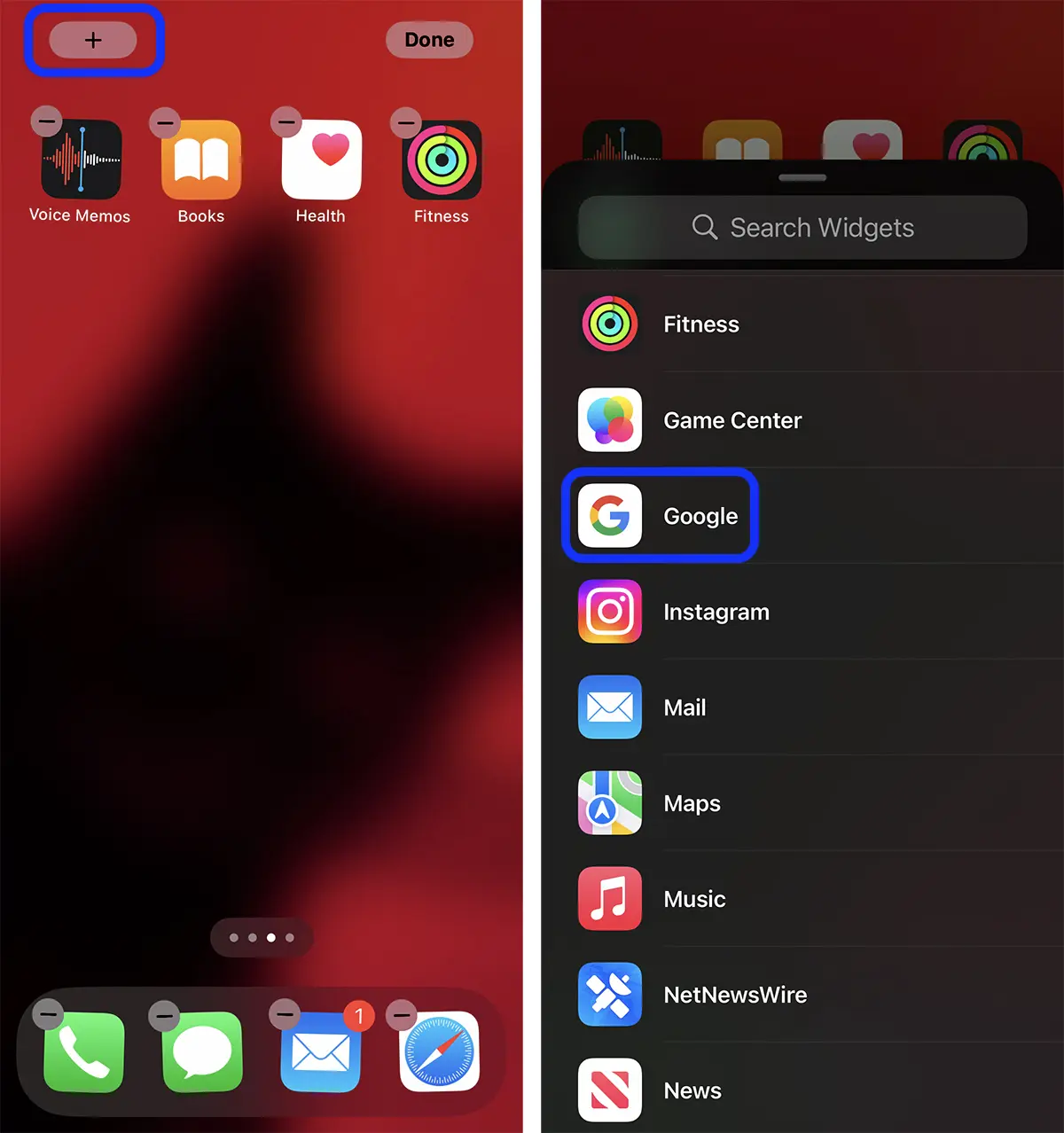
3. From the Widgets Gallery (Search Widgets) add Google and select the widget style you want to add to the iPhone screen. Add Widget.
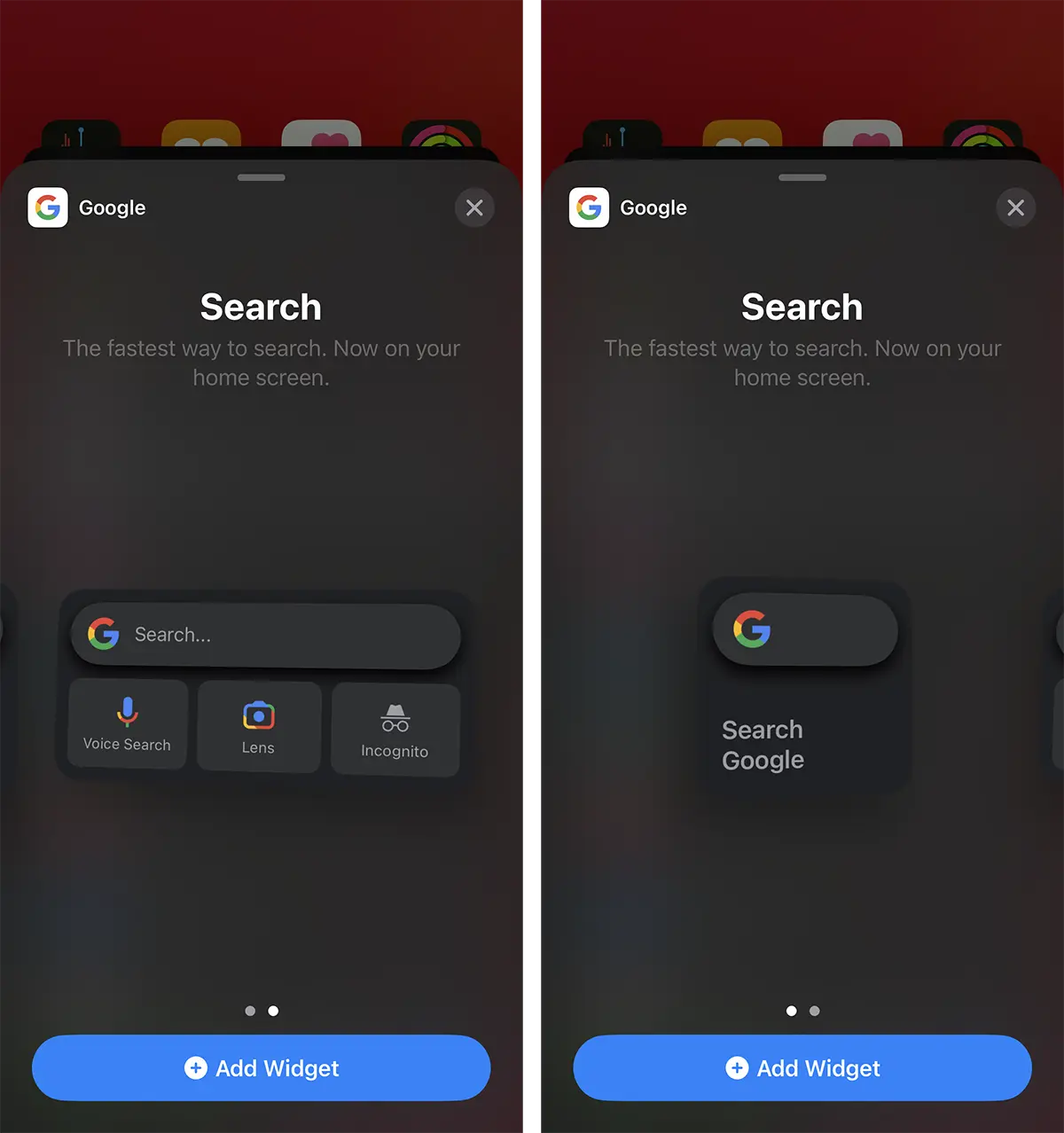
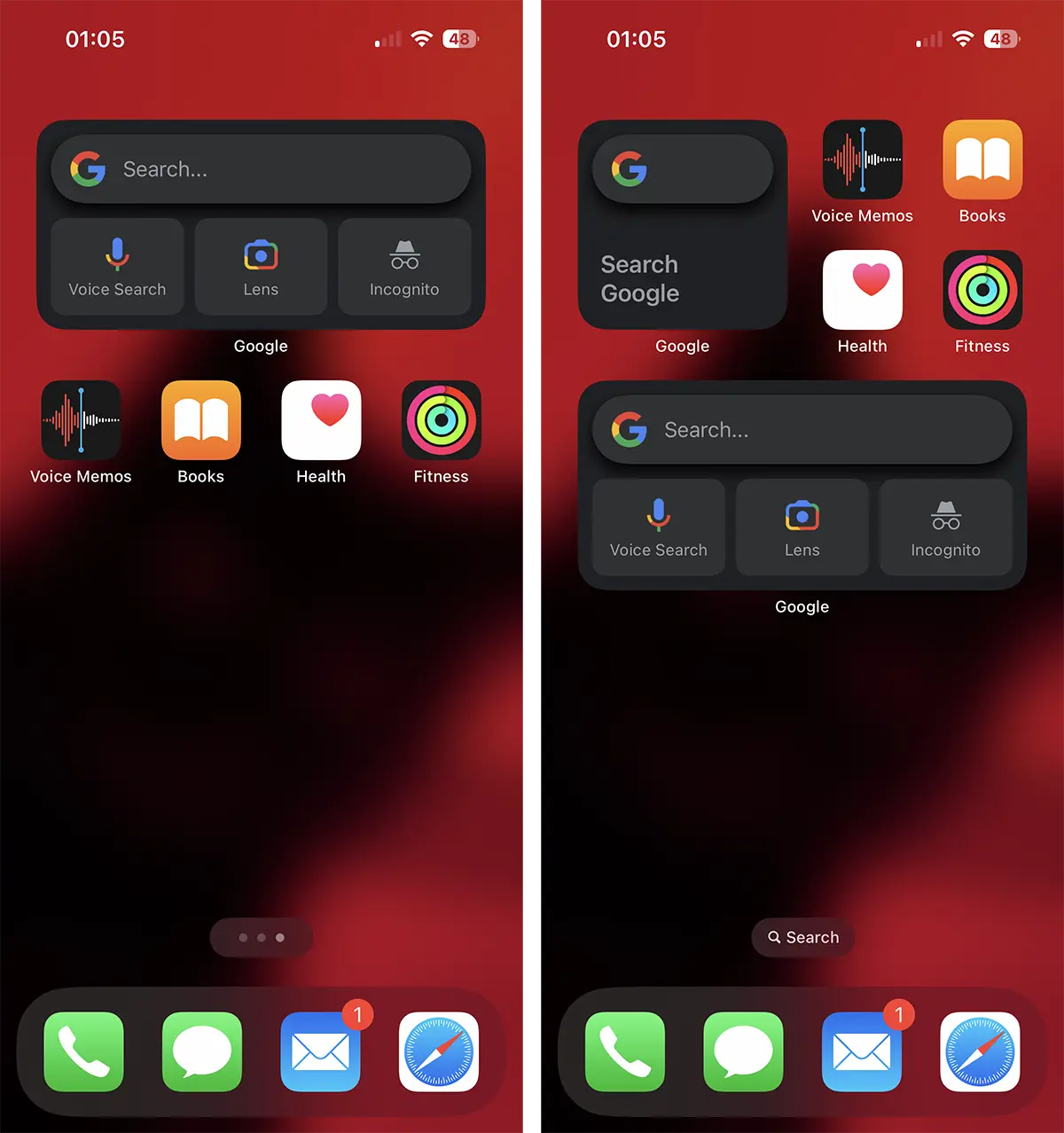
This way you added Google Search on the iPhone Home Screen with quick access to Google search bar, Voice Search (Vocal Dictation) and Google Lens (images search).
How do you add Google Search Widget to iPhone Lock Screen
To bring the screen of an iPhone even closer to that of an Android smartphone. you can add Google services to the lock screen. Lock Screen. That way, you can have quick access to Google Search, Lens and Voice Search as soon as you unlock your iPhone, without having to go to the Home Screen.
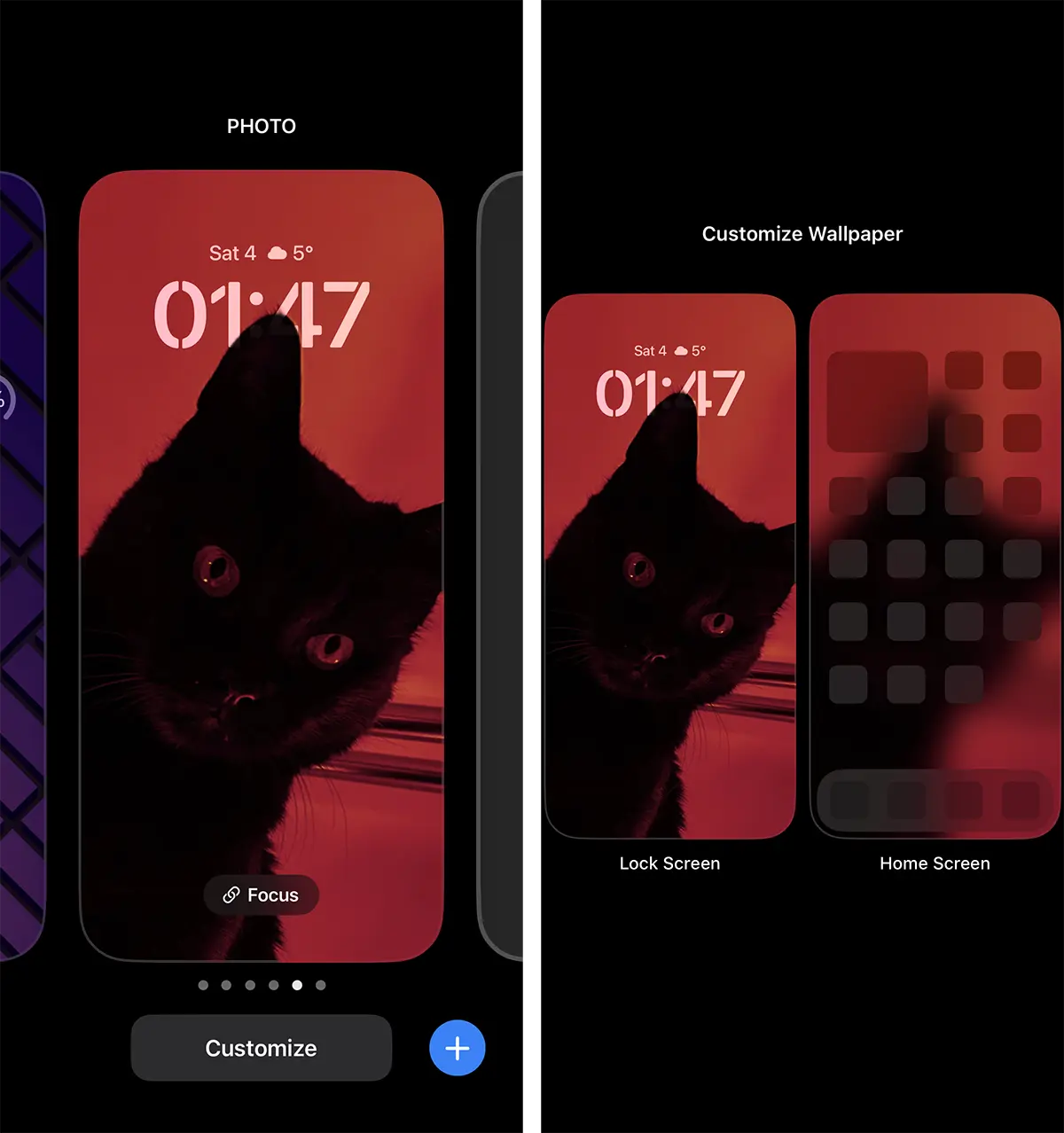
1. Unlock the iPhone and press and hold the Lock Screen in a neutral area, then press the "Customize" button and select "Lock Screen".
2. Press "Add Widget" then choose Google from the list of applications that support widgets.
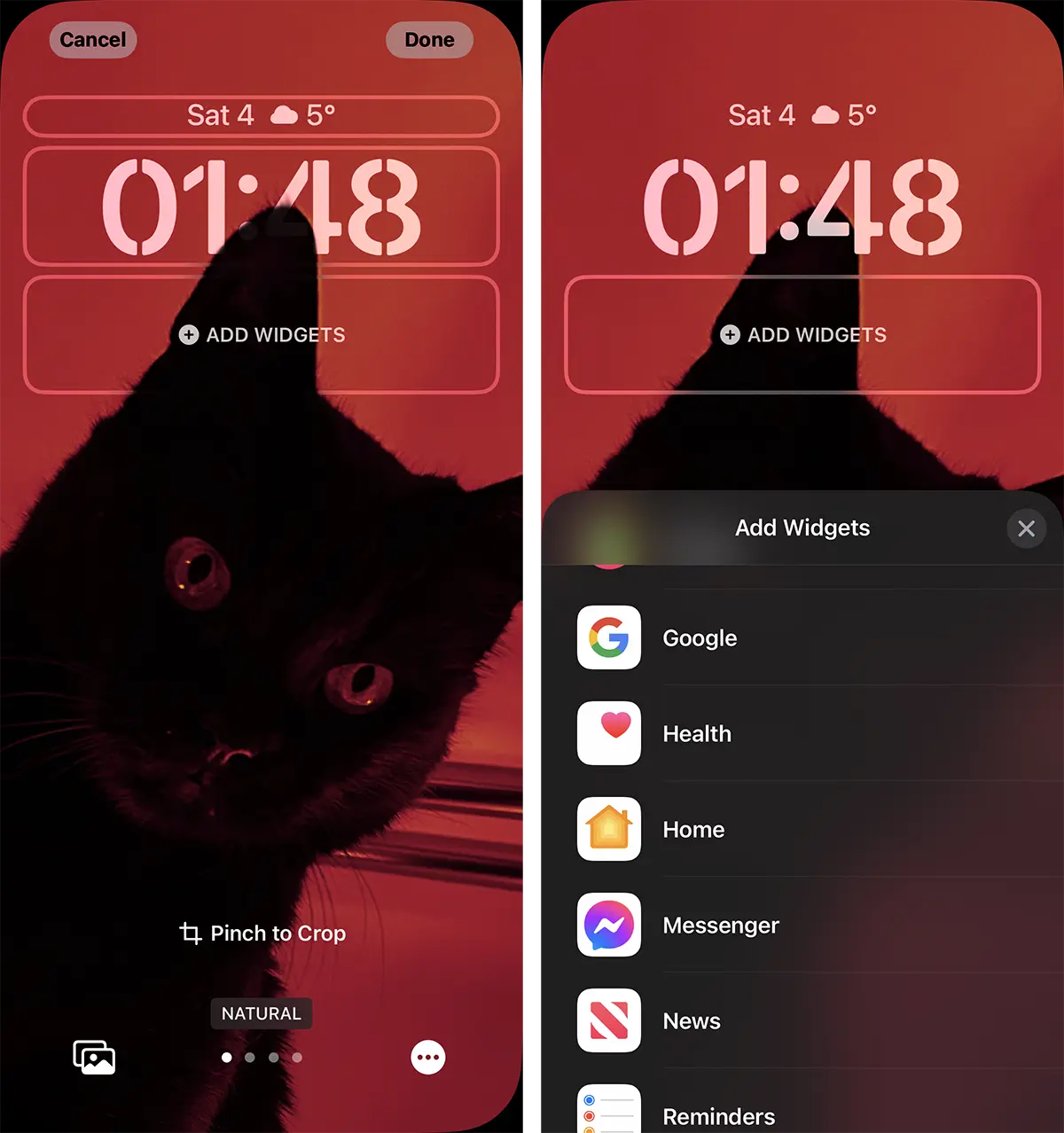
3. From the gallery of widgets available for the Google application, select which one you want to appear on the Lock Screen.
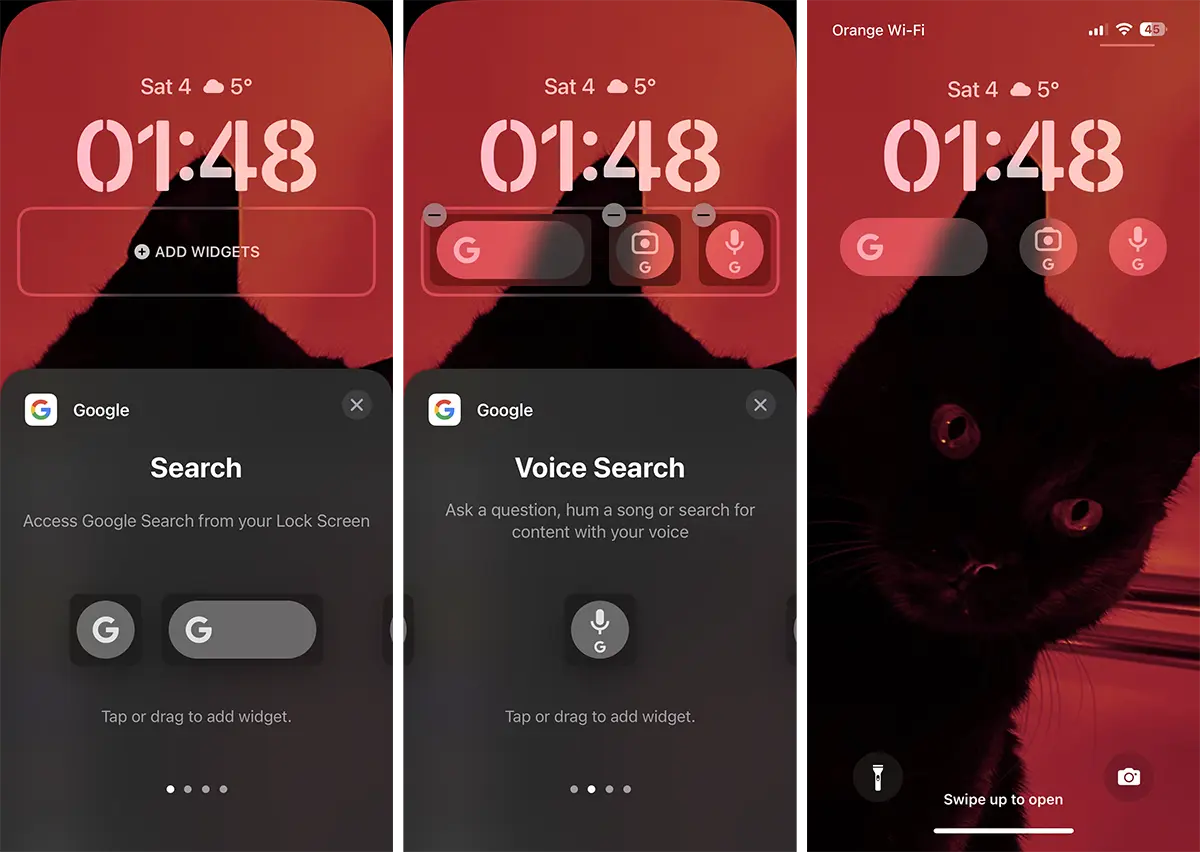
Now you can launch Google directly from Lock Screen, after ID authentication.




































