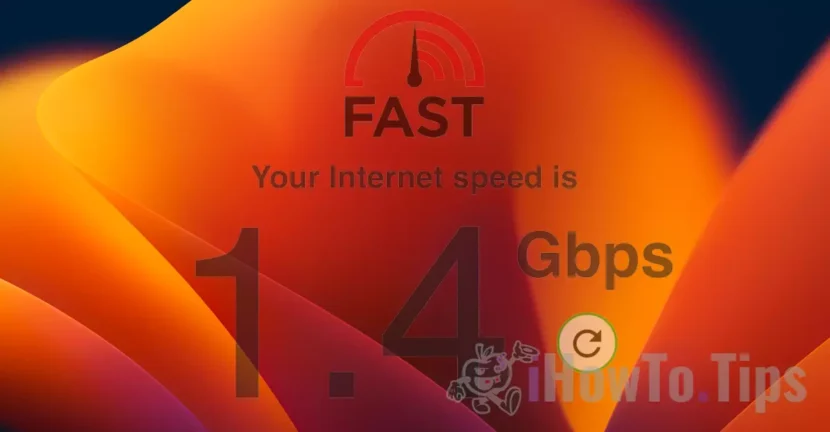

The slow speed of the Internet is a problem for both downloading files from websites, as well as for streaming, online games or video sessions via Web.
For a while I noticed that on Mac and iPad Internet speed has dropped a lot (Slow Internet Speed) and there are times when I have to refresh a web page in Safari.
The slow speed of the Internet On Mac, iPad and iPhone is related to a feature developed by Apple on Macos Monterey, iOS 15 and iPados 15 operating systems.
iCloud Private Relay It is the option by which we can hide our IP address when browsing sites or send messages from the email, iPhone or iPad application. This feature is based on an older technology, developed by Apple. Intelligent Tracking Prevention.
Table of Contents
How we solve the slow speed of the Internet on poppy, iPad and iPhone
Once activated the ICLOUD PRIVATE LATE option for safari and mail, your tooth connection and your web page will be done through Apple servers. A kind of VPN that will make it anonymous and protect you from uncompromised traffic.
This security measure, however, comes to exchange with a low speed of the Internet on safari. We will notice that the web pages are more difficult, some web scrip reports, the connections are unstable.
I did a little test with "Limit IP Address Tracking"Activated and then with this disabled feature.
The test was done on fast.com On a cable connection, from IMAC. Provider Orange with bandwidth of band over 1 Gbps.
Limit IP Address Tracking Activated
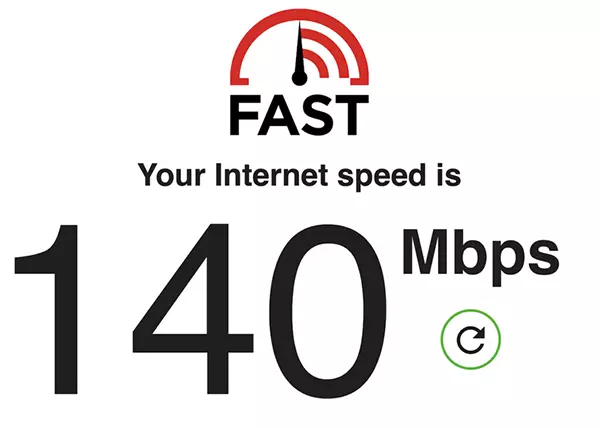
Limit IP Address Tracking Disabled
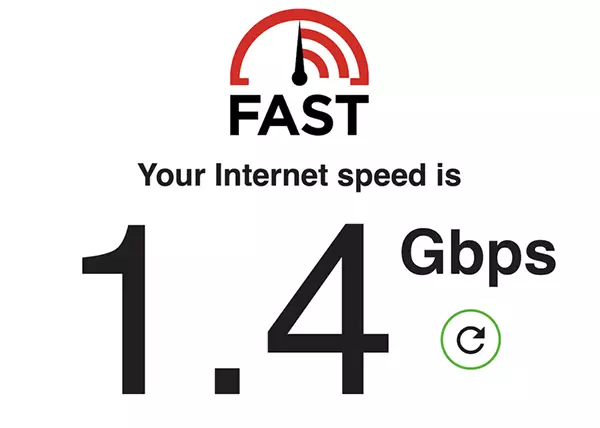
From what can be seen, with the anonymization solution at that time Internet speed was 10 times lower with Limit IP Address Tracking enabled.
The weak speed of the Internet with Limit IP Address Tracking It is not necessarily every moment. They are very big fluctuations. I did tests in which it reached almost 450 Mbps or 18 Mbps.
If you frequently use safari and have Need a higher internet speed, at least for a period It is good to disable this feature.
How do you activate or deactivate ”Limit IP Address Tracking” pe Mac, MacBook
To disable Limit IP Address Tracking On Mac, you must access the Wi-Fi / Ethernet connection settings.
1. Open ”Network"From"System Preferences“.
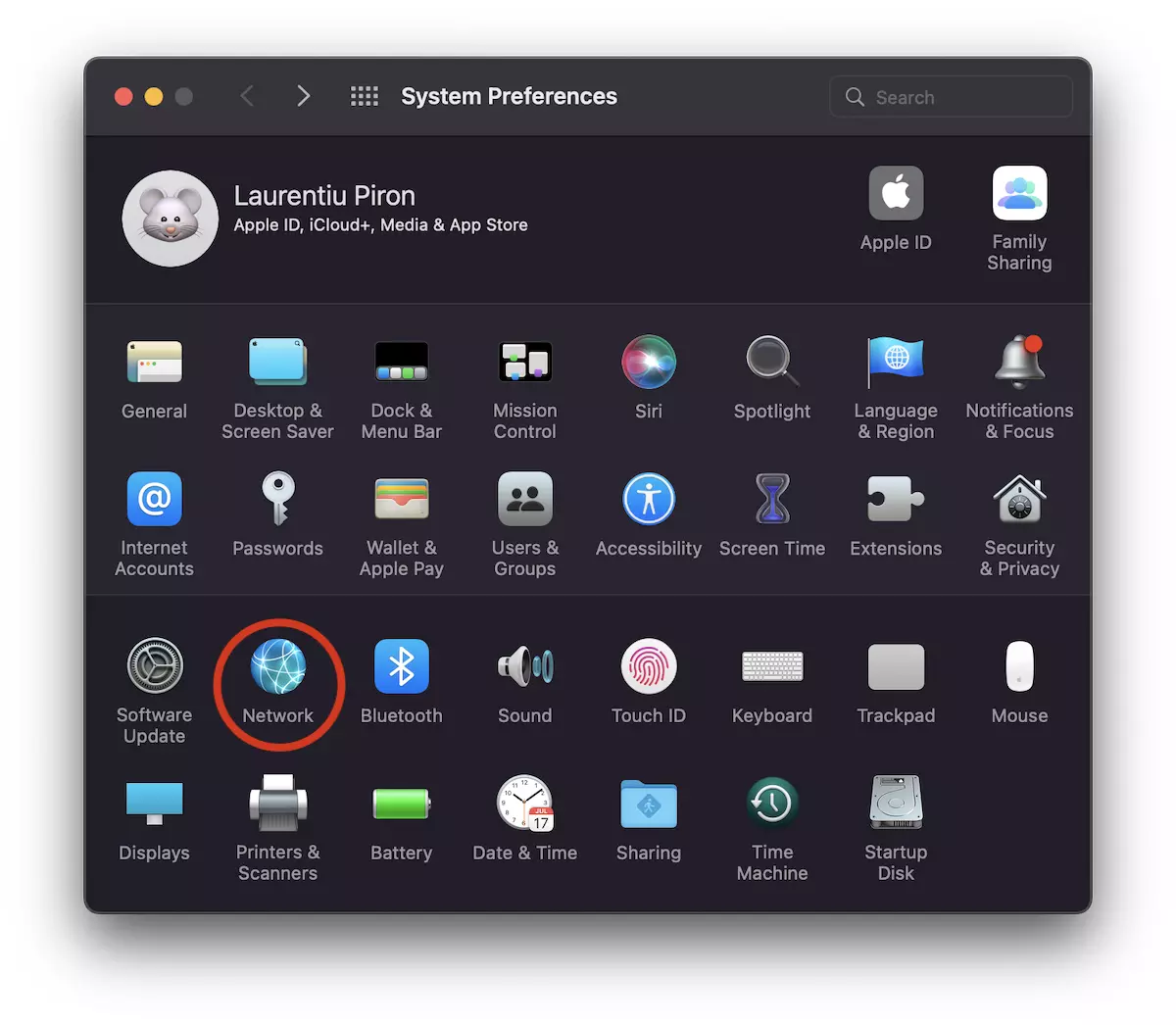
2. Select the network interface you have the Internet connection. Wi-Fi, in the first example.
Defect the option ”Limit Address IP Tracking“.
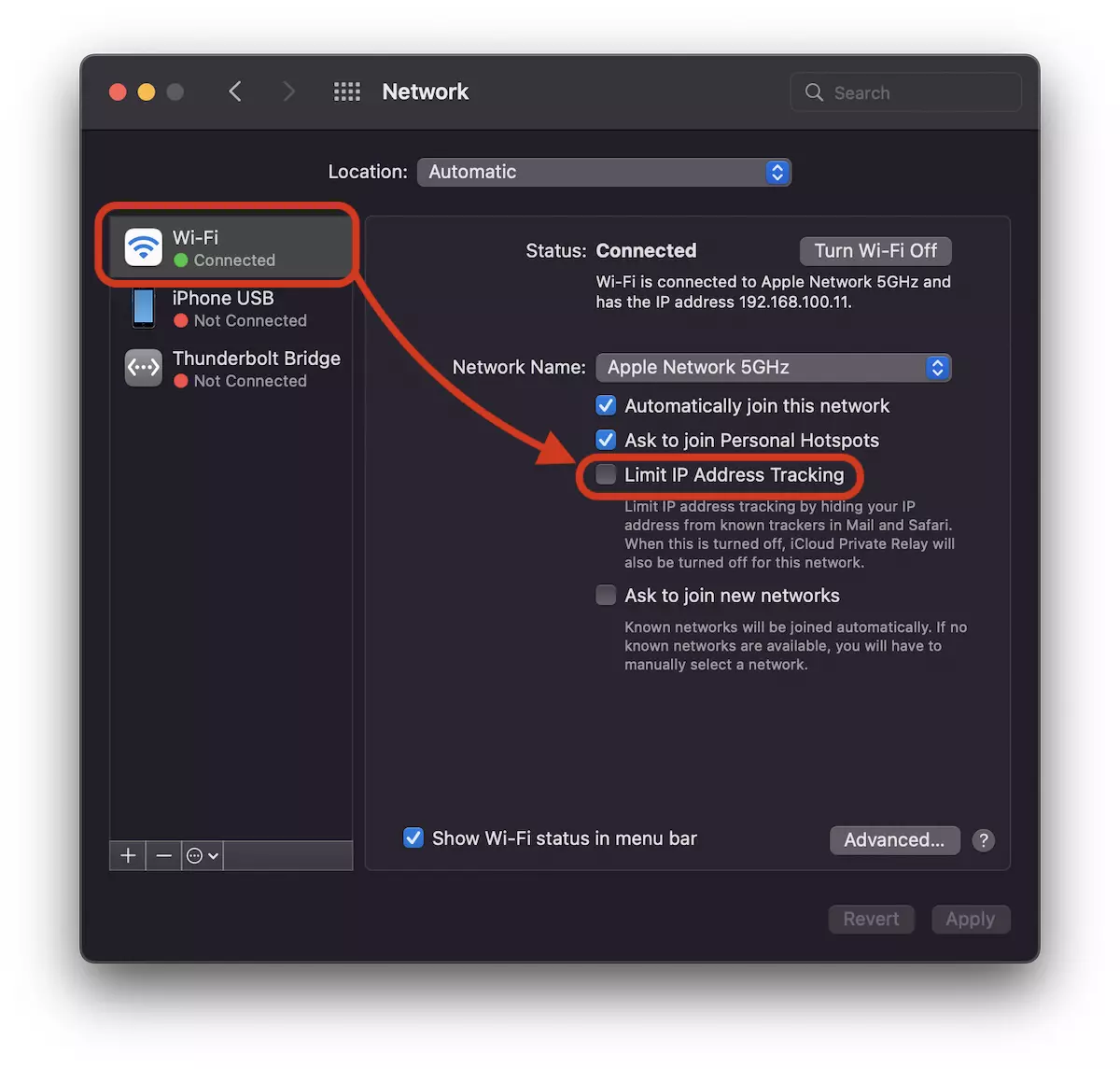
If you have an IMAC or Mac, the most likely network interface is Ethernet.
Make this setting for cable connection to get rid of the slow speed of the Internet.
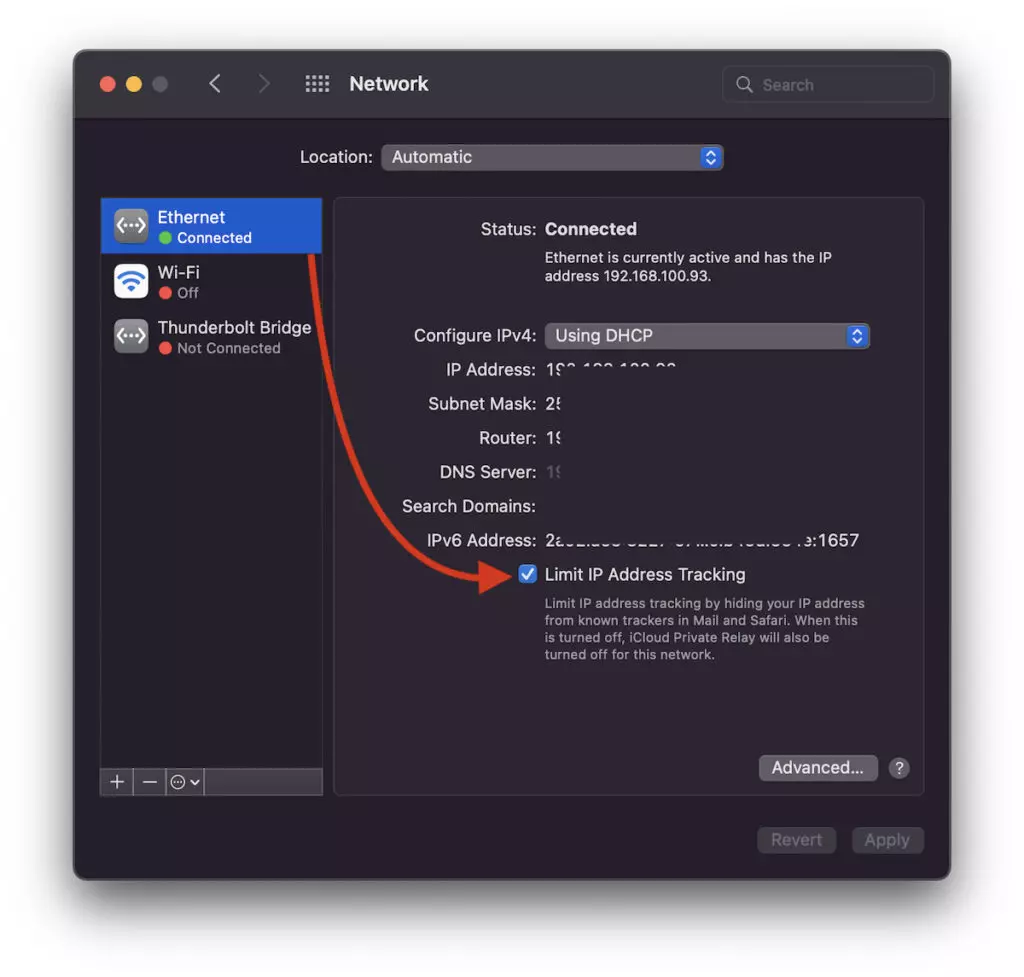
As he writes under this option, if he is deactivated, the services that will hide the IP address in Safari will no longer be active. iCloud Private Relay it will no longer be active. Instead you will have a the higher speed of the Internet on Mac.
Disabling / activation Limit IP Address Tracking on iPhone and iPad
On iOS and iPados this option is activated and deactivated in a similar way.
Go in “Settings” → “Wi-Fi” → Press the blue sign nextLimit IP Address Tracking“.
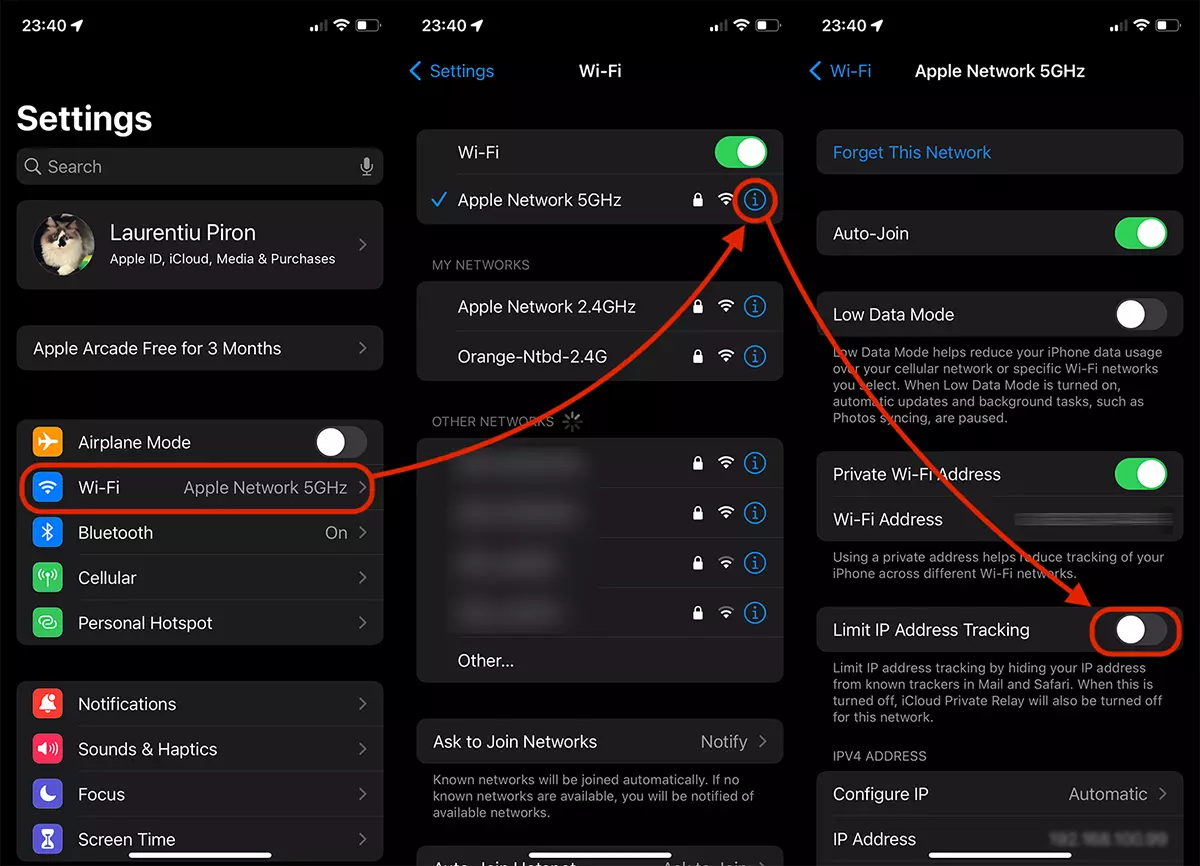
Like Macos, once this setting will no longer benefit from hiding the IP and implicitly of identity on safari, mail and private relationship. However, you will get rid of the slow speed of the internet on the iPhone or iPad.
With the above settings you will solve the problem related to the slow speed of the Internet on Mac, iPhone or iPad for Wi-Fi and Ethernet connections.




































