
Apple has notified users from multiple countries about Increasing prices for subscriptions iCloud Plus. If you do not have an iCloud+ subscription you want to give up, in this tutorial you see how to cancel the iCloud+ subscription on the iPhone or Mac or choose a lower, cheaper subscription.
Thank you for subscribing to iCloud+ with 2 TB of Storage. We wanted to let you know about an upcoming change to this subscription.
Apple is raising the price of this subscription from 44,99 RON per month to 49,99 RON per month. Your subscription will automatically renew for 49,99 RON per month starting August 17 unless you cancel at least a day before.
It is not a significant price increase, considering that globabal have increased prices for all products and services. However, if you want to close the Apple iCloud+subscription, all you have to do is follow the steps in this tutorial.
Table of Contents
How can you cancel the iCloud+ subscription on iPhone or Mac
If you use the iCloud storage space intensely, before you cancel the subscription, make sure you have copied all the data on an external support. External hard drive, flash drive or other storage unit.
For example, if you have an iPhone device with 64GB storage but you have 200 GB of photos / video stored in the iCloud environment (on the iPhone device only a small resolution copy), after giving up iCloud+ you will need to transfer them to another storage environment.
If you have shared the storage space with family members, they will be directly affected by the cancellation of the iCloud+subscription. Most likely they will no longer have storage space available for backup device, photos, video and other files stored by them in the iCloud Drive environment.
Canceling iCloud+ subscription from iPhone devices
It should be mentioned that in the same way you can cancel the iCloud+ subscription from iPad devices (iPados).
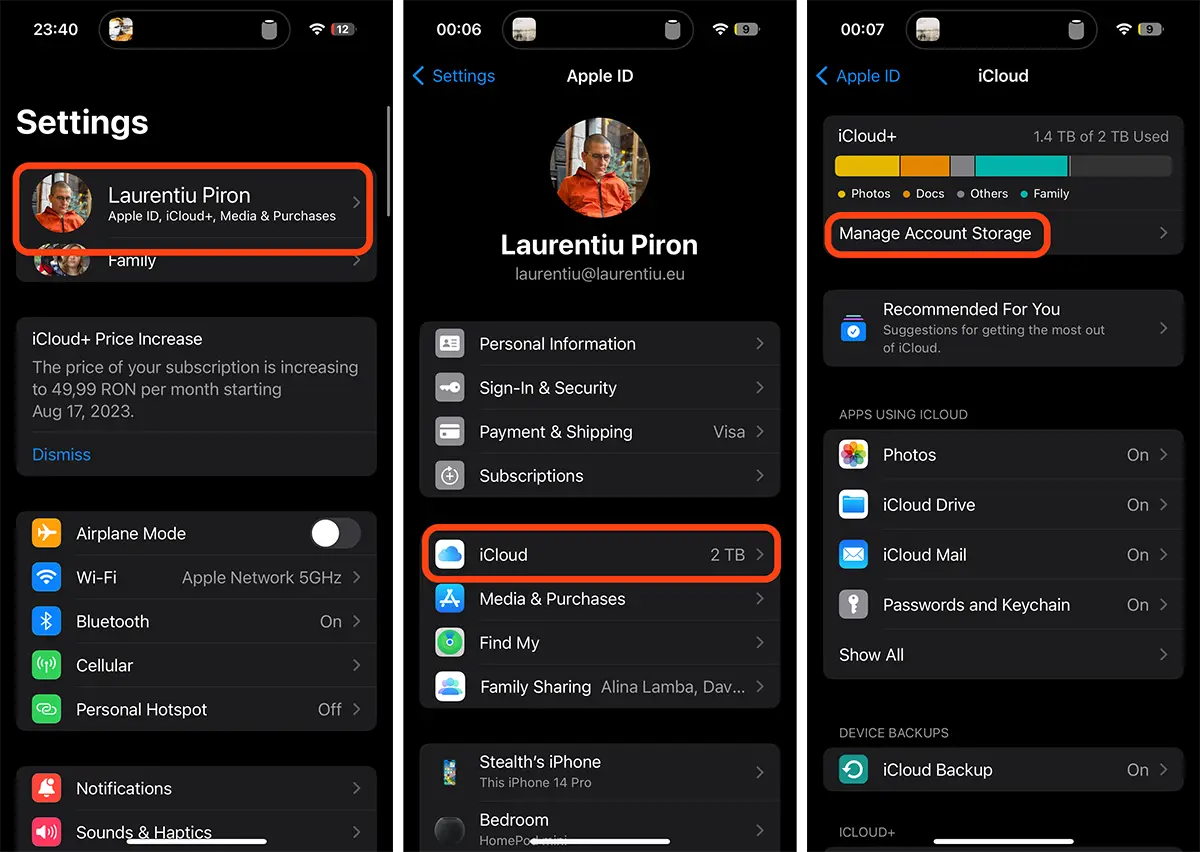
1. Open ”Settings"Then go on the first option from above, where is your name with your Apple ID account.
2. In the Apple ID menu go to iCloud options. (Many users tend to go to the option ”Subscriptions"But there is the Apple Music subscription and other applications to which the user has subscriptions)
3. You access the option ”Manage Account Storage"From the iCloud+service.
4. of the "Manage Account Storage"Go to"Downgrade Options"Then enter the password of your account Apple ID.
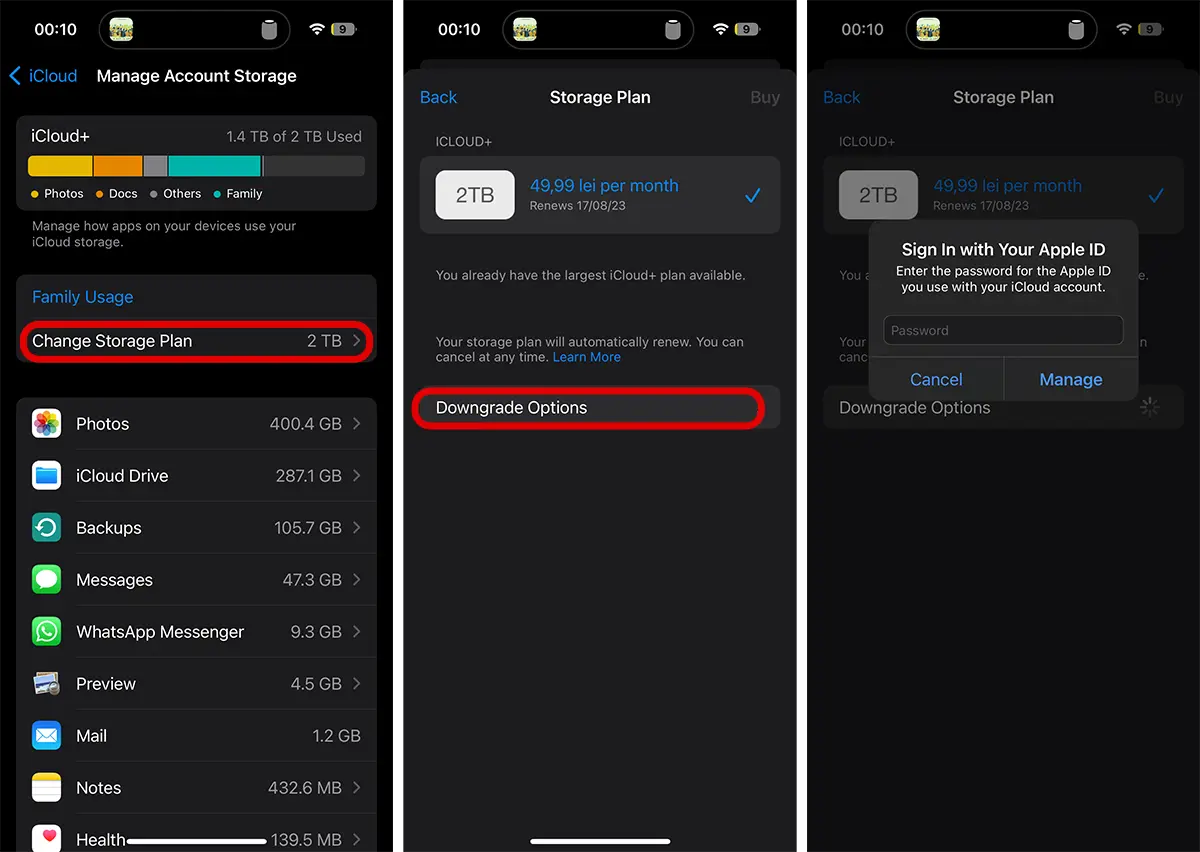
5. to the options ”Storage Plan"There is a possibility to choose a lower subscription (if you have the maximum 2TB subscription) or to switch to the free subscription that offers 5GB storage space. That is, to cancel the current iCloud subscription and move to a lower or free one.
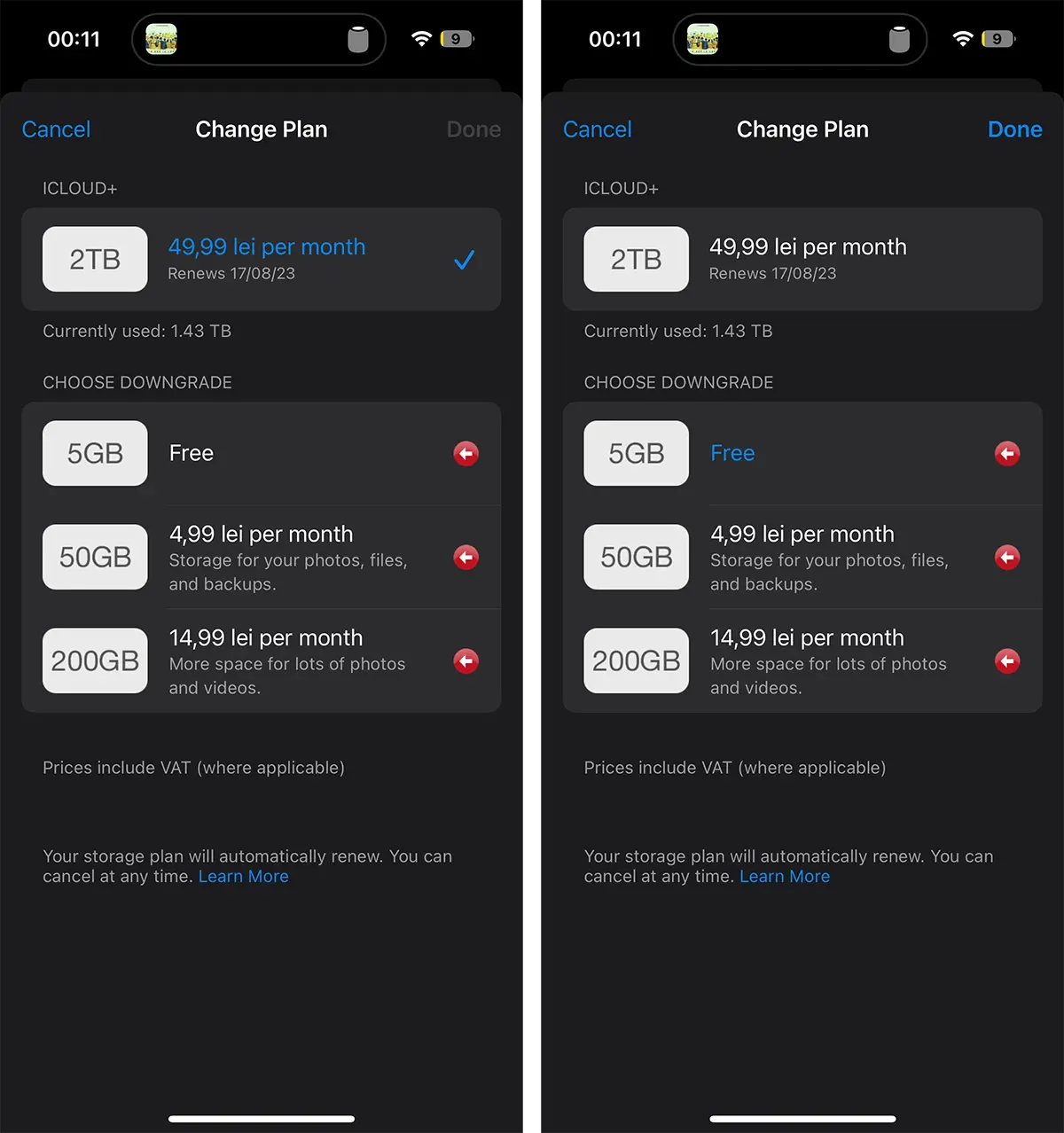
After you have selected the new ICLOUD subscription ”Done". In this way you managed to cancel the current iCloud subscription.
Related: Optimization of disk storage space on macos - Storage Management
The red marking next to the lower subscriptions indicates that the space currently occupied in the iCloud storage environment is larger than the one supported by that subscription. In my case, it is busy 1.43TB out of 2TB available in iCloud service, which means that an inferior icloud subscription would not be enough for all data.
As I said at the beginning of the tutorial, before I cancel the subscription iCloud Plus I have to download the data from iCloud on their own storage unit, then delete the data from iCloud until the busy space will remain under the maximum available of the lower subscription.
Subscription cancellation iCloud Plus from Mac / MacBook devices
All you have to do to change the iCloud+ subscription is to follow similar steps from iPhone devices.
1. Deschizi System Settings → Apple ID → iCloud → click “Manage” (Account Storage).
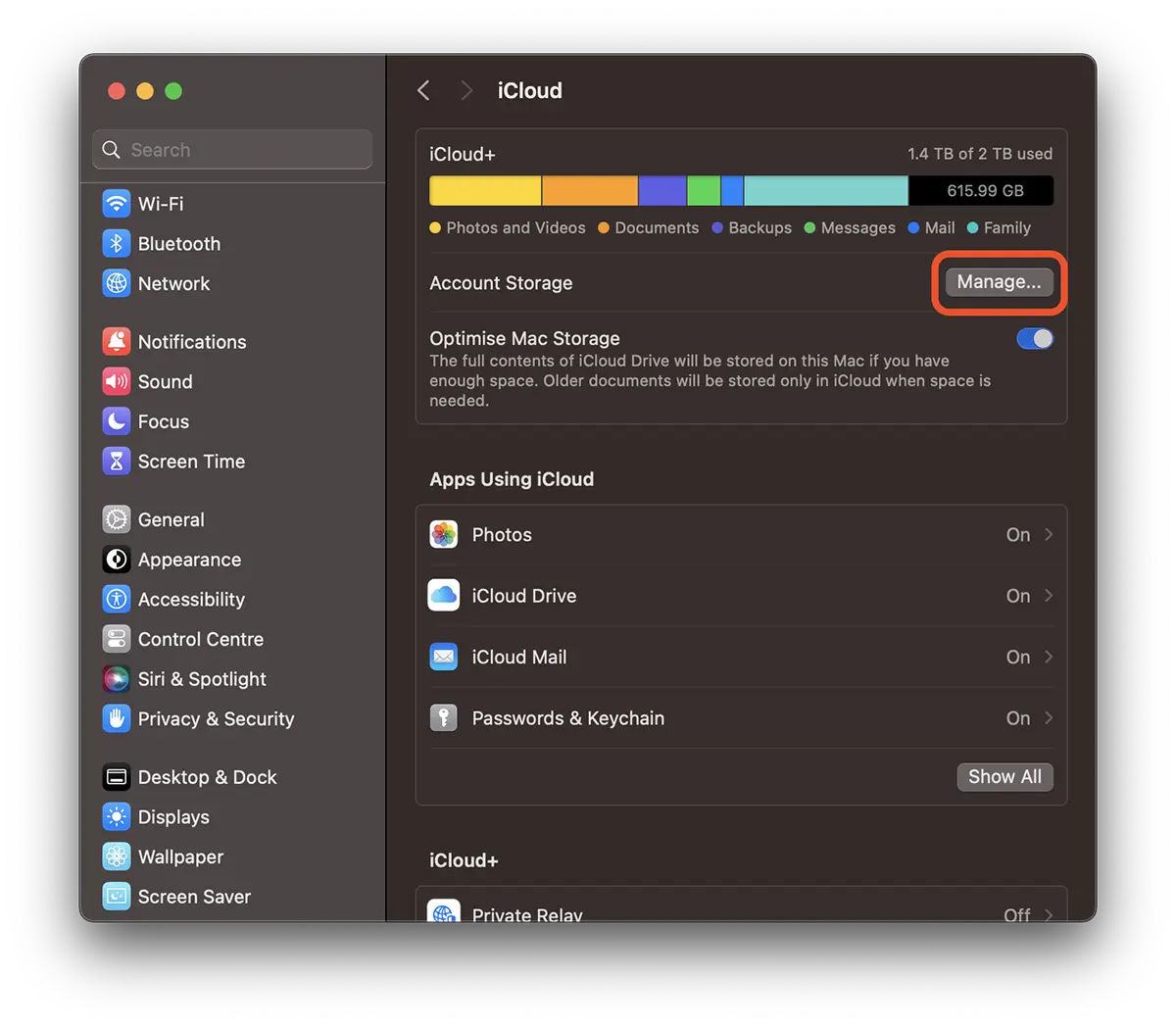
2. “Change Storage Plan…” → “Downgrade Options”.
Like on iPhone devices you will have options for changing / canceling subscription iCloud Plus.
Related:
- What is Advanced Data Protection for iCloud and how you can activate this option
- How do you set up personalized email on iCloud Mail
- Family Member Not Using iCloud Storage – How to Fix (2022)
- iCloud+ si iCloud Mail – Private Relay, Hide my Email si Custom Email Domain
In conclusion, it is not difficult to cancel the iCloud+subscription. It is more complicated to save on other storage media the data on iPhone, MAC, iPad before canceling the subscription.
For this tutorial, iPhone (iOS 17), IMAC (macos sonoma) devices were used.